
Text-to-Lottie (Diffusion Studio)
SkillLets agents generate production-ready Lottie animations (icon motion, loaders, data animations and more) from a text description or SVG, with a local player for live preview and tweaks. Export JSON for web, apps or After Effects. Needs Node.js locally.




Text-to-lottie is an open-source framework for generating production ready Lottie animations with claude code/codex or any other coding agent supporting skills.
Created with Text-to-Lottie
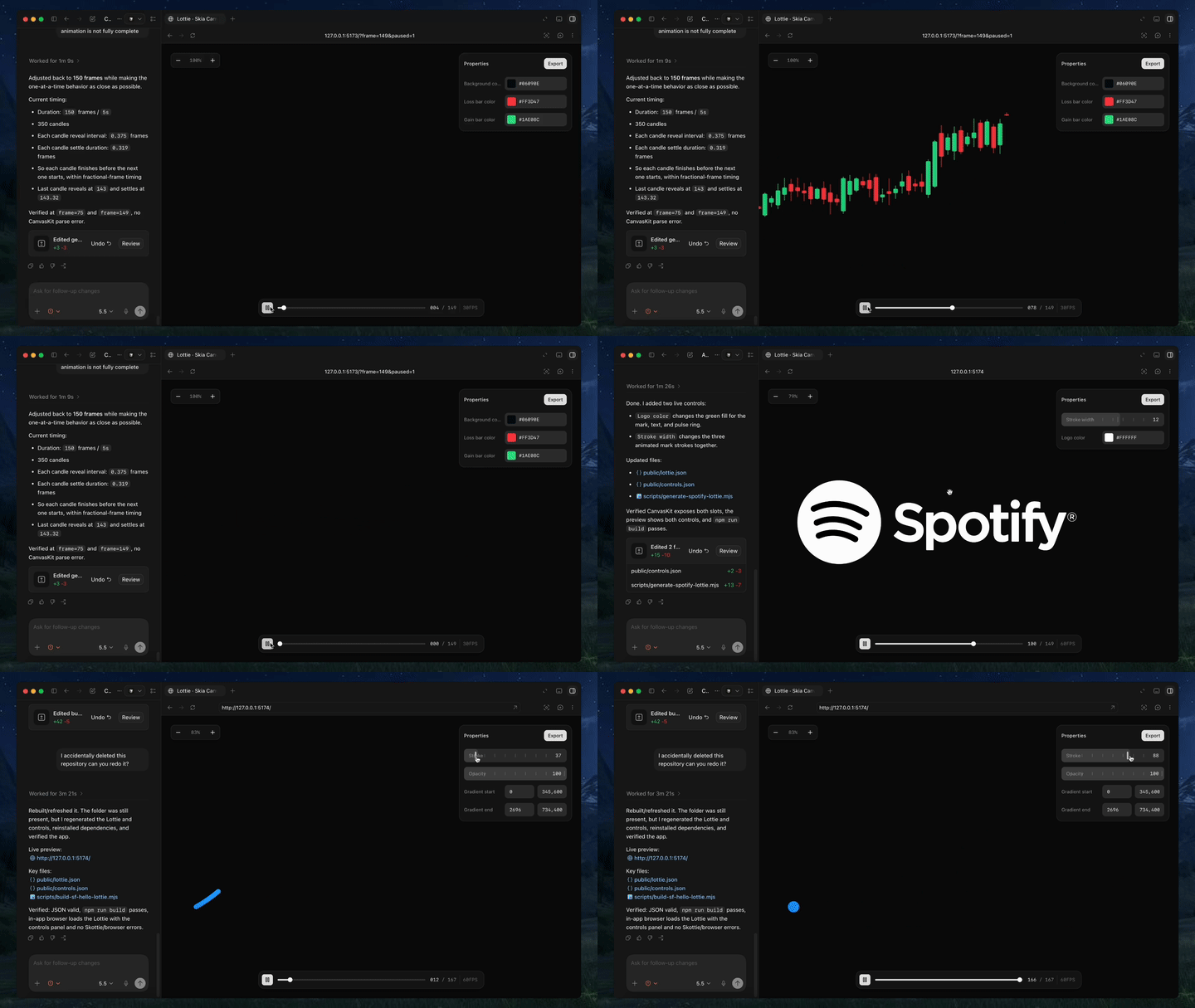
|
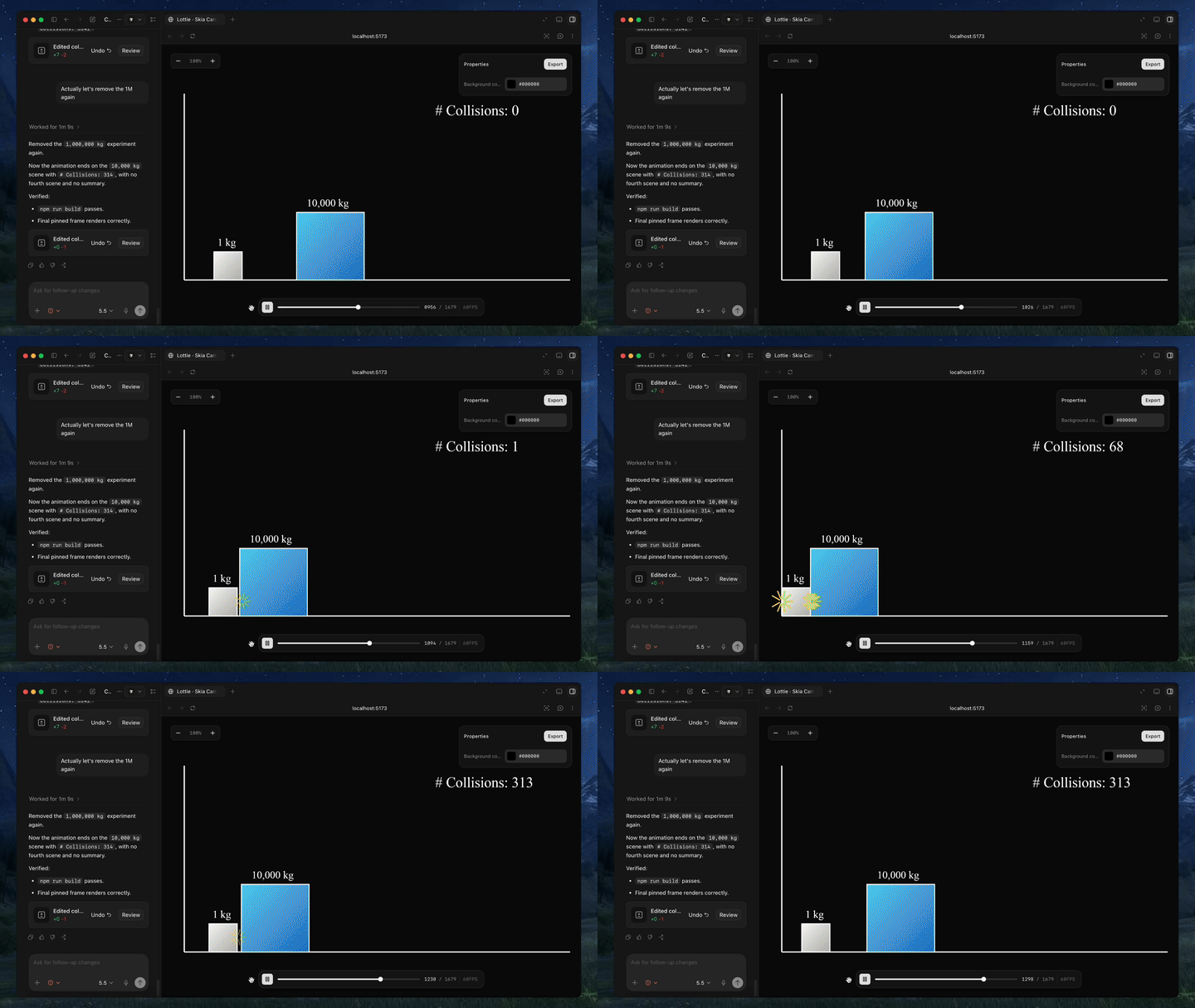
|
Quick Start
Install the skill:
npx skills add diffusionstudio/lottie
Then ask your coding agent to generate a Lottie animation using text-to-lottie.
Example prompt:
Create a Lottie animation from the SVG path in https://github.com/JaceThings/SF-Hello/blob/main/SVG/hello-en.svg. Reveal the path with an animation that follows the natural path direction. Apply a premium apple themed gradient to the path. Use ease-in-out timing, a transparent background, and preserve the original SVG geometry.
The agent sets up the workspace and the included player, where each animation lives as a scene inside a project. Scenes load automatically from public/projects/<project>/<scene>/lottie.json and live-update in the player as the agent edits them — so you can inspect, scrub, and refine the generated Lottie in real time.
Prompt guide
1. Ground the model
Provide SVGs, real-world data, or screenshots whenever possible. Results are significantly better when the animation is based on concrete assets.
2. Use motion design terminology
Describe timing and movement using motion design language like ease-in, ease-out, and ease-in-out.
3. Think like a camera operator
Professional motion graphics often rely on camera movement. Include camera pushes, pans, zooms, and rig-like motion in your prompt.
4. Request the controls you need
By default, outputs usually only expose a background color control. If you want to customize other properties, explicitly ask the agent to create controls for them.
5. Specify FPS and duration
If your animation requires a specific frame rate or length, include the desired FPS and total frame count in the prompt.
Using the Generated Animation
Generated animations can be used directly as Lottie JSON files or imported into After Effects for further refinement.
Web / vanilla HTML
<script src="https://unpkg.com/lottie-web/build/player/lottie.min.js"></script>

<div id="anim"></div>

<script>
  lottie.loadAnimation({
    container: document.getElementById("anim"),
    renderer: "svg",
    loop: true,
    autoplay: true,
    path: "/animations/my-animation.json"
  });
</script>
React Native
Use React Native Skia to render Lottie animations via its Skottie module. It supports iOS, Android, and web, and lets you customize animation properties, assets, and typographies at runtime.
import { Skia, Canvas, Skottie, useClock } from "@shopify/react-native-skia";
import { useDerivedValue } from "react-native-reanimated";

const animation = Skia.Skottie.Make(JSON.stringify(require("./animation.json")));

export default function Loader() {
  const clock = useClock();
  const frame = useDerivedValue(
    () => ((clock.value / 1000) % animation.duration()) * animation.fps()
  );
  return (
    <Canvas style={{ width: 200, height: 200 }}>
      <Skottie animation={animation} frame={frame} />
    </Canvas>
  );
}
iOS Swift
import Lottie

let animationView = LottieAnimationView(name: "animation")
animationView.frame = view.bounds
animationView.contentMode = .scaleAspectFit
animationView.loopMode = .loop
view.addSubview(animationView)
animationView.play()
Android Kotlin
val view = findViewById<LottieAnimationView>(R.id.animationView)
view.setAnimation(R.raw.animation)
view.loop(true)
view.playAnimation()
Flutter
dependencies:
  lottie: ^1.0.0
import 'package:lottie/lottie.dart';

Lottie.asset('assets/animation.json')
Ähnliche Ressourcen

Scroll World
SkillBuilds a scroll-scrubbed fly-through 3D world landing page for any brand: generates scene stills with Higgsfield and seamless camera clips via Monid (Seedance 2.0, paid per clip) or Higgsfield credits, then wires a vanilla JS scrub engine. Needs Higgsfield CLI and ffmpeg.
oso95/scroll-world10.2k
Frontend Design
SkillHas the agent commit to a visual direction before building or redesigning an interface, making deliberate choices on color, type and layout instead of generic, templated AI UI. Official Anthropic skill.
anthropics/skills182k
UI UX Pro Max
SkillUI design knowledge base skill: looks up UI styles, palettes, font pairings, charts and UX guidelines by product type and generates a full design system, covering 22 stacks including React, SwiftUI and Flutter. Needs Python 3 locally.
nextlevelbuilder/ui-ux-pro-max-skill136k
Taste Skill
SkillHelps agents build frontends that don't look templated: picks a design direction first, then tunes layout variance, motion intensity and information density. Also includes redesign audits, minimalist and brutalist styles, and design reference generation.
Leonxlnx/taste-skill97.9k
Impeccable
SkillFrontend design polish skill: one skill with 24 commands such as polish, audit, critique and typeset, plus 61 deterministic rules that catch typical AI-generated UI problems, with live iteration in the browser. Works with Claude Code, Codex, Cursor and others.
pbakaus/impeccable81.9k
Skills For Designers and Engineers
SkillDesign engineering skills by Emil Kowalski, author of Sonner and Vaul: choose animation easing and durations, review and improve motion, apply Apple design principles, make web apps feel native on phones, and help pick UI libraries and prototype multiple versions.
emilkowalski/skills46.6k