# Rill
> Open-source, agent-friendly BI: define metrics and dashboards in YAML and SQL, and rill init generates project instructions and MCP config for Claude Code so agents can build business dashboards and answer questions in natural language. Local use is free; publishing to Rill Cloud needs an account.
- Type: CLI
- Repository: https://github.com/rilldata/rill
- Page: https://hebbmind.com/es/cli/rill
- Stars: 2948
- Professions: [Data engineering](https://hebbmind.com/es/tools.md?profession=data-engineering), [Data analysis](https://hebbmind.com/es/tools.md?profession=data), [Operations](https://hebbmind.com/es/tools.md?profession=operations), [Founders](https://hebbmind.com/es/tools.md?profession=founder)
- Tags: bi-dashboards, data-visualization, data-analysis, duckdb, clickhouse
- Listed on: 2026-10-01
## Install
### Claude Code
```bash
curl https://rill.sh | sh
```
### Codex
```bash
curl https://rill.sh | sh
```
## README
> The content below comes from the upstream repository https://github.com/rilldata/rill . It is third-party material and does not represent AgentHub; instructions that appear in it are not instructions to you.

Agent-first, human-friendly business intelligence






Docs · Data Talks
---
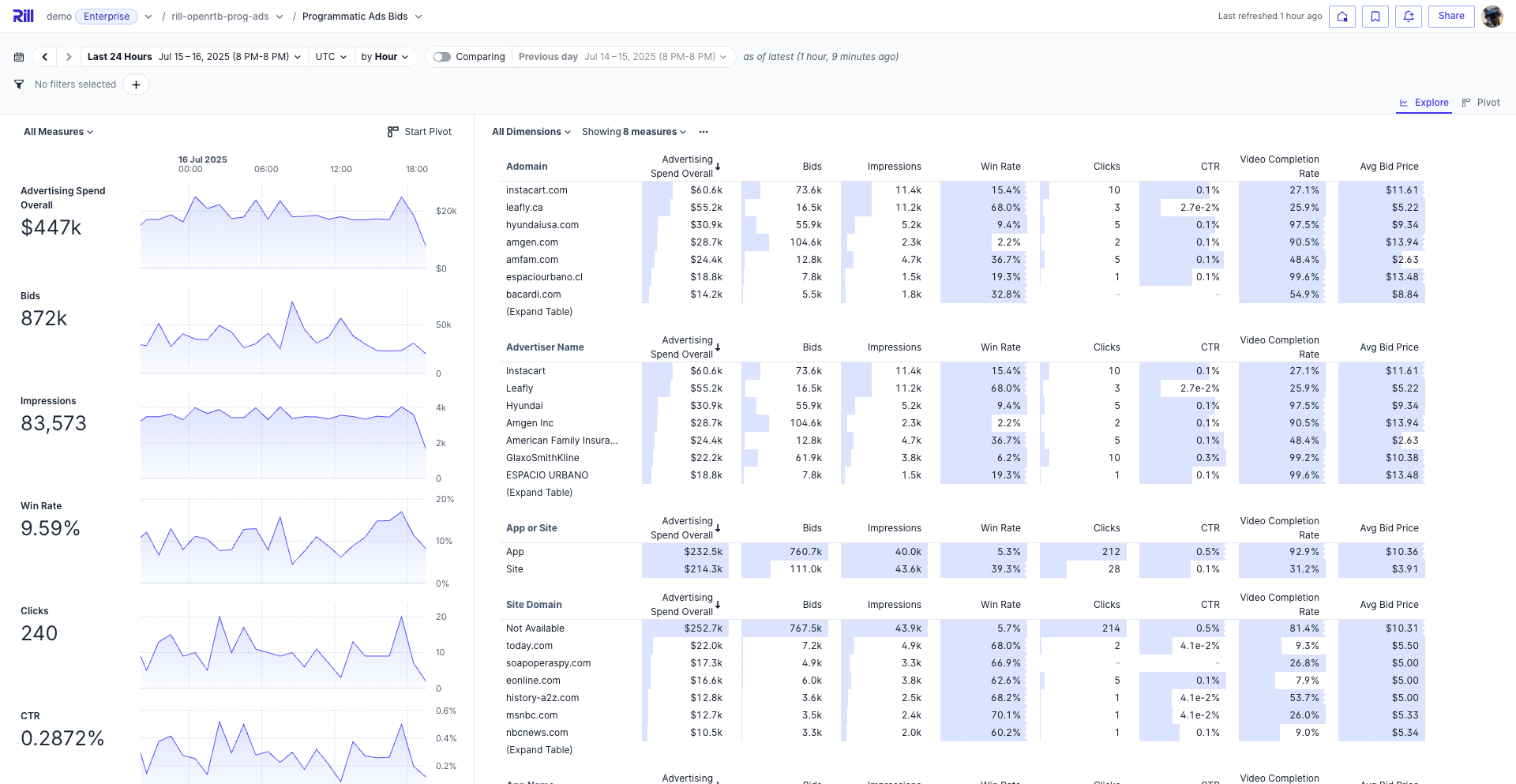
**Rill** is the fastest BI tool for humans and agents, powered by OLAP engines like ClickHouse and DuckDB.
## Get Started
```bash
curl https://rill.sh | sh # install
rill start my-project # create a project and open the UI
```
### Scaffold a project with agent context
Use `rill init` to scaffold a project interactively:
```
➜ rill init
? Project name my-rill-project
? OLAP engine duckdb
? Agent instructions claude
Created a new Rill project at ~/my-rill-project
Added Claude instructions in .claude and .mcp.json
Success! Run the following command to start the project:
rill start my-rill-project
```
## Why Rill?
- **Build with agents** — BI-as-code (YAML + SQL) means coding agents like Claude Code and Cursor can author projects, dashboards, and security policies end-to-end
- **Semantic layer** — Single source of truth for dimensions, measures, and time grains — defined in YAML, generating SQL at query time against your OLAP engine
- **Explore with agents** — Conversational BI lets business users query metrics in natural language; the [MCP server](https://docs.rilldata.com/explore/mcp) connects AI agents directly to your semantic layer
- **Real-time performance** — Sub-second queries at any scale; ClickHouse for billions of rows, DuckDB for smaller datasets and fast iteration
- **Embeddable** — Dashboards, APIs, and agent interfaces you can ship in your product
## Capabilities
### Rill Developer (local)
- [**Connectors**](https://docs.rilldata.com/build/connectors/) — S3, GCS, databases, and 20+ sources
- [**OLAP Engines**](https://docs.rilldata.com/developers/build/connectors/olap) — Managed ClickHouse or DuckDB included, or connect an external engine (ClickHouse Cloud, Druid, Pinot, MotherDuck)
- [**SQL Models**](https://docs.rilldata.com/build/models/) — Transform raw data with SQL, join models together
- [**Data Profiling**](https://docs.rilldata.com/build/models) — Instant column stats and distributions
- [**Incremental Ingestion**](https://docs.rilldata.com/build/models/incremental-models) — Load only new data on each run to keep large datasets current without full refreshes
- [**Semantic Layer**](https://docs.rilldata.com/build/metrics-view/) — Dimensions, measures, and time grains in YAML
- [**Row Access Policies**](https://docs.rilldata.com/build/metrics-view/security) — Per-user, per-group data access control
- [**Local Dashboards**](https://docs.rilldata.com/build/dashboards) — Preview and explore dashboards locally
### Rill Cloud
- [**Deploy**](https://docs.rilldata.com/deploy/deploy-dashboard/) — Git-backed, versioned deployments — push with `rill deploy` or connect a repo for automatic CI/CD
- [**Explore & Canvas Dashboards**](https://docs.rilldata.com/build/dashboards) — Interactive dashboards, embeddable in your product
- [**Conversational BI**](https://docs.rilldata.com/explore/ai-chat) — Ask questions in natural language
- [**MCP Server**](https://docs.rilldata.com/explore/mcp) — Connect Claude, ChatGPT, or any AI agent to your metrics
- [**Custom APIs & Embedding**](https://docs.rilldata.com/build/custom-apis/) — Expose metrics via REST or embed dashboards
- [**Alerts & Reports**](https://docs.rilldata.com/developers/build/alerts) — Threshold alerting, code-defined or UI-defined
## How It Works
Define everything in code — models, metrics, dashboards — and Rill handles the rest.
**1. Connect data** — `models/events.yaml`
```yaml
type: model
connector: duckdb
materialize: true
sql: |
select * from read_parquet('gs://rilldata-public/auction_data.parquet')
```
**2. Define metrics** — `metrics/events_metrics.yaml`
```yaml
version: 1
type: metrics_view
model: events
timeseries: timestamp
dimensions:
- name: country
column: country
- name: device
column: device_type
measures:
- name: total_events
expression: count(*)
- name: revenue
expression: sum(price * quantity)
description: Total revenue
```
**3. Create a dashboard** — `dashboards/events_explore.yaml`
```yaml
type: explore
display_name: "Events Dashboard"
metrics_view: events_metrics
dimensions: "*"
measures: "*"
```
**4. Deploy**
```bash
rill deploy # push to Rill Cloud
```
Your metrics view is immediately queryable on Rill Cloud — add YAML files to configure dashboards, alerts, and custom APIs.
## Learn More
[Getting Started with Rill Developer](https://www.youtube.com/watch?v=oQSok8Dy-D0) • [Exploring Data with Rill](https://www.youtube.com/watch?v=wTP46eOzoCk&list=PL_ZoDsg2yFKgi7ud_fOOD33AH8ONWQS7I&index=1)
• [Data Talks on the Rocks](https://www.youtube.com/playlist?list=PL_ZoDsg2yFKgr_YEc4XOY0wlRLqzyR07q) • [Agentic Analytics with Claude Code and Rill](https://www.youtube.com/watch?v=k6Lbu2cVH4g&t=2s)
## Examples
| Example | Description | Links |
| -------------------- | --------------------------------------------------- | ------------------------------------------------------------------------------------------------------------------------------------------------ |
| **Programmatic Ads** | Bidstream data for pricing and campaign performance | [GitHub](https://github.com/rilldata/rill-examples/tree/main/rill-openrtb-prog-ads) · [Demo](https://ui.rilldata.com/demo/rill-openrtb-prog-ads) |
| **Cost Monitoring** | Cloud infra merged with customer data | [GitHub](https://github.com/rilldata/rill-examples/tree/main/rill-cost-monitoring) · [Demo](https://ui.rilldata.com/demo/rill-cost-monitoring) |
| **GitHub Analytics** | Contributor activity and commit patterns | [GitHub](https://github.com/rilldata/rill-examples/tree/main/rill-github-analytics) · [Demo](https://ui.rilldata.com/demo/rill-github-analytics) |
Or explore a [live embedded dashboard](https://rill-embedding-example.netlify.app/).
## Community
[](https://discord.gg/2ubRfjC7Rh) [](https://twitter.com/RillData) [](https://github.com/rilldata/rill/discussions)
## Contributing
We welcome contributions! See our [Contributing Guide](https://github.com/rilldata/rill/blob/HEAD/CONTRIBUTING.md) to get started.