
Browser Harness
CLIBrowser control from the browser-use team: an editable CDP connection lets agents drive the Chrome you are already using, writing missing helper functions as they go and keeping them for reuse. Also offers an MCP server. Allow remote debugging in Chrome on first use.

Browser Harness ♞
Browser Harness lets Claude Code, Codex or Cursor use your real Chrome browser: open pages, click, type, read and download, logged in as you. Paste one prompt into your coding agent to set it up. It talks to Chrome over the DevTools Protocol (CDP), and the agent writes any missing helper as it works, so the harness gets better with each task. Open source, MIT licensed.
Try browser-harness in Browser Use Cloud or paste the setup prompt into your coding agent.
  ● agent: wants to upload a file
  │
  ● agent-workspace/agent_helpers.py → helper missing
  │
  ● agent writes it                         agent_helpers.py
  │                                                       + custom helper
  ✓ file uploaded
You will never use the browser again.
See it work
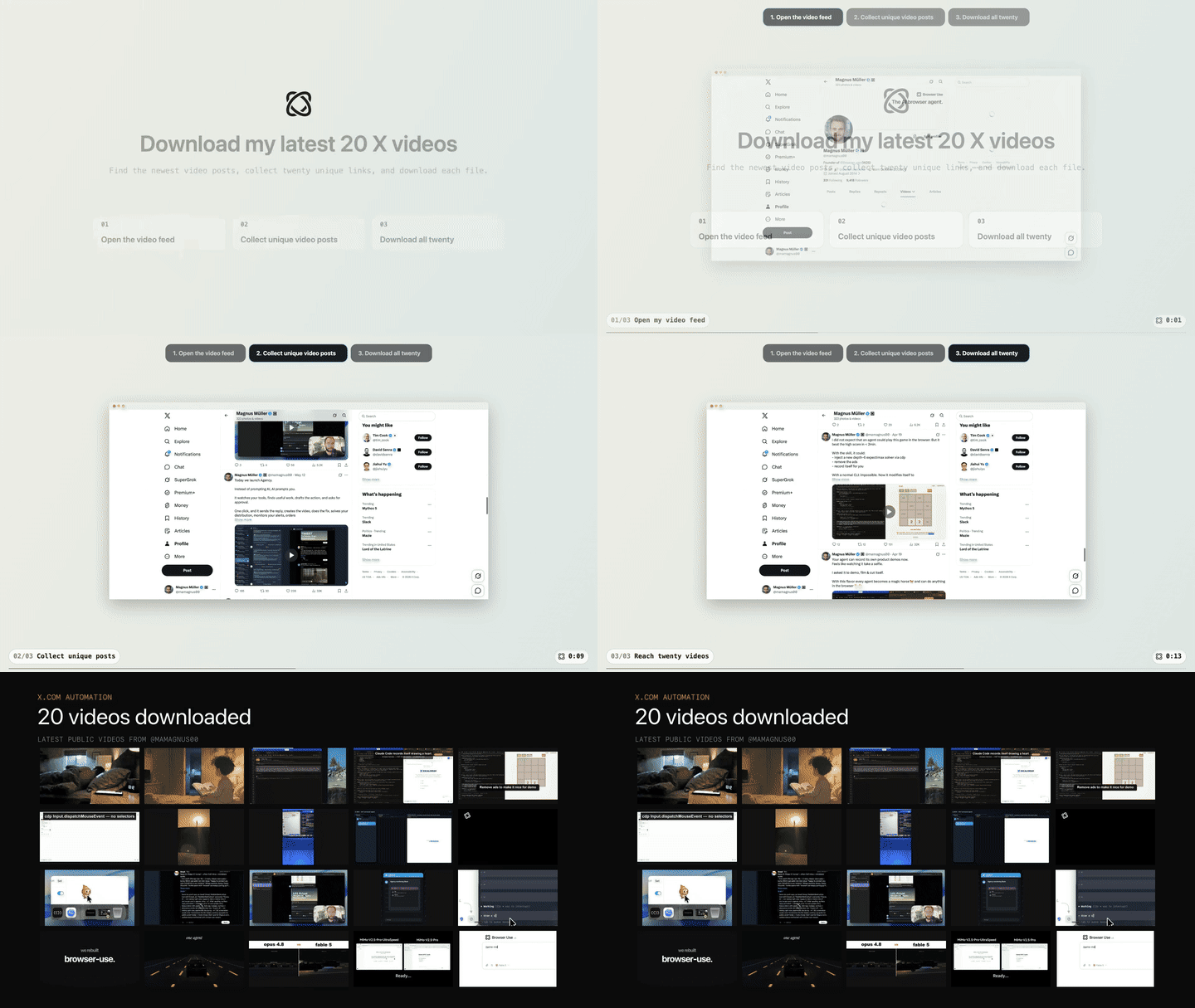
Task: "Open my X profile, find my latest 20 video posts, and download them."
Setup prompt
Paste into Claude Code or Codex:
Install or upgrade browser-harness to the latest stable version with uv using Python 3.12, register the skill from `browser-harness skill`, and connect it to my browser. Ask whether I want local browser recordings enabled; default to no and preserve my existing preference on upgrades. Follow https://github.com/browser-use/browser-harness/blob/main/install.md if setup or connection fails.
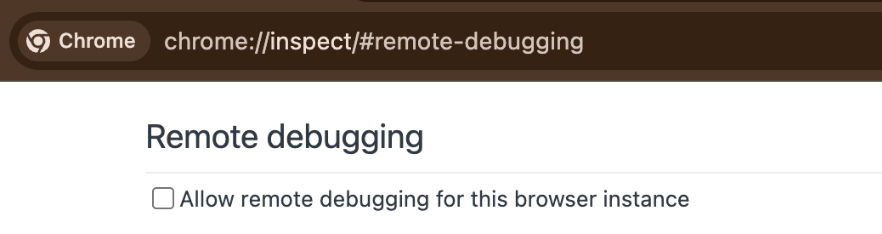
The agent will open chrome://inspect/#remote-debugging. On first setup, tick
the checkbox so the agent can connect to your browser:
How it works
install.mdconnects the agent to your browser.SKILL.mdteaches it the browser workflow.src/browser_harness/stays protected while the agent writes reusable helpers in its local workspace.
Scale with Browser Use Cloud
Use your local browser for logged-in, personal work. When you want many browsers in parallel—with live previews, proxies, stealth, CAPTCHA solving, and more—scale with Browser Use Cloud.
MCP server
browser-harness-mcp exposes the browser control helpers as MCP tools over
stdio, so any MCP client (Claude Code, Devin, Cursor, etc.) can drive the
browser without writing a second CDP layer. See docs/MCP.md for
setup and client configuration.
Contributing
Bug fixes, documentation improvements, and agent-generated domain skills are welcome. See CONTRIBUTING.md.
The Bitter Lesson of Agent Harnesses · Web Agents That Actually Learn
Ressources associées
Browser Use
CLIOpen-source browser agent project. Its browser-use CLI lets Claude Code, Codex and other agents drive your logged-in local Chrome with Python snippets, or connect to a cloud browser; also ships a Python agent library. The cloud browser needs an API key.
browser-use/browser-use118k
Agent TARS CLI
CLIByteDance's open-source multimodal agent CLI: operates browsers via vision or the DOM and calls terminal, file and MCP tools to complete tasks, with a Web UI and headless server mode. Needs Node.js 22+ and a model API key.
bytedance/UI-TARS-desktop39.3k
CLI-Anything
CLIFrom HKU's Data Intelligence Lab: plugins or skills for Claude Code, Codex and other agents generate agent-callable CLIs for apps like GIMP, Blender and LibreOffice, and the cli-hub package manager finds and installs ready-made community CLIs. Needs Python 3.10+.
HKUDS/CLI-Anything53.3kTrae Agent
CLIByteDance's open-source, general software engineering agent: trae-cli edits files and runs commands from natural language, supports multiple model providers and MCP, and records full execution trajectories. Transparent design suits agent research and customization. Needs your own model API key.
bytedance/trae-agent12.1k
MCP Builder
SkillGuides agents in building quality MCP servers: research the protocol and target API, design tools, implement with Python (FastMCP) or the TypeScript SDK, and write evaluation questions to test the result. Official Anthropic skill.
anthropics/skills182kAgent SDK Dev
PluginScaffolds a Claude Agent SDK project in Python or TypeScript interactively with /new-sdk-app, then a verifier agent checks dependencies, config and code against official best practices. Maintained by Anthropic.
anthropics/claude-code151k