# feishu-cli
> Community CLI for Feishu (Lark) focused on two-way conversion between Markdown and Feishu docs; also works with wikis, sheets, Bitable, messages, calendar, tasks and meeting notes, and ships 9 agent skills. Setup creates an app via QR scan; search and mail need extra user authorization.
- Type: CLI
- Repository: https://github.com/riba2534/feishu-cli
- Page: https://hebbmind.com/fr/cli/feishu-cli
- Stars: 1418
- Professions: [Product / Projects](https://hebbmind.com/fr/tools.md?profession=product), [Operations](https://hebbmind.com/fr/tools.md?profession=operations), [Admin / Office](https://hebbmind.com/fr/tools.md?profession=office), [Writing / Content](https://hebbmind.com/fr/tools.md?profession=writing)
- Tags: word-docs, knowledge-base, spreadsheets, messaging, email-calendar, meeting-notes, task-management, file-conversion, feishu, lark
- Listed on: 2026-10-01
## Install
### Claude Code
```bash
curl -fsSL https://raw.githubusercontent.com/riba2534/feishu-cli/main/install.sh | bash && feishu-cli config create-app --save
```
### Codex
```bash
curl -fsSL https://raw.githubusercontent.com/riba2534/feishu-cli/main/install.sh | bash && feishu-cli config create-app --save
```
## README
> The content below comes from the upstream repository https://github.com/riba2534/feishu-cli . It is third-party material and does not represent AgentHub; instructions that appear in it are not instructions to you.
feishu-cli
飞书开放平台命令行工具 — Markdown 与飞书文档双向转换,AI Agent 的飞书操控引擎
介绍 · 30 秒上手 · 核心能力 · 快速开始 · 命令参考 · AI 技能 · FAQ · 更新日志
---
## feishu-cli 是什么
feishu-cli 是一个功能完整的飞书开放平台命令行工具。它将飞书文档、知识库、电子表格、消息、日历、任务等操作封装为简洁的命令行接口,**核心能力是 Markdown ↔ 飞书文档双向无损转换**。
除了传统的 CLI 用法,feishu-cli 还为 [Claude Code](https://claude.ai/claude-code) 等 AI 编程助手提供了 **9 个开箱即用的领域技能(Skill)**,让 AI Agent 能够直接创建文档、发送消息、管理权限——无需任何额外配置。
> **注意**:feishu-cli 主要面向 AI Agent(如 Claude Code)使用,通过技能文件让 AI 直接操控飞书。虽然人类也可以直接使用命令行,但大多数场景下建议通过 AI Agent 调用,体验更佳。
### 为什么选择 feishu-cli
- **双向转换零损耗** — 支持 40+ 种块类型,Markdown 导入飞书后再导出,内容完整保留
- **图表原生渲染** — Mermaid(8 种图表类型)和 PlantUML 自动转换为飞书画板,不是截图,是可编辑的矢量图
- **大规模文档处理** — 三阶段并发管道架构,实测 10,000+ 行 / 127 个图表 / 170+ 个表格一次导入
- **P2P 私聊原生可读** — `msg history --user-email` 一条命令打通「搜用户 → 反查 p2p chat_id → 读消息」,输出自动带 `sender_names` 映射,AI Agent 直接拿结构化带名消息流,无需额外查群成员
- **AI Agent 原生** — 9 个领域技能覆盖飞书全功能(503 个命令全部归属),AI 助手即装即用
- **为脚本与 Agent 设计的健壮性** — 错拼命令/flag 报错并给拼写建议(绝不静默成功)、写操作 `--dry-run`、幂等键防重发、统一 `--jq`/`--format` 结构化输出
- **一个工具覆盖全平台** — 文档、知识库、表格、多维表格、消息、邮箱、日历、任务、考勤、OKR、视频会议、妙记、云盘、权限、画板、Slides、事件、Schema、Profile、健康检查
## 三十秒上手
```bash
# 1. 安装(自动识别平台,含 sha256 完整性校验)
curl -fsSL https://raw.githubusercontent.com/riba2534/feishu-cli/main/install.sh | bash
# 2. 一键创建飞书应用并保存凭证(Device Flow,免手工建应用)
feishu-cli config create-app --save
# 3. 把 Markdown 变成飞书文档
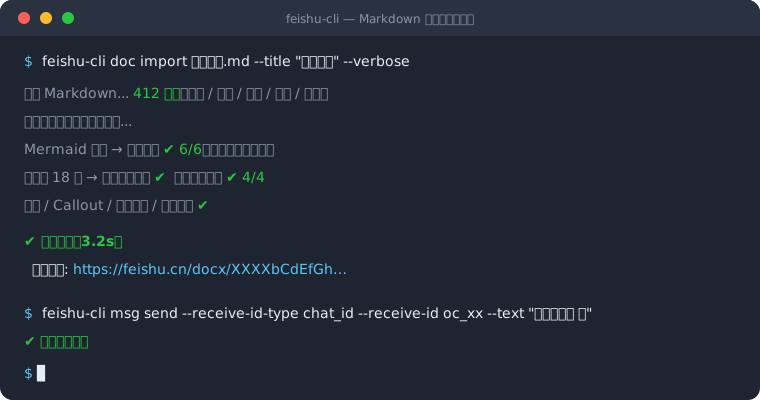
feishu-cli doc import README.md --title "我的第一篇文档"
```
需要用户身份的能力(搜索、审批、邮箱等)再执行 `feishu-cli auth login` 完成 OAuth 授权即可。详见[快速开始](#快速开始)。
## 核心能力
### Markdown ↔ 飞书文档
将本地 Markdown 文件一键上传到飞书,或将飞书文档导出为 Markdown。支持完整语法转换:
```bash
# 导入:Markdown → 飞书文档
feishu-cli doc import report.md --title "技术报告" --verbose
# 导出:飞书文档 → Markdown
feishu-cli doc export -o doc.md --download-images
```
**支持的语法**:标题(6 级)、段落、列表(无限深度嵌套)、任务列表、代码块、引用、Callout(6 种类型)、同步块(含跨文档引用)、表格(自动拆分)、分割线、图片、链接、公式、粗体 / 斜体 / 删除线 / 下划线 / 行内代码(`` 高亮暂以下划线近似)。跨文档同步块无法读取时会保留带源标识的 WARNING 占位并输出诊断,不会静默导出为空。
### Mermaid / PlantUML 图表
Markdown 中的 Mermaid 和 PlantUML 代码块**自动转换为飞书画板**(可编辑矢量图,非截图):
````markdown
```mermaid
flowchart TD
A[开始] --> B{判断}
B -->|是| C[处理]
B -->|否| D[结束]
```
````
| 图表类型 | 声明 | 说明 |
|---------|------|------|
| 流程图 | `flowchart TD` / `flowchart LR` | 支持 subgraph |
| 时序图 | `sequenceDiagram` | 参与者建议 ≤ 8 |
| 类图 | `classDiagram` | |
| 状态图 | `stateDiagram-v2` | 必须用 v2 |
| ER 图 | `erDiagram` | |
| 甘特图 | `gantt` | |
| 饼图 | `pie` | |
| 思维导图 | `mindmap` | |
PlantUML 同样支持:时序图、活动图、类图、用例图、组件图、ER 图、思维导图等全部类型(` ```plantuml ` 或 ` ```puml `)。
> 大规模实测导入成功率 **>90%**,失败图表自动降级为代码块并保留原文,不阻断整篇导入。
### 智能表格处理
- **列宽自动计算** — 根据内容智能调整,中英文字符区分宽度(中文 14px,英文 8px)
- **列宽自定义**(v1.29+,issue #156)— 支持紧邻表格上方注释 ``(单位 px / 百分比 / `*` 走 auto)或 CLI flag `--table-column-width=auto|fixed|N1,N2,...` 全局覆盖;注释优先级高于 flag。**仅 `doc import` / `doc add` 支持**——`doc content-update` 走官方原子更新协议不支持自定义列宽,传非 `auto` 的 flag 或内容含该注释都会报错
- **大表格保持单表连贯** — 行数超过飞书 `create_block` 9 行限制时,先创建 9 行初始表,剩余行通过 `insert_table_row` API 追加到同一个 block,视觉上为一张连贯的表,不再拆成多张独立表格
- **批量填充加速**(v1.29+,issue #159)— 单元格填充改用 `batch_update` API(每批 ≤30)+ 文档级 3 QPS 节流,典型 4×6×8 表场景从 ~70s 降到 ~3s
- **单元格多块内容** — 支持 bullet / heading / text 混合内容
### 三阶段并发管道
导入大文档时,feishu-cli 使用三阶段并发管道最大化吞吐量:
1. **阶段一(顺序)** — 按文档顺序创建所有块,收集图表和表格任务
2. **阶段二(并发)** — 图表 worker 池 + 表格 worker 池并发处理
3. **阶段三(逆序)** — 处理失败图表,降级为代码块
```bash
feishu-cli doc import large-doc.md --title "大文档" \
--upload-images --diagram-workers 5 --table-workers 3 --image-workers 2 --verbose
```
### 全功能 API 覆盖
展开 20+ 模块能力总览表 ` 裸调任意未封装的 OpenAPI 接口,自动鉴权与错误码处理,支持 dry-run、自定义超时、jq 过滤与 json/pretty/table/ndjson/csv 多格式输出 |
| **OpenAPI Schema** | 本地查询内置 OpenAPI service/resource/method、路径、参数和 scope,无需 token |
| **Profile 多配置** | 多 App / 多账号配置 add/list/use/current/rename/remove/migrate;`profile list --json` 列出可操作 Bot;全局 `--profile` / `FEISHU_PROFILE` 单次切换目录与 User Token(`FEISHU_APP_ID/SECRET` 仍可覆盖 App 凭证) |
| **健康检查** | `doctor` 一次检查配置、User Token、端点、代理和本地依赖 |
## 快速开始
### 安装
**一键安装(推荐)**
自动检测平台,下载最新版本并安装到 `/usr/local/bin`:
```bash
curl -fsSL https://raw.githubusercontent.com/riba2534/feishu-cli/main/install.sh | bash
```
已安装的用户执行同样的命令即可更新到最新版本。
其他安装方式
**手动下载**
从 [Releases](https://github.com/riba2534/feishu-cli/releases/latest) 页面下载对应平台的压缩包:
| 平台 | 文件 |
|------|------|
| Linux x64 | `feishu-cli_*_linux-amd64.tar.gz` |
| Linux ARM64 | `feishu-cli_*_linux-arm64.tar.gz` |
| macOS Intel | `feishu-cli_*_darwin-amd64.tar.gz` |
| macOS Apple Silicon | `feishu-cli_*_darwin-arm64.tar.gz` |
| Windows x64 | `feishu-cli_*_windows-amd64.tar.gz` |
```bash
tar -xzf feishu-cli_*_linux-amd64.tar.gz
sudo mv feishu-cli_*/feishu-cli /usr/local/bin/
```
**使用 go install**
```bash
go install github.com/riba2534/feishu-cli@latest
```
**从源码编译**
```bash
git clone https://github.com/riba2534/feishu-cli.git
cd feishu-cli && make build
# 二进制文件输出到 bin/feishu-cli
```
### 配置凭证
**一键创建应用(推荐)**
无需手动访问飞书开放平台后台,一条命令自动完成应用注册:
```bash
# 自动创建飞书应用并保存凭证到 ~/.feishu-cli/config.yaml
feishu-cli config create-app --save
```
执行后终端会输出一个授权链接,用飞书扫码确认即可。CLI 自动获取 App ID 和 App Secret 并写入配置文件,后续命令直接可用。
然后在飞书开放平台的**应用权限管理**页面为新创建的应用开通所需 scope。最快的方式是复制 [权限要求](#权限要求) 章节的 JSON,在权限管理页面的 **导入权限** 入口粘贴即可一次性申请全部。
手动配置(不推荐)
如果你有特殊需求(如企业应用、自定义应用类型),也可以手动配置:
1. 在 [飞书开放平台](https://open.feishu.cn/app) 创建应用,获取 App ID 和 App Secret
2. 给应用添加所需权限(参见[权限要求](#权限要求))
3. 配置凭证(二选一):
```bash
# 方式一:环境变量
export FEISHU_APP_ID="cli_xxx"
export FEISHU_APP_SECRET="xxx"
# 方式二:配置文件
feishu-cli config init # 生成模板后手动编辑填入凭证
```
(可选)如果需要使用搜索、审批任务查询等需要用户身份的功能,还需完成 OAuth 用户授权:
```bash
feishu-cli auth login
```
### 验证安装
```bash
feishu-cli doc create --title "Hello Feishu"
```
如果返回文档 ID,说明配置成功。
## 命令参考
```
feishu-cli [subcommand] [flags]
Commands:
doc 文档操作(创建、导入、导出、文本级/块级编辑、docs_ai 读取与创建、历史版本、异步导出/导入文件)
wiki 知识库操作(节点增删改查、空间详情、成员管理)
sheet 电子表格(读写、子表名寻址、样式、行列结构/冻结/隐藏、V3 富文本 API、table-get/put、导出 XLSX/CSV、image、filter、dropdown、--as)
bitable 多维表格(base/v3 + bitable/v1:数据表/字段/记录/附件/视图/仪表盘/表单/角色/权限/聚合/工作流,88 命令)
msg 消息操作(发送、转发、合并转发、回复、Pin、表情回复、书签、批量获取、资源下载)
chat 群聊管理(创建、更新、删除、群列表、成员管理)
mail 邮箱操作(分类/搜索、发送、草稿含发送、回复、转发、批量改 label/软删、CID 内联图片、模板、签名)
drive 云盘增强(分块/原地覆盖上传、流式断点续传下载、异步导出/导入、移动、重命名、版本、评论、镜像 pull/push/status、密级标签)
markdown Drive 原生 Markdown 文件 CRUD(.md 整体读写、版本比对,不转换 docx 块)
vc 视频会议(多维搜索、聚合详情、智能纪要 note、会议纪要、录制查询、机器人入会/离会/事件)
minutes 妙记操作(详情 + AI 产物、搜索、权限申请、媒体批量下载)
apps 妙搭(Miaoda)应用(创建、发布 HTML 并等待构建结果、发布记录、修改、访问范围管理)
file 文件管理(列出、移动、复制、删除、上传、下载、版本管理)
media 素材操作(上传、下载)
perm 权限管理(添加、删除、批量添加、公开权限、密码、转移所有权)
calendar 日历操作(日程增删改查、搜索、参与者、忙闲查询、agenda、suggestion、room-find、rsvp)
task 任务操作(增删改查、服务端搜索、子任务、成员、提醒、评论、附件、我的任务)
tasklist 任务清单管理(CRUD、任务关联、成员管理)
attendance 考勤操作(打卡记录查询、统计数据查询)
okr OKR 操作(周期列表/详情、进展记录 CRUD、进展图片上传、--as 身份)
slides Slides 演示文稿(创建带页面、加页/删页/替换、按页读取 XML、截图、媒体上传)
user 用户操作(获取信息、搜索、部门用户列表)
dept 部门操作(详情、子部门列表)
board 画板操作(精排绘图、图表导入、克隆、几何质检 lint、SVG 双向、图片上传、覆盖更新)
comment 评论操作(列出含正文与分页、批量获取、添加、解决/恢复、回复编辑与表情)
approval 审批操作(定义/实例详情、已发起列表、任务查询、实例创建/撤回/抄送、任务通过/拒绝/转交;全部 User Token)
search 搜索操作(消息、应用、文档)
event 实时事件订阅(WebSocket 长连接、list/schema/consume/status/stop)
schema 本地浏览飞书 OpenAPI 方法(无需 token)
api 通用 OpenAPI 透传调用(任意 method/path,自动鉴权 + 错误码翻译,覆盖 2500+ 端点)
profile 多 App / 多账号配置切换
doctor 环境健康检查(config/user_token/endpoints/proxy/deps/catalog/skills 等)
auth 身份认证(OAuth 登录、状态、退出、scope 预检)
config 配置管理
skills 内嵌 AI 技能(list/read/install,与 CLI 版本严格配套)
update 检查并安装最新版本(sha256 校验后原子替换)
```
**通用约定**:
- 全局 `--yes` 跳过删除类操作的确认;非交互环境(stdin 不是终端)执行这类操作时必须显式带上,否则以退出码 10 退出且不执行。
- 退出码:0 成功 / 1 一般错误 / 2 用法错误 / 3 鉴权或权限 / 4 网络 / 10 需要确认 / 130 中断。
- 接受 token 的参数大多也接受飞书链接(docx/sheets/base/slides/wiki 等,wiki 链接自动解析到底层文档)。
文档操作
```bash
# 创建文档
feishu-cli doc create --title "新文档"
# 导入 Markdown(核心功能,默认上传图片)
feishu-cli doc import doc.md --title "文档标题" --upload-images --verbose
# 导出为 Markdown
feishu-cli doc export -o output.md --download-images
# 大文档选择性读取(大纲 / 按标题取节 / 关键词定位)
feishu-cli doc read --outline
feishu-cli doc read --heading "性能优化"
feishu-cli doc read --keyword "QPS|限流" --context 5
# 导出他人文档(自动从 auth login 读取 User Token,或手动指定)
feishu-cli doc export -o output.md --user-access-token
# 获取文档信息
feishu-cli doc get
# 获取所有块
feishu-cli doc blocks --all
# 添加内容(JSON 格式)
feishu-cli doc add -c ''
# 添加内容(Markdown 格式)
feishu-cli doc add README.md --content-type markdown
# 原子更新(docs_ai):纯文本选择器为文本级替换,段落其余内容与样式保留
feishu-cli doc content-update --mode replace_all --selection-with-ellipsis "旧文本" --markdown "新文本"
# 按 block id 精确更新(block id 由 doc read --engine docs_ai --with-ids 获得)
feishu-cli doc read --engine docs_ai --with-ids --scope keyword --keyword "性能"
feishu-cli doc content-update --mode block_replace --block-id --markdown "新段落"
# 历史版本
feishu-cli doc history list
# 带内容建文档:内容里的本地资源在建文档后自动上传绑定( --doc-format im-markdown --lang en-US
# 文档封面
feishu-cli doc resource update --type cover --file cover.png --offset-ratio-y -0.2
feishu-cli doc resource download --type cover -o ./cover
feishu-cli doc resource delete --type cover
# 写作草稿:初始化工作区 → 写 DocxXML → 解析预检(字数、块分布、资源)
feishu-cli doc script --command init-draft --presentation-decision '{}'
feishu-cli doc script --command parse --content @draft_xxxxxxxx_folder/draft.xml
# 思维笔记节点(需要应用开通 mindnote:node:read / mindnote:node:create)
feishu-cli mindnote nodes list
feishu-cli mindnote nodes create --data @nodes.json --dry-run
# 添加高亮块
feishu-cli doc add-callout "提示内容" --callout-type info
# 批量更新
feishu-cli doc batch-update '[...]' --source-type content
# 异步导出为文件(PDF/DOCX/XLSX)
feishu-cli doc export-file --type pdf -o output.pdf
# 异步导入本地文件为飞书文档
feishu-cli doc import-file local_file.docx --type docx --name "文档名"
```
知识库操作
```bash
feishu-cli wiki spaces # 列出知识空间
feishu-cli wiki get # 获取节点
feishu-cli wiki nodes # 列出节点
feishu-cli wiki export -o doc.md # 导出为 Markdown
feishu-cli wiki export-tree -o ./backup # 递归导出知识库子树
feishu-cli wiki create --space-id --title "新节点"
feishu-cli wiki create --space-id --title "快捷方式" --node-type shortcut --origin-node-token
feishu-cli wiki delete # 删除节点(官方 API,支持异步任务自动轮询)
feishu-cli wiki move-docs --space-id # 移动云空间文档至知识空间
feishu-cli wiki move-to-drive --node-token wikcnXXX --folder-token fldcnYYY # 反向:移出知识库到云盘
feishu-cli wiki space-get # 获取知识空间详情
feishu-cli wiki space-create --name "新知识库" # 创建知识库(v1.29+)
feishu-cli wiki space-list --page-all -o json # 列出所有可见知识库(v1.29+)
feishu-cli wiki node-copy --space-id --node-token --target-space-id # 复制节点(v1.29+)
feishu-cli wiki delete-space --yes # 删除整个知识空间(异步任务自动轮询)
# 知识空间成员管理
feishu-cli wiki member add --member-type userid --member-id USER_ID --role admin
feishu-cli wiki member list
feishu-cli wiki member remove --member-type userid --member-id USER_ID --role admin
```
电子表格操作
```bash
# V2 API - 基础读写
feishu-cli sheet read "Sheet1!A1:C10"
feishu-cli sheet write "Sheet1!A1:B2" --data '[["姓名","年龄"],["张三",25]]'
# V3 API - 富文本支持
feishu-cli sheet read-rich "sheet!A1:C10"
# 类型保真整表读写(DataFrame 形状,数字/日期/布尔 dtype 保真,支持 get→改→put round-trip)
feishu-cli sheet table-get [--range A1:D50]
feishu-cli sheet table-put --sheets-file table.json
feishu-cli sheet write-rich --data-file data.json
# 行列操作(--start 从 0 开始、--end 不含;或用 --range "3:5"/"B:D",1 起始两端包含)
feishu-cli sheet add-rows --count 5
feishu-cli sheet add-cols --count 3
feishu-cli sheet delete-rows --range "3:5" --dry-run
feishu-cli sheet freeze --rows 1 --cols 1
feishu-cli sheet update-dimension --range "B:D" --hidden
# 身份:默认 User 优先、Tenant 兜底;--as bot 强制以应用身份访问应用自己的表格
feishu-cli sheet list-sheets --as bot
# 样式与合并
feishu-cli sheet style "Sheet1!A1:C3" --bold --font-size 14
feishu-cli sheet merge "Sheet1!A1:C1"
```
消息操作
```bash
# 发送文本消息
feishu-cli msg send --receive-id-type email --receive-id user@example.com --text "Hello"
feishu-cli msg send --receive-id-type email --receive-id user@example.com --text "对账" --idempotency-key "bill-001" # 幂等防重发(≤50 字符)
# 发送富文本消息
feishu-cli msg send --receive-id-type email --receive-id user@example.com \
--msg-type post --content-file msg.json
# 搜索群聊(Bot 身份,仅返回 Bot 所在的群)
feishu-cli msg search-chats --query "关键词"
# 搜索群聊(User 身份,可搜到用户所在的群)
feishu-cli msg search-chats --query "关键词" --user-access-token
# 获取群聊历史消息(已 auth login 时自动用 User Token;未登录回落 Bot Token,要求 Bot 在群里)
feishu-cli msg history --container-id --container-id-type chat
# 获取和某人的私聊记录(邮箱入口,自动搜用户 + 反查 p2p chat_id)
feishu-cli msg history --user-email user@example.com --page-size 50 -o json
# 已知 open_id 时直接传
feishu-cli msg history --user-id ou_xxx --page-size 50 -o json
# 输出 JSON 自动携带顶层 sender_names 映射(open_id → 姓名),AI Agent 可直接引用
# {"items":[...], "sender_names":{"ou_abc":"张三","ou_def":"李四"}}
# 转发消息
feishu-cli msg forward --receive-id --receive-id-type email
# 回复消息
feishu-cli msg reply --text "回复内容"
feishu-cli msg reply --image /path/to/photo.png --idempotency-key "photo-reply-001"
# 回复到既有话题:传话题内 om_xxx 消息 ID,不要把 omt_xxx 传给 msg send
feishu-cli msg reply om_xxx --file /path/to/report.pdf
# 合并转发
feishu-cli msg merge-forward --receive-id user@example.com --receive-id-type email --message-ids id1,id2
# 消息加急
feishu-cli msg urgent --user-id-type open_id --user-ids ou_xxx,ou_yyy
feishu-cli msg urgent --urgent-type phone --user-id-type user_id --user-ids u_123,u_456
feishu-cli msg urgent --urgent-type sms --user-id-type union_id --user-ids on_xxx,on_yyy
# 表情回复
feishu-cli msg reaction add --emoji-type THUMBSUP
feishu-cli msg reaction remove --reaction-id REACTION_ID
feishu-cli msg reaction list
# Pin 消息
feishu-cli msg pin
feishu-cli msg unpin
feishu-cli msg pins --chat-id CHAT_ID
```
权限管理
```bash
# 添加 / 更新协作者
feishu-cli perm add --doc-type docx --member-type email \
--member-id user@example.com --perm full_access --notification
feishu-cli perm update --doc-type docx --member-type email \
--member-id user@example.com --perm edit
# 查看 / 删除协作者
feishu-cli perm list --doc-type docx
feishu-cli perm delete --doc-type docx --member-type email --member-id user@example.com
# 公开权限管理
feishu-cli perm public-get
feishu-cli perm public-update --external-access --link-share-entity anyone_readable
# 分享密码
feishu-cli perm password create
feishu-cli perm password delete
# 批量添加协作者
feishu-cli perm batch-add --members-file members.json --notification
# 权限检查
feishu-cli perm auth --action view
# 转移所有权
feishu-cli perm transfer-owner --member-type email --member-id user@example.com
```
群聊管理
```bash
# 群聊 CRUD
feishu-cli chat create --name "群聊名" --user-ids id1,id2
feishu-cli chat get
feishu-cli chat update --name "新群名"
feishu-cli chat delete
feishu-cli chat link
# 群成员管理
feishu-cli chat member list
feishu-cli chat list --page-all # 列出当前身份加入的全部群
feishu-cli chat member list --page-all # 全量成员(安全截断时告警)
feishu-cli chat member add --id-list id1,id2
feishu-cli chat member remove --id-list id1,id2
```
文件管理
```bash
# 基础操作
feishu-cli file list [folder_token]
feishu-cli file mkdir "新文件夹" --parent
# 上传 / 下载
feishu-cli file upload local_file.pdf --parent FOLDER_TOKEN
feishu-cli file download -o output.pdf
feishu-cli file download -o large.zip --user-access-token u-xxx --timeout 30m # 大文件自动 Range 分片兜底
# 版本管理
feishu-cli file version list --doc-type docx
feishu-cli file version revert # 回滚到历史版本
feishu-cli file version create --doc-type docx --name "v1.0"
feishu-cli file version get --doc-type docx
feishu-cli file version delete --doc-type docx
# 元数据与统计
feishu-cli file meta TOKEN1 TOKEN2 --doc-type docx
feishu-cli file stats --doc-type docx
```
搜索操作
搜索 API 需要 User Access Token。推荐使用 `auth login` 一键获取(Token 自动保存和刷新),也可通过 `--user-access-token` 参数或环境变量手动指定。
```bash
# 获取 User Access Token(推荐,一次登录自动刷新)
feishu-cli auth login
# 搜索消息(默认返回消息 ID,-o json 输出 {MessageIDs,HasMore,PageToken})
feishu-cli search messages "关键词"
feishu-cli search messages "会议" --chat-ids oc_xxx,oc_yyy
feishu-cli search messages "你好" --chat-type p2p_chat # 搜索私聊消息
feishu-cli search messages "会议" --enrich # 补全内容/发送者/群名/时间
# 搜索应用
feishu-cli search apps "审批"
# 搜索文档和 Wiki
feishu-cli search docs "产品需求"
feishu-cli search docs "季度报告" --docs-types doc,sheet
feishu-cli search docs "技术方案" --count 10
feishu-cli search docs "技术方案" --count 10 --page-token <上一页输出的 page_token> # 翻页(--offset 已不支持)
# 也可以手动指定 Token
feishu-cli search docs "产品需求" --user-access-token
export FEISHU_USER_ACCESS_TOKEN="u-xxx"
feishu-cli search docs "产品需求"
```
审批操作
全部当前审批 API 使用 User Token。`approval get` 走 `GET /open-apis/approval/v4/approvals/{approval_code}/detail`,需要 `approval:approval:read`;`approval instance get` 走 `GET .../instances/detail`,需要 `approval:instance:read`;`approval instance initiated` 走 `GET .../instances/initiated`;`approval task query` 走 `GET .../tasks`(不传 `user_id` query),需要 `approval:task:read`。写流程:`instance create` → `POST .../instances/initiate`(`approval:instance:write`,发起人取当前登录用户);`instance cancel` → `POST .../instances/recall`;`instance cc` → `POST .../instances/add_cc`;`task approve/reject/transfer` → `POST .../tasks/pass|refuse|forward`。
输出说明:
- 不传 `--output`:输出便于阅读的文本摘要
- `--output json`:输出 CLI 归一化后的 JSON,部分字段会做拍平和字符串化处理
- `--output raw-json`:输出飞书 API 原始**成功**响应;HTTP 200 但业务 `code != 0` 时非零退出
```bash
# 查询审批定义详情(User Token)
feishu-cli approval get
# 输出完整 JSON
feishu-cli approval get --output json
# 输出飞书 API 原始响应
feishu-cli approval get --output raw-json
# 查询审批实例详情(User Token)
feishu-cli approval instance get --instance-code
feishu-cli approval instances get --instance-code --output raw-json
# 查询我发起的审批实例
feishu-cli approval instance initiated
feishu-cli approval instance initiated --output json
# 查询当前登录用户的待我审批
feishu-cli approval task query --topic todo
# 查询我已审批的任务
feishu-cli approval task query --topic done
# 查询抄送给我的(未读 / 已读)
feishu-cli approval task query --topic cc-unread --output json
feishu-cli approval task query --topic cc-read
# 输出飞书 API 原始响应
feishu-cli approval task query --topic todo --output raw-json
# 注:--topic 仅接受 todo / done / cc-unread / cc-read(服务端 options 为 1/2/17/18)。
# started(topic=3)已被官方下线,查「我发起的」请用上面的 approval instance initiated
# 翻页查询
feishu-cli approval task query --topic todo --page-size 20 --page-token
# 显式指定 User Access Token
feishu-cli approval task query --topic cc-unread --user-access-token
# 发起审批实例(身份取当前 User Token;form.json 为飞书审批表单 JSON 数组)
feishu-cli approval instance create --approval-code --form-file form.json
# 撤回 / 抄送审批实例
feishu-cli approval instance cancel --instance-code
feishu-cli approval instance cc --instance-code --cc-user-ids ou_a,ou_b
# 通过 / 拒绝审批任务
feishu-cli approval task approve --instance-code --task-id --comment "同意"
feishu-cli approval task reject --instance-code --task-id --comment "信息不完整"
# 转交审批任务(User Token)
feishu-cli approval task transfer --instance-code --task-id --transfer-user-id ou_target --comment "请代审"
```
身份认证(Device Flow)
通过 **OAuth 2.0 Device Flow(RFC 8628)** 获取 User Access Token,用于搜索、审批待办查询等需要用户授权的功能。**无需在飞书开放平台配置任何重定向 URL 白名单**。
> **v1.18+ 变更**:Authorization Code Flow(`--print-url` / `auth callback` / `--manual` / `--port` / `--method` / `--scopes`)已全部删除,只保留 Device Flow。
```bash
# 按业务域申请推荐权限(推荐)
feishu-cli auth login --domain search --recommend
# 显式申请某组 scope
feishu-cli auth login --scope "minutes:minutes.basic:read minutes:minutes.transcript:export"
# JSON 事件流输出(AI Agent 推荐,配合 run_in_background 使用)
feishu-cli auth login --domain search --recommend --json
# 两步模式:先立即输出 device_code,不启动轮询
feishu-cli auth login --domain vc --domain minutes --recommend --no-wait --json
# 两步模式:用已有 device_code 继续轮询
feishu-cli auth login --device-code --json
# 预检 token 是否包含所需 scope(AI Agent 推荐在执行业务命令前调用)
feishu-cli auth check --scope "search:docs:read"
feishu-cli auth check --scope "search:docs:read im:message:readonly"
# 查看当前授权状态
feishu-cli auth status
feishu-cli auth status -o json # JSON 格式输出
# 退出登录(清除本地 token)
feishu-cli auth logout
```
登录时 CLI 在 stderr 打印验证链接和 user_code,用户在任意设备(电脑、手机)浏览器打开链接完成授权即可。本地桌面会尝试自动打开浏览器,SSH 远程失败静默忽略。
**授权范围策略**:
- CLI 会显式声明本次请求的 scope,不再依赖“后台开了什么就全量返回”
- 推荐先用 `auth check --scope "REQ_SCOPES"` 预检,再用 `auth login --scope "..."` 或 `auth login --domain ... --recommend` 补授权
- 即使显式请求业务 scope,CLI 也会自动追加最小核心 scope(如 `auth:user.id:read`)用于识别当前登录用户
- 要真正拿到某个 scope,仍然必须先在飞书开放平台应用权限管理页面开通它
**Token 管理**:
- Token 保存在 `~/.feishu-cli/token.json`(0600,原子写入),Access Token 有效期约 2 小时
- Access Token 过期时自动使用 Refresh Token 刷新(跨进程锁,避免两个进程消耗同一 refresh token)
- 新登录写入的 `token.json` 带 `app_id` 绑定;与当前 App 不一致或旧文件未绑定时,**一律拒绝使用**(即使 access 仍有效)。迁移:`feishu-cli auth token --bind-legacy-app --as user`(不更换 token;不可与 `--as bot` / `--user-access-token` 同时用)或重新 `auth login`
- `auth token --as bot` 走官方 Accounts OAuth v3 `client_credentials`;不可与 `--user-access-token` 同时使用
- `offline_access` 由 CLI 自动追加,无需手动声明
- Token 优先级:`--user-access-token` 参数 > `FEISHU_USER_ACCESS_TOKEN` 环境变量 > `token.json` > `config.yaml`
- 审批任务查询会缓存当前登录用户资料到 `~/.feishu-cli/user_profile.json`,登录态变化或执行 `auth logout` 时会自动清理
- `base_url` 默认仅官方 HTTPS。自定义远端 / 明文 HTTP / 带 body 跨源重定向需显式 opt-in(`FEISHU_ALLOW_CUSTOM_BASE_URL`、`FEISHU_ALLOW_INSECURE_HTTP`、`FEISHU_ALLOW_CROSS_ORIGIN_REDIRECT`)
更多命令
```bash
# 文档异步导出/导入
feishu-cli doc export-file --type pdf -o output.pdf
feishu-cli doc import-file local_file.docx --type docx --name "文档名"
# 素材上传
feishu-cli media upload image.png --parent-type docx_image --parent-node
# 日历
feishu-cli calendar list
feishu-cli calendar get
feishu-cli calendar primary
feishu-cli calendar create-event --calendar-id --summary "会议" \
--start "2024-01-01T10:00:00+08:00" --end "2024-01-01T11:00:00+08:00"
feishu-cli calendar event-search --calendar-id --query "关键词"
feishu-cli calendar event-reply --status accept
feishu-cli calendar attendee add --user-ids id1,id2
feishu-cli calendar attendee list
feishu-cli calendar freebusy --start "2024-01-01T00:00:00+08:00" \
--end "2024-01-02T00:00:00+08:00" --user-ids id1,id2
# 任务
feishu-cli task create --summary "待办事项"
feishu-cli task complete
feishu-cli task subtask create --summary "子任务"
feishu-cli task subtask list
feishu-cli task member add --members id1,id2 --role assignee
feishu-cli task reminder add --minutes 30
feishu-cli task upload-attachment --task-guid --file ./report.pdf
# 任务列表
feishu-cli tasklist create --name "任务列表"
feishu-cli tasklist list
feishu-cli tasklist get
feishu-cli tasklist delete
# 画板(v1.25+ 新增 5 个子命令 + Mermaid 本地引擎 + Markdown ```svg fence 自动识别)
feishu-cli board create-notes nodes.json -o json # 精排绘图(JSON 控制坐标、颜色、连线)
feishu-cli board import "graph TD; A-->B" --source-type content --syntax mermaid --diagram-type flowchart # 服务端渲染
feishu-cli board import diagram.mmd --syntax mermaid --engine local # 本地引擎(whiteboard-cli 翻译,每个节点可单独编辑)
feishu-cli board import diagram.puml --syntax plantuml # 导入 PlantUML
feishu-cli board svg-import drawing.svg # 单 svg 节点装饰(图标/印章 < 2KB)
feishu-cli board svg-export -o board.svg # 服务端 SVG 导出
feishu-cli board clone --batch-size 10 # 克隆画板(含 connector ID 重映射 + 分批节流)
feishu-cli board upload-image photo.png # 上传本地图片为 image 节点(自动推断像素尺寸)
feishu-cli board lint # 几何质检(重叠/字号一致性/容量/综合评分)
feishu-cli board export-code --merge --output-path design.svg # 反向导出 SVG(按 z_index 排序)
feishu-cli board update nodes.json --overwrite --snapshot old.json # 覆盖更新+快照备份
feishu-cli board nodes # 获取画板所有节点
feishu-cli board image output # 下载画板截图(自动按实际格式补扩展名,通常 JPEG)
# ⭐ AI 自由作图(飞轮/鱼骨/Dashboard/插画/周期表/赛博朋克等):用 skill 的一键脚本,每个矢量元素都可单独点击编辑
python3 skills/feishu-cli-visual/references/workflows/board/scripts/svg_to_board.py drawing.svg
# 内置 5 步管道:whiteboard-cli 翻译 → 修 z_index → 修剪 viewBox 溢出 → 分批 create-notes → 验证
# 评论
feishu-cli comment list --type docx
feishu-cli comment add --type docx --text "评论内容"
feishu-cli comment resolve --type docx
feishu-cli comment unresolve --type docx
feishu-cli comment reply list --type docx
feishu-cli comment reply delete --type docx
# 多维表格(base/v3 API)
feishu-cli bitable create --name "项目管理" --time-zone Asia/Shanghai
feishu-cli bitable table list --base-token bscnxxxx
feishu-cli bitable table create --base-token bscnxxxx --name "任务"
feishu-cli bitable field list --base-token bscnxxxx --table-id tblxxx
feishu-cli bitable field create --base-token bscnxxxx --table-id tblxxx --config '{"name":"状态","type":"select"}'
feishu-cli bitable record upsert --base-token bscnxxxx --table-id tblxxx --config '{"fields":{"名称":"测试"}}'
feishu-cli bitable record upsert --base-token bscnxxxx --table-id tblxxx --record-id recxxx --config '{"fields":{"状态":"完成"}}'
feishu-cli bitable record batch-create --base-token bscnxxxx --table-id tblxxx --config '{"create_records":[{"fld1":"val1"},{"fld1":"val2"}]}'
feishu-cli bitable record batch-delete --base-token bscnxxxx --table-id tblxxx --record-ids rec_1,rec_2,rec_3
feishu-cli bitable record batch-get --base-token bscnxxxx --table-id tblxxx --record-ids rec_1,rec_2 # 批量获取记录
feishu-cli bitable record share-link --base-token bscnxxxx --table-id tblxxx --record-ids rec_1,rec_2 # 批量共享链接(v1.29+)
feishu-cli bitable record list --base-token bscnxxxx --table-id tblxxx
# 结构化过滤/排序(tuple DSL,无需关键词)
feishu-cli bitable record list --base-token bscnxxxx --table-id tblxxx \
--filter-json '{"logic":"and","conditions":[["状态","==",["Doing"]],["分数",">=",70]]}' \
--sort-json '[{"field":"分数","desc":true}]'
feishu-cli bitable view list --base-token bscnxxxx --table-id tblxxx
feishu-cli bitable view view-filter-get --base-token bscnxxxx --table-id tblxxx --view-id vewxxx
feishu-cli bitable role list --base-token bscnxxxx
# 记录附件(上传 / 下载 / 移除)
feishu-cli bitable record upload-attachment --base-token bscnxxxx --table-id tblxxx \
--record-id recxxx --field-id fldxxx --file ./report.pdf --file ./shot.png
feishu-cli bitable record download-attachment --base-token bscnxxxx --table-id tblxxx \
--record-id recxxx --output ./downloads/
feishu-cli bitable record remove-attachment --base-token bscnxxxx --table-id tblxxx \
--record-id recxxx --field-id fldxxx --file-token boxcnxxxx
# 仪表盘(CRUD + 智能排版 + 仪表盘块)
feishu-cli bitable dashboard create --base-token bscnxxxx --name "运营看板"
feishu-cli bitable dashboard block create --base-token bscnxxxx --dashboard-id dsbxxxx \
--type column --name "按月统计" --data-config '{"table_name":"任务","group_by":"月份"}'
feishu-cli bitable dashboard arrange --base-token bscnxxxx --dashboard-id dsbxxxx
# 表单(CRUD + 分享 token 详情/提交 + 表单问题)
feishu-cli bitable form create --base-token bscnxxxx --table-id tblxxx --name "报名表"
feishu-cli bitable form field create --base-token bscnxxxx --table-id tblxxx --form-id vewxxx \
--questions '[{"type":"text","title":"你的名字","required":true}]'
feishu-cli bitable form detail --share-token shrcnxxxx # 无需 base_token
feishu-cli bitable form submit --share-token shrcnxxxx --content '{"评分":5,"评价":"很好"}'
# 角色协作者(member list/create/delete/batch-create/batch-delete)
feishu-cli bitable role member list --base-token bscnxxxx --role-id rolxxxx
feishu-cli bitable role member create --base-token bscnxxxx --role-id rolxxxx --member-id ou_xxx --member-id-type open_id
feishu-cli bitable role member delete --base-token bscnxxxx --role-id rolxxxx --member-id ou_xxx --member-id-type open_id
feishu-cli bitable role member batch-create --base-token bscnxxxx --role-id rolxxxx --member-ids ou_a,ou_b --member-id-type open_id
# 多维表格元信息更新(重命名 / 高级权限开关)
feishu-cli bitable update --base-token bscnxxxx --name "新表名" # 重命名
feishu-cli bitable update --base-token bscnxxxx --is-advanced # 开启高级权限(--is-advanced=false 关闭)
# 工作流(list/get/create/update/enable/disable;update 为整体替换 PUT)
feishu-cli bitable workflow list --base-token bscnxxxx
feishu-cli bitable workflow get --base-token bscnxxxx --workflow-id wkfxxxx
feishu-cli bitable workflow update --base-token bscnxxxx --workflow-id wkfxxxx --config-file wf.json
feishu-cli bitable workflow enable --base-token bscnxxxx --workflow-id wkfxxxx
feishu-cli bitable workflow disable --base-token bscnxxxx --workflow-id wkfxxxx
# 云盘增强(drive)
feishu-cli drive upload --file big.zip --folder-token fldxxx
feishu-cli drive upload --file new.zip --file-token boxcnXXX # 原地覆盖上传新版本
feishu-cli drive secure-label list --lang zh # 密级标签查询 / set 设置
feishu-cli drive download --file-token boxxxx --output ./downloads/ --overwrite
feishu-cli drive download --file-token boxxxx --output ./big.zip --timeout 30m # 大文件自动 Range 分片兜底
feishu-cli drive export --token docxxxx --doc-type docx --file-extension markdown --output-dir ./exports
feishu-cli drive export --token sheetxxxx --doc-type sheet --file-extension csv --sub-id sheet_1 --output-dir ./out
feishu-cli drive export --token sldxxxx --doc-type slides --file-extension pptx --output-dir ./out
feishu-cli drive import --file report.docx --type docx --folder-token fldxxx
feishu-cli drive import --file deck.pptx --type slides
feishu-cli drive move --file-token fldxxx --type folder --folder-token fldyyy
feishu-cli drive move --file-token boxxxx --type file # 省略目标时先取真实 root token
feishu-cli drive add-comment --doc docxxx --content '[{"type":"text","text":"评论"}]'
# v1.29+ 新增 ⭐
feishu-cli drive inspect --url "https://xxx.feishu.cn/docx/doxxxx" # 解析 URL → type/title/token
feishu-cli drive apply-permission --token "" --perm view --remark "申请理由" # 向 owner 发申请
# 云盘 ↔ 本地单向镜像(pull/push/status)
feishu-cli drive status --folder-token fldxxx --local-dir ./mirror
feishu-cli drive pull --folder-token fldxxx --local-dir ./mirror --if-exists overwrite
feishu-cli drive push --folder-token fldxxx --local-dir ./mirror --if-exists skip
feishu-cli drive pull --folder-token fldxxx --local-dir ./mirror --delete-local --yes # 高危:双确认
# 云盘 v2 搜索(与 search docs 同一 Search v2 端点,drive search 暴露更多 filter 与排序)
feishu-cli drive search --query "季度报告" --doc-types DOC,SHEET --sort edit_time
feishu-cli drive search --folder-tokens fldxxx --only-title
# 邮箱(mail,需 User Token)
feishu-cli mail triage --folder INBOX --unread-only --page-size 20
feishu-cli mail triage --query "周会"
feishu-cli mail message --message-id msg_xxx
feishu-cli mail send --to user@example.com --subject "测试" --body "hi" # 默认存草稿
feishu-cli mail send --to user@example.com --subject "测试" --body "hi" --confirm-send # 立即发送
feishu-cli mail message-modify --message-ids id1,id2 --add-label-ids FLAGGED # 批量改 label/移文件夹
feishu-cli mail message-trash --message-ids id1,id2 --yes # 批量软删进废纸篓
feishu-cli mail draft-send --draft-id --confirm-send # 发送已有草稿
feishu-cli mail send --to user@example.com --subject "周报" --body "$(cat report.html)" \
--html --inline-images-auto-scan --confirm-send
feishu-cli mail template create --name "周报模板" --subject "本周进度" --body "$(cat template.html)"
feishu-cli mail template list
feishu-cli mail reply --message-id msg_xxx --body "收到" --confirm-send
feishu-cli mail forward --message-id msg_xxx --to team@example.com --body "请关注"
feishu-cli mail signature # 列出邮箱签名
feishu-cli mail signature --detail 7012345678901234567 -o json # 单个签名详情
# 视频会议(vc):search/notes/recording 默认 User,可 `--as bot`;bot meeting-join/leave 默认 Bot/Tenant 身份
feishu-cli vc search --query "周会" --start 2026-03-20 --end 2026-03-28
feishu-cli vc detail # 聚合会议信息 + note_id + minute_token
feishu-cli vc note detail # 智能纪要详情
feishu-cli vc note transcript --output t.md # 统一逐字稿导出
feishu-cli vc notes --meeting-ids 69xxxx,70xxxx
feishu-cli vc notes --minute-tokens obcnxxxx --with-artifacts --download-transcript --output-dir ./notes
feishu-cli vc recording --meeting-ids 69xxxx
feishu-cli vc bot meeting-join --meeting-number 123456789 # 机器人入会(Bot/Tenant 身份)
feishu-cli vc bot meeting-leave --meeting-id 6911188411932033028 # 机器人离会(Bot/Tenant 身份)
```
> The README is long; the above is its first 40000 characters. Full content: https://github.com/riba2534/feishu-cli