
glTF Transform
CLISDK and CLI for reading, editing and optimizing glTF 2.0 3D models: one optimize command does it all, or run Draco and Meshopt geometry compression, texture resizing and WebP or KTX2 compression separately. Suits game and web 3D assets.
glTF Transform



glTF 2.0 SDK for JavaScript and TypeScript, on Web and Node.js.
Introduction
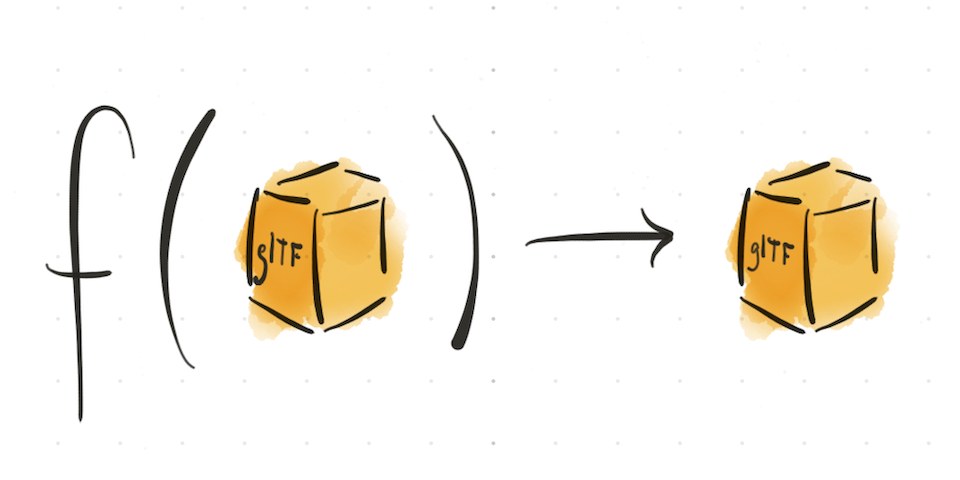
glTF Transform supports reading, editing, and writing 3D models in glTF 2.0 format. Unlike 3D modeling tools — which are ideal for artistic changes to geometry, materials, and animation — glTF Transform provides fast, reproducible, and lossless control of the low-level details in a 3D model. The API automatically manages array indices and byte offsets, which would otherwise require careful management when editing files. These traits make it a good choice for bundling, splitting, or optimizing an existing model. It can also be used to apply quick fixes for common issues, to build a model procedurally, or to easily develop custom extensions on top of the glTF format. Because the core SDK is compatible with both Node.js and Web, glTF Transform may be used to develop offline workflows and web applications alike.
Packages:
@gltf-transform/core: Core SDK, providing an expressive API to read, edit, and write glTF files.@gltf-transform/extensions: Extensions (optional glTF features) for the Core SDK.@gltf-transform/functions: Functions for common glTF modifications, written using the core API.@gltf-transform/cli: Command-line interface (CLI) to apply functions to glTF files quickly or in batch.
Scripting API
Install the scripting packages:
npm install --save @gltf-transform/core @gltf-transform/extensions @gltf-transform/functions
Read and write glTF scenes with platform I/O utilities WebIO, NodeIO, or DenoIO:
import { Document, NodeIO } from '@gltf-transform/core';
import { ALL_EXTENSIONS } from '@gltf-transform/extensions';
import draco3d from 'draco3dgltf';

// Configure I/O.
const io = new NodeIO()
    .registerExtensions(ALL_EXTENSIONS)
    .registerDependencies({
        'draco3d.decoder': await draco3d.createDecoderModule(), // Optional.
        'draco3d.encoder': await draco3d.createEncoderModule(), // Optional.
    });

// Read from URL.
const document = await io.read('path/to/model.glb');

// Write to byte array (Uint8Array).
const glb = await io.writeBinary(document);
To perform changes to an existing glTF Document, import off-the-shelf scripts from the Functions package, or write your own using API classes like Material, Primitive, and Texture.
import { resample, prune, dedup, draco, textureCompress } from '@gltf-transform/functions';
import sharp from 'sharp'; // Node.js only.

await document.transform(
    // Losslessly resample animation frames.
    resample(),
    // Remove unused nodes, textures, or other data.
    prune(),
    // Remove duplicate vertex or texture data, if any.
    dedup(),
    // Compress mesh geometry with Draco.
    draco(),
    // Convert textures to WebP (Requires glTF Transform v3 and Node.js).
    textureCompress({
        encoder: sharp,
        targetFormat: 'webp',
        resize: [1024, 2024],
    }),
    // Custom transform.
    backfaceCulling({cull: true}),
);

// Custom transform: enable/disable backface culling.
function backfaceCulling(options) {
    return (document) => {
        for (const material of document.getRoot().listMaterials()) {
            material.setDoubleSided(!options.cull);
        }
    };
}
To learn how glTF Transform works, and the architecture of the scripting API, start with Concepts. To try out the scripting API without installing anything, visit gltf.report/, load a glTF model, and open the Script tab.
Command-line API
Install the CLI, supported in Node.js LTS versions.
npm install --global @gltf-transform/cli
List available CLI commands:
gltf-transform --help
Optimize everything all at once:
gltf-transform optimize input.glb output.glb --texture-compress webp
Or pick and choose your optimizations, building a custom pipeline.
Compress mesh geometry with Draco or Meshoptimizer:
# Draco (compresses geometry).
gltf-transform draco input.glb output.glb --method edgebreaker

# Meshopt (compresses geometry, morph targets, and keyframe animation).
gltf-transform meshopt input.glb output.glb --level medium
Resize and compress textures with Sharp, or improve VRAM usage and performance with KTX2 and Basis Universal:
# Resize textures.
gltf-transform resize input.glb output.glb --width 1024 --height 1024

# Compress textures with WebP.
gltf-transform webp input.glb output.glb --slots "baseColor"

# Compress textures with KTX2 + Basis Universal codecs, UASTC and ETC1S.
gltf-transform uastc input.glb output1.glb \
    --slots "{normalTexture,occlusionTexture,metallicRoughnessTexture}" \
    --level 4 --rdo --rdo-lambda 4 --zstd 18 --verbose
gltf-transform etc1s output1.glb output2.glb --quality 255 --verbose
... and much more.
Credits
See Credits.
License
Copyright 2024, MIT License.
関連リソース
glTF Transform CLI
CLICommand-line tool for inspecting, compressing and optimizing glTF/GLB 3D models, with Draco and Meshopt mesh compression, texture resizing and WebP/KTX2 compression; a single optimize command handles it all.
donmccurdy/glTF-Transform2k
SVGO
CLISVG optimizer CLI and Node.js library: shrinks SVGs by removing editor metadata, comments, hidden elements and redundant attributes, processes whole directories recursively, and gives fine control through plugin config.
svg/svgo22.7k
Three.js Loaders
SkillThree.js asset loading reference with code: loading GLTF models, textures, images and HDR environments, coordinating loaders and progress with LoadingManager, and async loading patterns.
CloudAI-X/threejs-skills3.6k
Scenario Agent Skills
SkillOfficial Scenario skills: generate production-ready images, video, voiceover and music, textures and 3D assets through the Scenario MCP, for product shots, ads, storyboards and game art, plus expert skills for Blender, Maya and ZBrush. Needs a Scenario account (free tier available).
scenario-labs/skills1k
pngquant
CLILossy PNG compression CLI: converts images to 8-bit PNGs that keep transparency, usually 60-80% smaller, with batch processing and a quality range setting. Handy for slimming down web assets, slides and article images. Install via Homebrew on macOS; no account.
kornelski/pngquant5.8k
fontTools
CLIFont toolkit: pyftsubset subsets fonts to the characters you use and outputs WOFF2 to shrink web fonts, and ttx converts fonts to editable XML for inspection and edits. Needs Python 3.11+ and the woff extra for WOFF2; check the license before subsetting commercial fonts.
fonttools/fonttools5.3k