
xcbeautify
CLICondenses verbose xcodebuild and swift test output into concise build errors, warnings and test results, so agents read less log noise. Can generate JUnit reports and works with CI such as GitHub Actions; runs on macOS and Linux.
xcbeautify



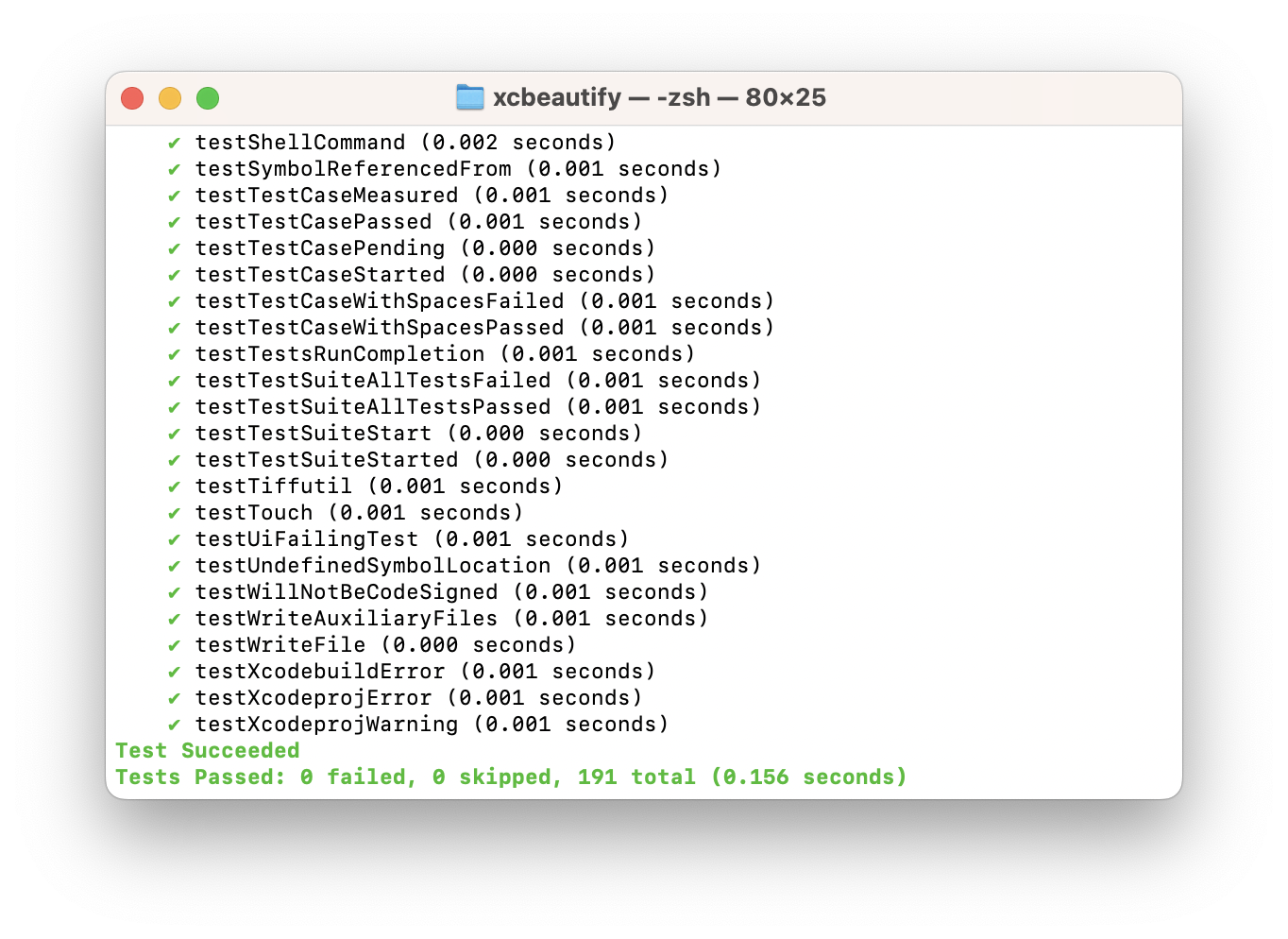
xcbeautify is a little beautifier tool for xcodebuild.
A faster alternative to xcpretty written in Swift.
Features
- Human-friendly and colored output.
- Supports the new build system's output.
- Supports Xcode's parallel testing output.
- Supports formatting Swift Package Manager output.
- Supports generating JUnit reports.
- Supports macOS & Linux.
- Written in Swift:
xcbeautifycompiles to a static binary which you can bring anywhere. This also means less Ruby-dependant in your development environment and CI.
Installation
Homebrew
brew install xcbeautify
Mint
mint install cpisciotta/xcbeautify
Build from source
git clone https://github.com/cpisciotta/xcbeautify.git
cd xcbeautify
make install
Usage
xcodebuild [flags] | xcbeautify
If you want xcbeautify to exit with the same status code as xcodebuild
(e.g. on a CI):
set -o pipefail && xcodebuild [flags] | xcbeautify
For parallel and concurrent destination testing, it helps to use unbuffered I/O for stdout and to redirect stderr to stdout.
NSUnbufferedIO=YES xcodebuild [flags] 2>&1 | xcbeautify
swift test [flags] 2>&1 | xcbeautify
GitHub Actions
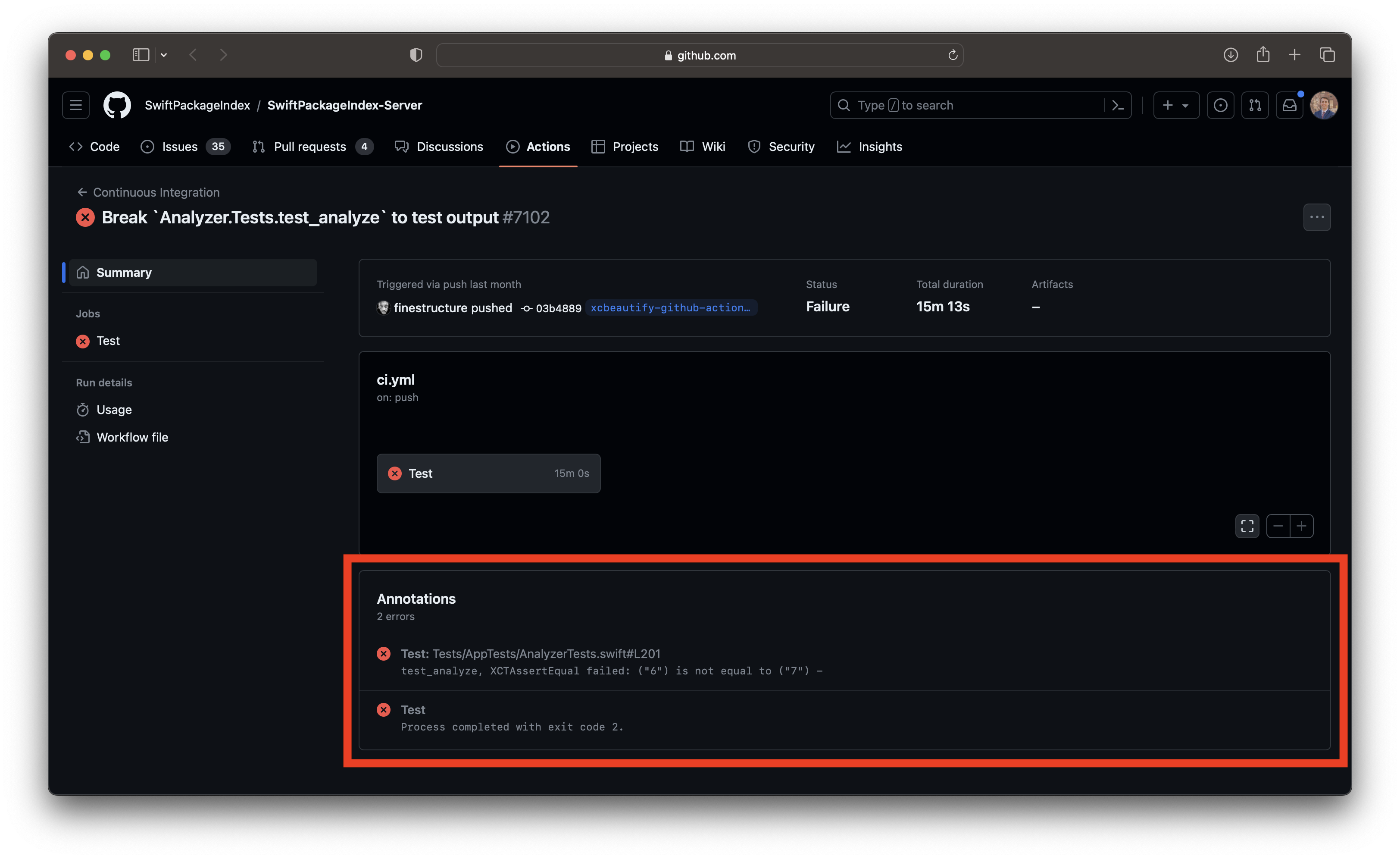 |
|---|
| GitHub Actions Summary |
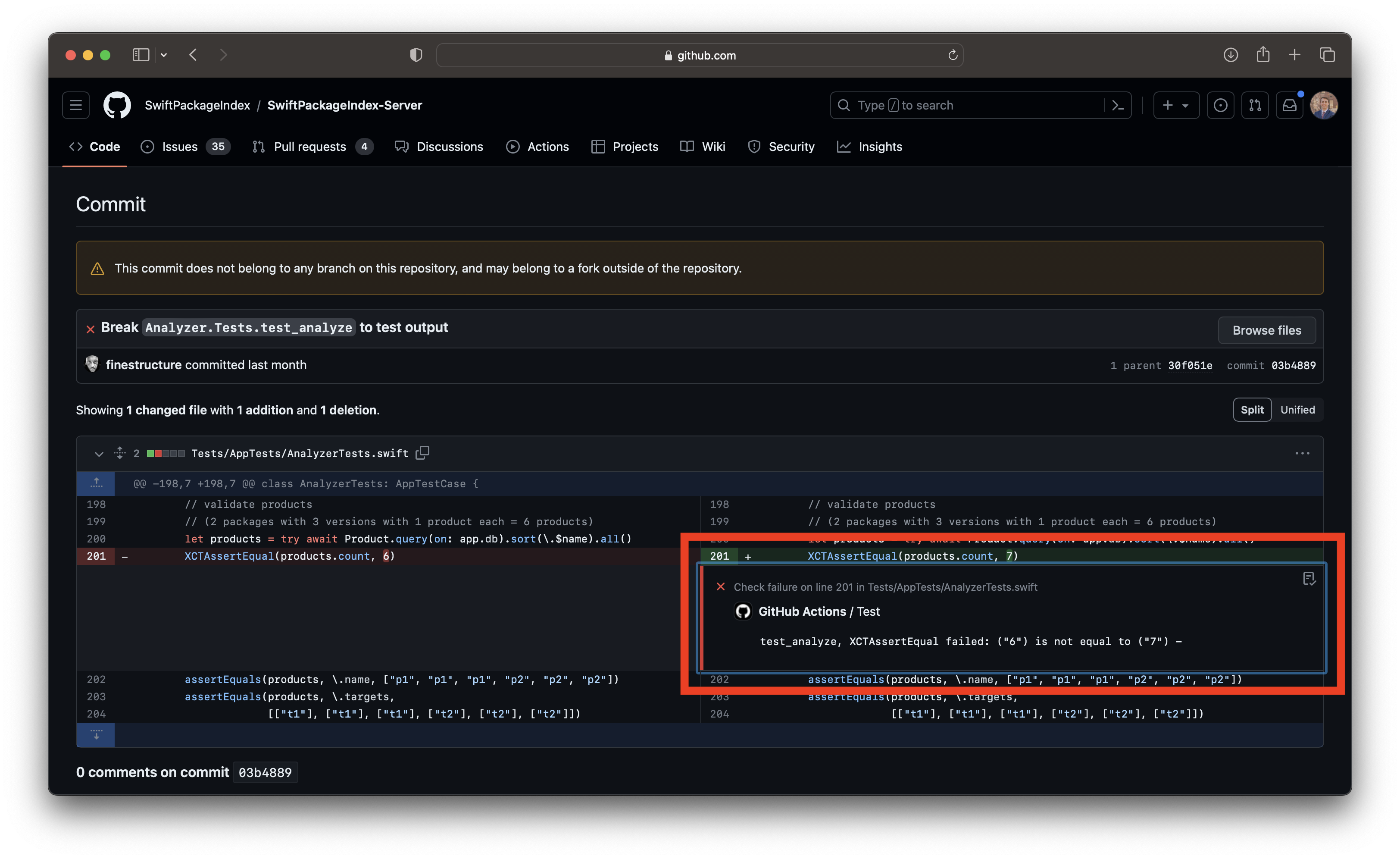 |
|---|
| GitHub Actions Comment |
xcbeautify features an integrated GitHub Actions renderer that harnesses workflow commands to highlight warnings, errors, and results directly within the GitHub user interface. To utilize this function, simply run xcbeautify and add the --renderer github-actions flag during execution:
set -o pipefail && xcodebuild [flags] | xcbeautify --renderer github-actions
TeamCity
xcbeautify features an integrated TeamCity renderer that harnesses service messages to highlight warnings, errors, and results directly within the TeamCity user interface. To utilize this function, simply run xcbeautify and add the --renderer teamcity flag during execution:
set -o pipefail && xcodebuild [flags] | xcbeautify --renderer teamcity
Azure DevOps Pipeline
xcbeautify features an integrated Azure DevOps Pipeline renderer that harnesses logging commands to highlight warnings, errors and results directly within the Azure DevOps Pipeline user interface. To utilize this function, simply run xcbeautify and add the --renderer azure-devops-pipelines flag during execution:
set -o pipefail && xcodebuild [flags] | xcbeautify --renderer azure-devops-pipelines
Development
Generate Xcode project:
make xcode
Release a new version, e.g. x.y.z:
make release version=x.y.z
Contributing
Please send a PR!
関連リソース

SwiftLint
CLIStyle and convention linter for Swift, with most rules built on SwiftSyntax. Configure it with .swiftlint.yml, auto-correct with --fix, and run it in an Xcode build phase or as a SwiftPM plugin.
realm/SwiftLint19.8k
Build iOS Apps
PluginOpenAI's official Codex plugin for iOS: SwiftUI UI work and refactoring, App Intents, simulator debugging, performance profiling and memory leak hunting, with XcodeBuildMCP built in. Requires macOS and Xcode; Codex only.
openai/plugins7.5k
fastlane
CLIRelease automation for iOS and Android: lanes orchestrate builds, code signing management, screenshot generation and uploads to the App Store and Google Play, and agents can call a project's existing lanes directly.
fastlane/fastlane42.2k
App Store Connect CLI
CLIasc CLI for scripting the App Store Connect API: manage builds, TestFlight, metadata, signing and review submissions to automate iOS and macOS releases from the terminal or CI. Ships with a companion agent skill pack. Needs an App Store Connect API key.
rorkai/App-Store-Connect-CLI7.9k
Swift LSP
PluginConnects Claude Code to SourceKit-LSP so the agent can go to definitions, find references and inspect symbols in Swift code. Install the Swift toolchain or Xcode first. Official Anthropic plugin.
anthropics/claude-plugins-official40.1kBuild iOS Apps
SkillOpenAI's official iOS skills: SwiftUI patterns and view refactoring, iOS 26 Liquid Glass, App Intents, performance audits with ETTrace sampling, memory leak hunting with memgraph, and simulator debugging. Needs macOS and Xcode; debugging skills rely on XcodeBuildMCP.
openai/plugins7.5k