
BFL Skills
SkillOfficial Black Forest Labs skills: teach agents to write strong FLUX image prompts (typography, exact color values, multi-reference editing) and call the BFL API to generate images, FLUX 3 short videos with sound, and product ads. Prompting needs no API; generation needs a BFL API key.
BFL Skills
Official Black Forest Labs skills for FLUX image and video generation.
Installation • What's inside • FLUX 3 reference • Image reference • Documentation • License
Each skill teaches your coding agent how to prompt a FLUX model well and drive the BFL API correctly, following the agentskills.io specification.
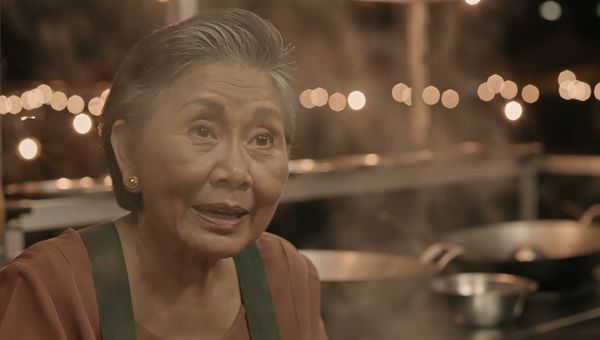
Every clip in the reel below came out of FLUX 3 in one request, sound and all: a night-market conversation in Thai, a honey macro, a paper boat in stop motion, sparklers on Super 8, rain in a noir alley.
Installation
Everything at once:
npx skills add black-forest-labs/skills
Or start with one skill and add specialists as you need them:
# FLUX 3 video: the router pulls in the right specialist per request
npx skills add black-forest-labs/skills --skill flux-3-video

# Image prompting for every FLUX model
npx skills add black-forest-labs/skills --skill flux-image-best-practices

# BFL API integration (polling, webhooks, error handling)
npx skills add black-forest-labs/skills --skill bfl-api
Install individual FLUX 3 specialists
npx skills add black-forest-labs/skills --skill flux-3-prompt-doctor
npx skills add black-forest-labs/skills --skill flux-3-cinematic-inserts
npx skills add black-forest-labs/skills --skill flux-3-keyframes-continuation
npx skills add black-forest-labs/skills --skill flux-3-audio-dialogue
npx skills add black-forest-labs/skills --skill flux-3-generate
npx skills add black-forest-labs/skills --skill flux-3-archival-formats
npx skills add black-forest-labs/skills --skill flux-3-product-ads
Claude Code plugin
/plugin marketplace add black-forest-labs/skills
# Image skills
/plugin install flux-image-best-practices@black-forest-labs
# FLUX 3 video suite
/plugin install flux-3-video@black-forest-labs
What's inside
| Skill | What it teaches your agent |
|---|---|
flux-image-best-practices | Prompting for every FLUX model: T2I and I2I patterns, JSON structured prompts, hex colors, typography, multi-reference editing, model selection |
bfl-api | The BFL API end to end: endpoints, async polling, rate limits, error recovery, webhooks, Python and TypeScript clients |
flux-3-video (suite, below) | Video generation with native audio, from a single shot to a finished product ad |
The FLUX 3 video suite
Eight skills that hand off to each other. Install the router alone and it names the specialist a request needs; install only the specialists you use.
| Skill | Use it to |
|---|---|
flux-3-video | Route a general FLUX 3 request to the right specialist |
flux-3-prompt-doctor | Get a readiness verdict (READY / NEEDS INFO / REVISE) before spending a generation |
flux-3-cinematic-inserts | Write text-to-video prompts with real shot craft, from a field guide of proven concepts |
flux-3-keyframes-continuation | Build from your own images (i2v) or continue a clip (v2v) |
flux-3-audio-dialogue | Direct speech, voiceover, ambience, effects, and music |
flux-3-generate | Construct requests, poll, download, and validate the result |
flux-3-archival-formats | Give a shot a period look by naming the format: Super 8, VHS, 16mm, Hi8 |
flux-3-product-ads | Assemble a finished product ad: voiceover, action-to-word sync, QC gates |
FLUX 3 quick reference
Modes
Every request names its mode and carries the matching media field:
mode | Media field | What the model does |
|---|---|---|
t2v | none | Generates the clip from your text alone |
i2v | keyframes | Puts your images on screen, pixel-exact, as pinned frames |
v2v | start_video | Continues from the final frames of your clip |
draft_enhance | draft_cache | Replays a chosen draft at full quality |
Draft, then commit
A full render takes several minutes. Adding draft: true returns a fast, low-step preview plus a draft_cache, so you can settle concept and composition cheaply before paying for finish. draft_enhance then replays that cache at full quality with the same prompt and settings, so the final render is the shot you approved rather than a fresh attempt.
Judge a draft on event legibility, composition, and continuity. Softness and coarse texture are artifacts of low-step rendering and resolve at full quality.
FLUX image quick reference
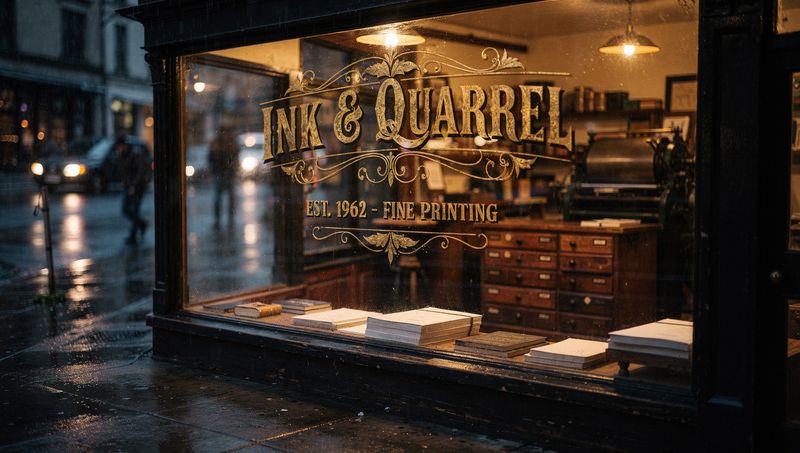
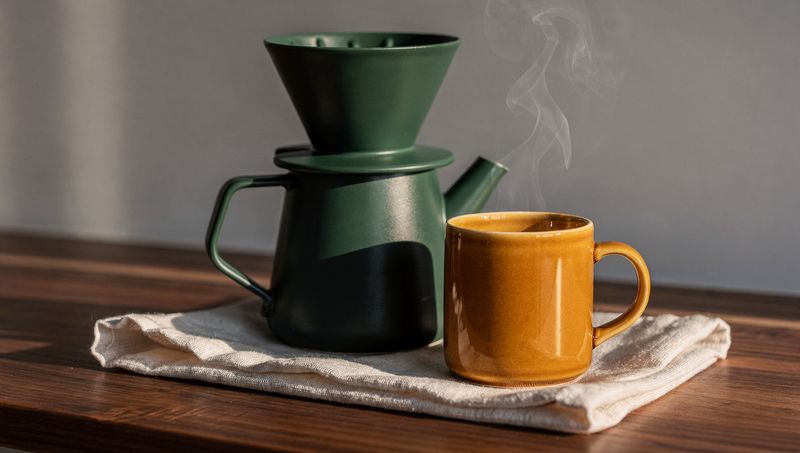
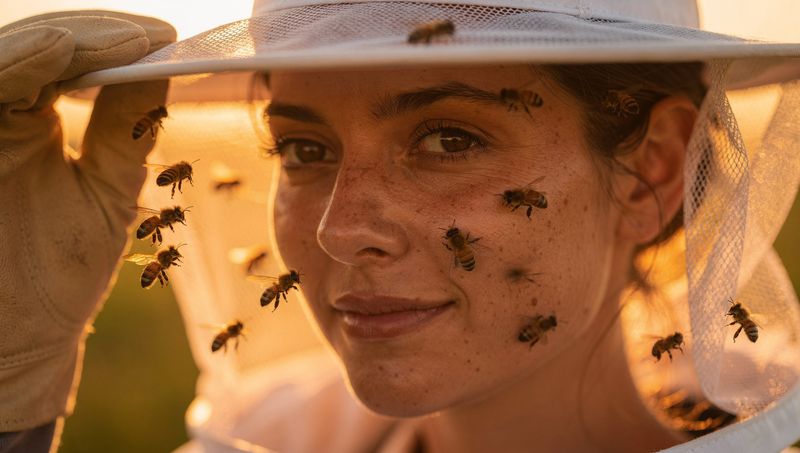
Four FLUX.2 [max] generations, one prompt each, no retries. Clockwise from top left: exact quoted typography, hex-specified colors (#2F5D50, #E8A13D, #F2EDE4), flat-vector illustration, photoreal macro detail.
 |  |
 |  |
Model selection
| Model | Best for | Pricing |
|---|---|---|
| FLUX.2 [klein] | Fastest generation, real-time | from $0.014/image |
| FLUX.2 [pro] | Production balanced | from $0.03/MP |
| FLUX.2 [flex] | Typography/text | from $0.06/MP |
| FLUX.2 [max] | Highest quality, grounding search | from $0.07/MP |
| FLUX.2 [dev] | Local development | Free (non-commercial) |
All FLUX.2 models handle both text-to-image and image editing natively. FLUX.1 models are also available.
Prompt structure
[Subject] + [Action] + [Style] + [Context] + [Lighting] + [Technical]
Core rules
- No negative prompts. FLUX doesn't support them; describe what you want instead.
- Be specific. More detail yields better results.
- Use natural language. Prose beats keyword lists.
- Specify lighting. It has the biggest impact on quality.
- Quote text. Use "quoted text" for typography.
- Hex colors. Use #RRGGBB alongside color names.
API quick start
import requests
import time

API_KEY = "your-api-key"
BASE_URL = "https://api.bfl.ai"

# Submit request
response = requests.post(
    f"{BASE_URL}/v1/flux-2-pro",
    headers={"x-key": API_KEY},
    json={"prompt": "A serene mountain landscape"}
)
polling_url = response.json()["polling_url"]

# Poll for result
while True:
    result = requests.get(polling_url, headers={"x-key": API_KEY})
    data = result.json()
    if data["status"] == "Ready":
        print(f"Result: {data['result']}")  # Expires in 10 min
        break
    time.sleep(2)
Documentation
License
MIT
관련 리소스

Visual Skills
SkillTwo prompt skills: video writes storyboard-style prompts for Seedance, Kling, Veo and more like a director, writer and editor; image writes art-director prompts for Nano Banana and GPT Image, recommending a model per task. Prompts only, generate on the platforms; no API key.
smixs/visual-skills521
H3 Prompt Writing
SkillMiniMax's official prompt skill for the Hailuo H3 video model: rewrites video ideas into H3's structured prompt format for text-to-video, first/last frame and full-reference modes, covering visuals, sound effects and music. Docs only; generate videos on Hailuo web, the MiniMax API or a local model.
MiniMax-AI/MiniMax-H310k
stable-diffusion.cpp
CLIDiffusion model inference in pure C/C++: one sd-cli command runs SD, FLUX, Qwen Image, Wan and more locally to create or edit images and short videos, with Metal acceleration on Mac. No cloud needed; bring your own model weights and use a release binary or build from source.
leejet/stable-diffusion.cpp7.7k
Seedance 2.0 Prompt Writing Skills
SkillTeaches agents to write video prompts for ByteDance's Seedance 2.0: input limits, @ asset references and camera language, with templates for product ads, short dramas, dance, scenic clips, e-commerce and explainers, in English and Chinese. Prompts only; generate videos with your own account.
dexhunter/seedance2-skill4.3k
Higgsfield AI Skills
SkillHiggsfield's official skills: generate images, video and voiceover from a single prompt for product shots, e-commerce hero images, YouTube thumbnails, brand guidelines and narrated explainers. Requires the Higgsfield CLI and a signed-in account; generations use account credits.
higgsfield-ai/skills1.3k
Qiaomu Mondo Poster Design
SkillGenerates book covers, movie posters, article covers and social images from one sentence, picking colors and composition from 30+ poster masters' styles to suit the subject. Rendering directly needs Python and a PipeLLM image API key; or just generate prompts for another image tool.
joeseesun/qiaomu-mondo-poster-design1.3k