
Zendesk CLI (ZCLI)
CLIZendesk's official CLI: preview, import and publish Help Center themes locally, and create, package and deploy Zendesk apps such as ticket sidebar apps. Needs a Zendesk account, Node.js 20.17+ and yarn, some HTML/CSS for themes; run zcli login first.

ZCLI


ZCLI is a Zendesk CLI which helps you build and manage your Zendesk apps and themes from the command line. ZCLI is built using the oclif framework.
Note: ZCLI is the successor to Zendesk App Tools (ZAT). If you're currently using ZAT, please migrate to ZCLI for the latest features and support.
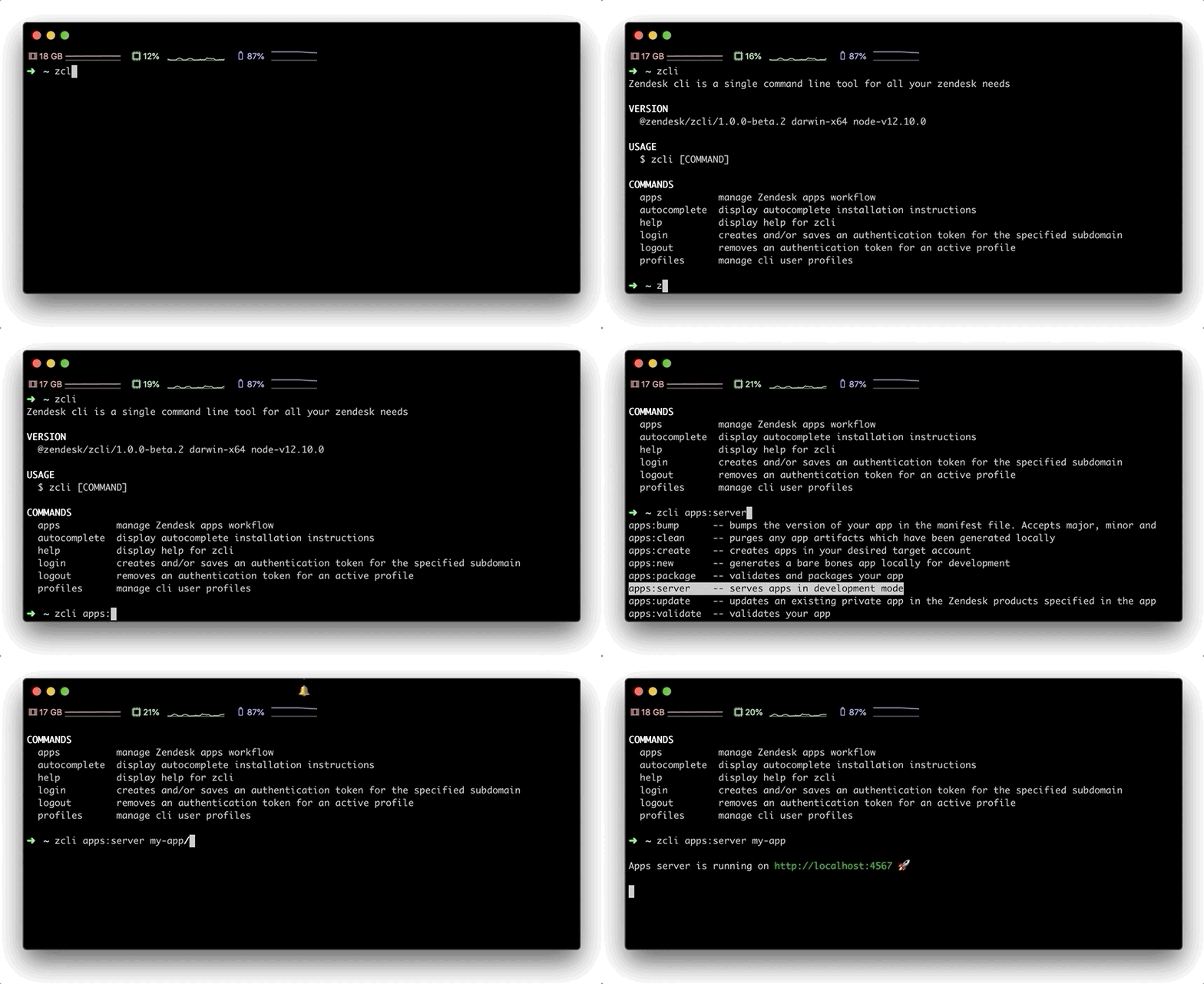
For more about ZCLI see the full documentation.
Getting started
This is a Node.js module available through the npm registry.
Before installing, download and install Node.js. Node.js v20.17.0 or higher is required. Installation is done using the yarn install command:
$ yarn global add @zendesk/zcli
Installation prerequisites for Linux
Currently ZCLI has a dependency on libsecret to save authentication information securely in the operating system's keychain.
Depending on your distribution, you will need to run one of the following commands prior to installing ZCLI:
- Debian/Ubuntu:
sudo apt install libsecret-1-dev - Red Hat-based:
sudo yum install libsecret-devel - Arch Linux:
sudo pacman -S libsecret
Note for environments without Linux window manager (X11) support
ZCLI's credential manager has a dependency on Linux's windowing manager (X11) which will cause some commands to fail to run on an environment without window manager support. These commands include: zcli login, zcli logout and zcli profiles.
For headless Linux in a Docker container
- Install
gnome-keyring,dbus-x11and the corresponding libsecret package listed above - Launch
dbus
export $(dbus-launch)
- Unlock the Gnome keyring daemon with a dummy password
echo "123456" | gnome-keyring-daemon -r --unlock --components=secrets
Refer to this sample Dockerfile to see how you can run ZCLI on a headless installation of Ubuntu.
For Windows users running Linux on WSL
WSL2 now supports running Linux GUI application. For users unable to upgrade to WSL2, there are a number of workarounds available:
- Manually starting a DBus session and unlocking the Gnome keyring with a password supplied via STDIN(similar to headless docker above)
- Using X11 forwarding to be able to enable the Gnome keyring prompt to display
Commands
ZCLI supports numerous commands. Further documentation on available commands can be found here.
$ zcli apps- manage zendesk apps workflow.$ zcli connectors- manage zendesk connectors workflow. [Early Access - Limited Availability]$ zcli themes- manage zendesk themes workflow.$ zcli profiles- manage zcli profiles.$ zcli login- login to zendesk account.$ zcli logout- logout and remove active profile.$ zcli autocomplete- display autocomplete installation instructions.$ zcli help- display help for zcli
Local development
To run your development copy of ZCLI locally, execute yarn link:bin.
Under macOS if you are using a version manager like asdf, it can additionally set up the global /usr/local/bin/zcli.
Note you need global Node.js and ts-node for this as well.
brew install --formula node yarn
yarn global add ts-node
Under Windows this can only be used in WSL2 or Cygwin.
Contributing
Note: We are not routinely reviewing issues and merging community-submitted pull requests. We hope to begin reviewing these again soon, but for the moment we appreciate your patience.
Thanks for your interest in ZCLI! Community involvement helps improve the experience for all developers using the Zendesk platform.
Got issues with what you find here? You can create an issue on Github, report the issue in the Zendesk Developers Slack group, or for other problems, contact Zendesk Customer Support.
If you'd like to take a crack at making some changes, please refer to our contributing guide.
ZAF App Scaffolding
Some useful app scaffolds for build ZAF apps that incorporate the ZCLI tool are avaliable at zendesk/app_scaffolds
Releasing
- Run the "Create Release PR" workflow
- Once the release PR is merged, a new version will be released and published to npm.
License
Copyright 2022 Zendesk, Inc.
Licensed under the Apache License, Version 2.0 (the "License"); you may not use this file except in compliance with the License. You may obtain a copy of the License at
http://www.apache.org/licenses/LICENSE-2.0
Unless required by applicable law or agreed to in writing, software distributed under the License is distributed on an "AS IS" BASIS, WITHOUT WARRANTIES OR CONDITIONS OF ANY KIND, either express or implied. See the License for the specific language governing permissions and limitations under the License.
Recursos relacionados

Zendesk MCP Server
MCPLets agents view, create and update Zendesk tickets and comments, read Help Center articles as a knowledge base, and use built-in prompts for ticket analysis and reply drafting. Each support rep signs in with OAuth after an admin registers an OAuth client. Install from source.
reminia/zendesk-mcp-server123
Freshservice CLI (Printing Press)
CLIUnofficial Freshservice CLI built with Printing Press: lets AI check an IT agent's queue, flag tickets near SLA breach, search tickets and the knowledge base, gauge team workload, spot recurring issues and KB gaps, and manage changes and assets. Needs a Freshservice account and API key.
mvanhorn/printing-press-library2.1kIntercom CLI (Printing Press)
CLIUnofficial Intercom CLI built with Printing Press, covering the full REST API: sync conversations and contacts for offline search, bulk-tag conversations about one incident, see customer overviews and SLA reports, and pull or push help articles. US, EU and AU regions; needs an access token.
mvanhorn/printing-press-library2.1k
Chatwoot CLI
CLIChatwoot's official CLI: AI can search conversations, reply to customers, add private notes, assign, label, prioritize and resolve, and look up help center articles; a bundled skill sets safety rules for customer-visible replies. Needs a Chatwoot account (cloud or self-hosted) and API key.
chatwoot/cli9
kb-article
SkillTurns resolved tickets, common questions or workarounds into publish-ready knowledge base articles, structured as how-to guides, troubleshooting, FAQs or known issues, and optimized for search. From Anthropic's official customer-support plugin.
anthropics/knowledge-work-plugins29.9kcustomer-research
SkillBefore replying to a customer, verifies answers across the knowledge base, past tickets, CRM and chat history, grades confidence and cites sources; can also find whether an issue was reported before or what a customer was told. From Anthropic's official customer-support plugin.
anthropics/knowledge-work-plugins29.9k