
monolith
CLIBundles a whole web page with its CSS, images, fonts and scripts into a single HTML file that opens offline exactly as it looked, good for archiving pages or handing them to an agent for offline analysis. It does not run JavaScript, so pre-render dynamic pages with a headless browser.



 _____    _____________   __________     ___________________    ___
|     \  /             \ |          |   |                   |  |   |
|      \/       __      \|    __    |   |    ___     ___    |__|   |
|              |  |          |  |   |   |   |   |   |   |          |
|   |\    /|   |__|          |__|   |___|   |   |   |   |    __    |
|   | \__/ |          |\                    |   |   |   |   |  |   |
|___|      |__________| \___________________|   |___|   |___|  |___|
A data hoarder’s dream come true: bundle any web page into a single HTML file. You can finally replace that gazillion of open tabs with a gazillion of .html files stored somewhere on your precious little drive.
Unlike the conventional “Save page as”, monolith not only saves the target document, it embeds CSS, image, and JavaScript assets all at once, producing a single HTML5 document that is a joy to store and share.
If compared to saving websites with wget -mpk, this tool embeds all assets as data URLs and therefore lets browsers render the saved page exactly the way it was on the Internet, even when no network connection is available.
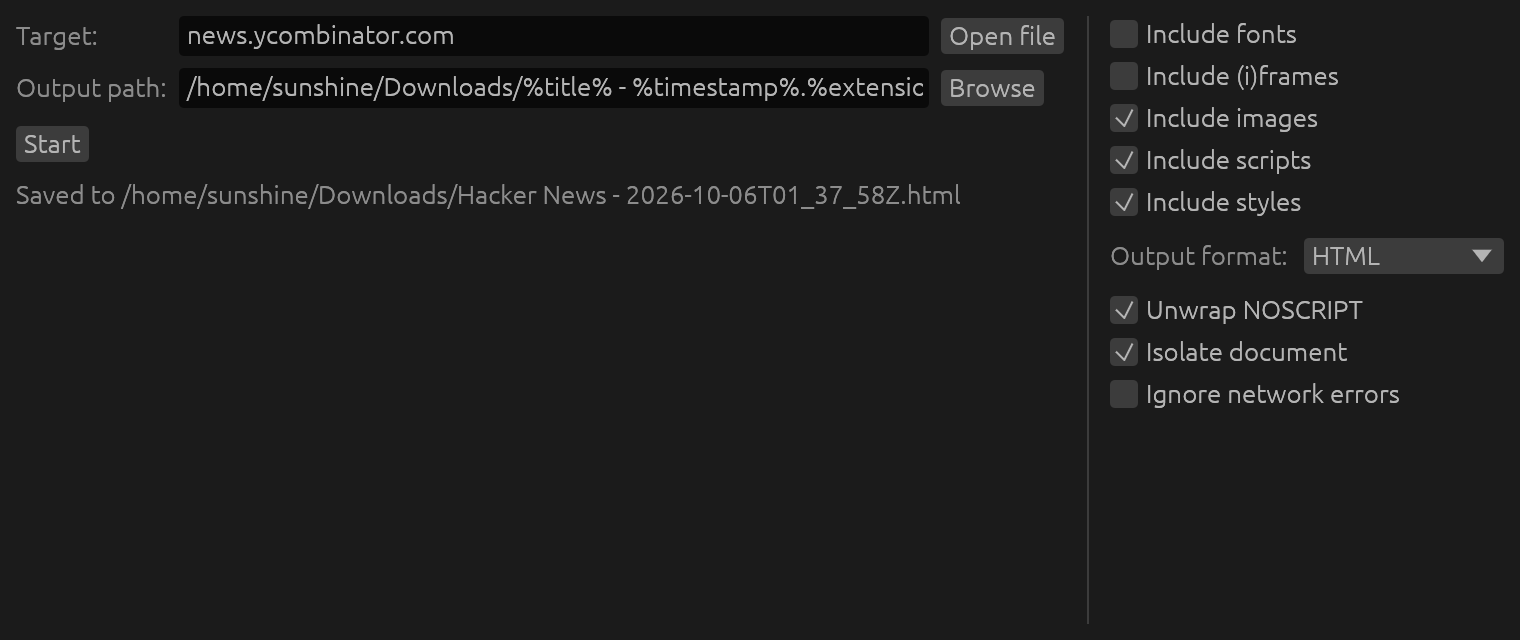
Installation
Using Cargo (cross-platform)
cargo install monolith
Via Homebrew (macOS and GNU/Linux)
brew install monolith
Via Chocolatey (Windows)
choco install monolith
Via Scoop (Windows)
scoop install main/monolith
Via Winget (Windows)
winget install --id=Y2Z.Monolith -e
Via MacPorts (macOS)
sudo port install monolith
Using Snapcraft (GNU/Linux)
snap install monolith
Using Guix (GNU/Linux)
guix install monolith
Using NixPkgs
nix-env -iA nixpkgs.monolith
Using Flox
flox install monolith
Using X-CMD
x install monolith
Using Pacman (Arch Linux)
pacman -S monolith
Using aports (Alpine Linux)
apk add monolith
Using pkg.haus APT archive (Debian)
Set up the archive per the instructions on pkg.haus, then:
sudo apt install monolith
Using XBPS Package Manager (Void Linux)
xbps-install -S monolith
Using FreeBSD packages (FreeBSD)
pkg install monolith
Using FreeBSD ports (FreeBSD)
cd /usr/ports/www/monolith/
make install clean
Using pkgsrc (NetBSD, OpenBSD, Haiku, etc)
cd /usr/pkgsrc/www/monolith
make install clean
Using containers
docker build -t y2z/monolith .
sudo install -b dist/run-in-container.sh /usr/local/bin/monolith
From source
Dependencies: cargo
Install cargo (GNU/Linux)
Check if cargo is installedcargo -v
If cargo is not already installed, install and add it to your existing $PATH (paraphrasing the official installation instructions):
curl https://sh.rustup.rs -sSf | sh
. "$HOME/.cargo/env"
Proceed with installing from source:
git clone https://github.com/Y2Z/monolith.git
cd monolith
make install
Using pre-built binaries (Windows, ARM-based devices, etc)
Every release contains pre-built binaries for Windows, GNU/Linux, as well as platforms with non-standard CPU architecture.
Usage
monolith https://lyrics.github.io/db/P/Portishead/Dummy/Roads/ -o %title%.%timestamp%.html
cat some-site-page.html | monolith -aIiFfcMv -b https://some.site/ - > some-site-page-with-assets.html
Options
-a: Exclude audio sources-b: Usecustom base URL-B: Forbid retrieving assets from specified domain(s)-c: Exclude CSS-C: Read cookies fromfile-d: Allow retrieving assets only from specifieddomain(s)-D: Create missing directories in the output file path-e: Ignore network errors-E: Save document usingcustom encoding-f: Omit (i)frames-F: Exclude web fonts-h: Print usage information-i: Remove images-I: Isolate the document-j: Exclude JavaScript-k: Accept invalid X.509 (TLS) certificates-m: Output in MHTML format instead of HTML-M: Don't add timestamp and URL information-n: Extract contents of NOSCRIPT elements-o: Write output tofile(use “-” for STDOUT)-q: Be quiet-t: Adjustnetwork request timeout-u: Usecustom User-Agent-v: Exclude videos-V: Print version number
Whitelisting and blacklisting domains
Options -d and -B provide control over what domains can be used to retrieve assets from, e.g.:
monolith -I -d example.com -d www.example.com https://example.com -o example-only.html
monolith -I -B -d .googleusercontent.com -d googleanalytics.com -d .google.com https://example.com -o example-no-ads.html
Dynamic content
Monolith doesn't feature a JavaScript engine, hence websites that retrieve and display data after initial load may require usage of additional tools.
For example, Chromium (Chrome) can be used to act as a pre-processor for such pages:
chromium --headless --window-size=1920,1080 --run-all-compositor-stages-before-draw --virtual-time-budget=9000 --incognito --dump-dom https://github.com | monolith - -I -b https://github.com -o github.html
Authentication
monolith https://username:password@example.com -o example-basic-auth.html
Proxies
Please set https_proxy, http_proxy, and no_proxy environment variables.
Apify Actor Usage

You can run Monolith in the cloud without installation using the Monolith Actor on Apify free of charge.
echo '{"urls": ["https://news.ycombinator.com/"]}' | apify call -so snshn/monolith
[{
  "url": "https://news.ycombinator.com/",
  "status": "0",
  "kvsUrl": "https://api.apify.com/v2/key-value-stores/of9xNgvpon4elPLbc/records/https___news.ycombinator.com_"
}]
Read more about the Monolith Actor, including how to use it via the Apify UI, API and CLI without installation.
Contributing
Please open an issue if something is wrong, that helps make this project better.
License
To the extent possible under law, the author(s) have dedicated all copyright related and neighboring rights to this software to the public domain worldwide. This software is distributed without any warranty.
Похожие ресурсы

Typst
CLIModern markup-based typesetting system, a LaTeX alternative for papers, reports and resumes. Fast incremental compilation; typst compile outputs a PDF in one command and watch mode recompiles automatically.
typst/typst56.7k
Harper
CLIAutomattic's offline English grammar checker: checks spelling, grammar and word choice locally in milliseconds without sending your text anywhere. Homebrew installs harper-cli for batch-checking files (still experimental) and harper-ls for editors. English only.
Automattic/harper16.5k
Defuddle
CLIExtracts the main content of a web page, stripping comments, sidebars, headers and footers, and outputs clean HTML or Markdown with metadata like title, author and publish date, saving tokens when agents read the web. Built for Obsidian Web Clipper by kepano; still in development.
kepano/defuddle9.7k
Trafilatura
CLIPython library and CLI for extracting main web content: fetches pages, crawls via sitemaps and RSS feeds, strips headers, footers and other noise, and outputs TXT, Markdown, JSON, XML and more with metadata. Also processes downloaded HTML offline.
adbar/trafilatura7k
Summarize
CLIOne command extracts or summarizes web pages, PDFs, YouTube videos, podcasts and media files, with JSON output. Summaries can use many model APIs, local models or a logged-in Codex or Claude CLI; plain extraction needs no key. Also has a browser sidebar extension.
steipete/summarize6.7k
Tectonic
CLISelf-contained modern TeX/LaTeX engine based on XeTeX and TeX Live that downloads and caches support files on first build, compiling .tex to PDF in one command without installing a full TeX distribution.
tectonic-typesetting/tectonic5.2k