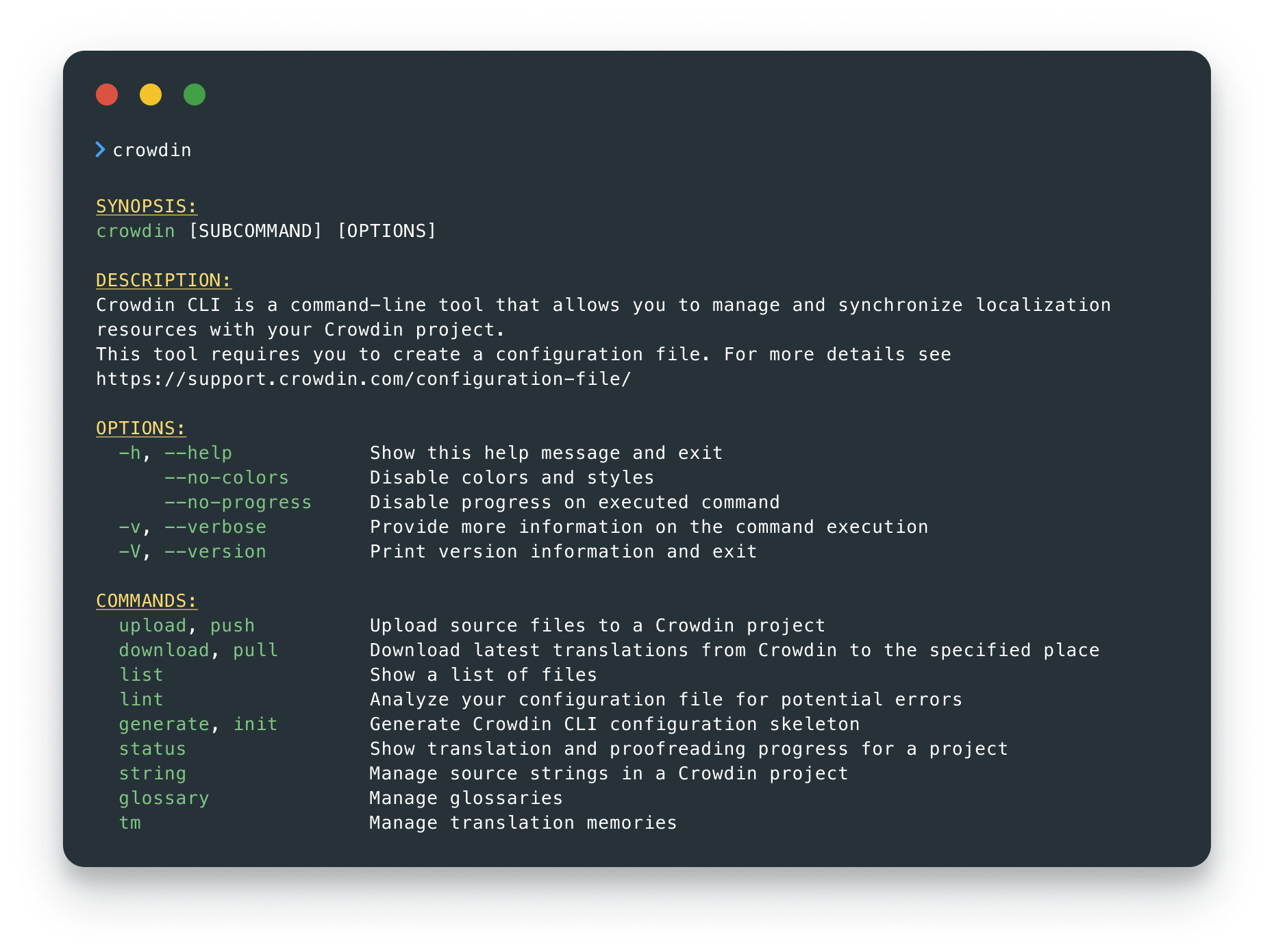
# Crowdin CLI [](https://twitter.com/intent/tweet?url=https%3A%2F%2Fgithub.com%2Fcrowdin%2Fcrowdin-cli&text=Crowdin%20CLI%20is%20an%20open-source%20command-line%20tool%20that%20allows%20you%20to%20manage%20and%20synchronize%20your%20localization%20resources%20with%20your%20Crowdin%20project) [](https://github.com/crowdin/crowdin-cli/stargazers)
> [!TIP]
> **Crowdin CLI 5.0 is here!** 🚀 A complete rewrite in TypeScript, powered by [Bun](https://bun.sh) - instant startup, no Java required, and JSON/TOON output built for scripts and AI agents. Your commands and `crowdin.yml` stay the same. [Read the announcement](https://crowdin.github.io/crowdin-cli/blog/2026/08/26/cli-v5)!
Crowdin CLI is a command line tool that allows you to manage and synchronize your localization resources with your Crowdin project. Using CLI, you can:
- automate the process of updating your source files in your Crowdin project
- download translations from Crowdin and automatically save them in the correct locations
- upload all your existing translations to Crowdin in minutes
- manage your localization resources without leaving the terminal
- integrate Crowdin CLI with GitHub, GitLab, Jenkins, CircleCI, and other software
- plug localization into AI agent workflows - machine-readable output, Agent Skills, and string context enrichment
It is cross-platform and runs in a terminal on Linux-based and macOS operating systems, or in the command prompt on Windows.
[**`Docs`**](https://crowdin.github.io/crowdin-cli/) |
[**`Configuration File`**](https://developer.crowdin.com/configuration-file/) |
[**`Getting started with CLI`**](https://www.youtube.com/watch?v=0duN4khpWjM)
[](https://hub.docker.com/r/crowdin/cli)
[](https://www.npmjs.com/package/@crowdin/cli)
[](https://formulae.brew.sh/formula/crowdin)
[](https://community.chocolatey.org/packages/crowdin-cli)
[](https://github.com/crowdin/crowdin-cli/releases)
[](https://github.com/crowdin/crowdin-cli/network/dependents)
[](https://github.com/crowdin/crowdin-cli/actions/workflows/build-test.yml)
[](https://github.com/crowdin/crowdin-cli/actions/workflows/codeql-analysis.yml)
[](https://codecov.io/gh/crowdin/crowdin-cli)
[](https://github.com/crowdin/crowdin-cli/graphs/contributors)

[
](https://crowdin.com)
## Usage
Visit the [documentation](https://crowdin.github.io/crowdin-cli/) for more details.
## Built for AI Agents
Crowdin CLI treats AI agents as first-class users: instant startup, stable exit codes, and machine-readable output (`--output json|toon`) make it cheap and predictable for an agent to call dozens of times in a row. The [Crowdin Agent Skills](https://github.com/crowdin/skills) teach your agent the CLI, the configuration file, and the core workflows:
```bash
npx skills add crowdin/skills --skill crowdin-cli
```
Your agent can also enrich your strings with context: it downloads the strings, analyzes your codebase to see how each one is used, and pushes the descriptions back to Crowdin - so translators and AI translations stop guessing. Read [Context Enrichment with AI Agents](https://crowdin.github.io/crowdin-cli/blog/2026/02/23/context-enrichment) to learn more.
## Seeking Assistance and Contributing
If you find any problems or would like to suggest a feature, please read the [How can I contribute](https://github.com/crowdin/crowdin-cli/blob/HEAD/CONTRIBUTING.md#how-can-i-contribute) section in our contributing guidelines.
## License
The Crowdin CLI is licensed under the MIT License.
See the LICENSE file distributed with this work for additional
information regarding copyright ownership.

Except as contained in the LICENSE file, the name(s) of the above copyright
holders shall not be used in advertising or otherwise to promote the sale,
use or other dealings in this Software without prior written authorization.