
FreeCAD MCP
MCPLets agents drive the open-source CAD app FreeCAD: create and edit part models in natural language, run Python scripts, capture views and run FEM structural analysis for mechanical and product design. Needs FreeCAD with the addon and its RPC server, plus uv; engineers should verify results.
FreeCAD MCP
Control FreeCAD from Claude Desktop and other MCP clients. Create and edit models, run Python scripts, inspect documents, and run FEM analyses.
Demo
Design a flange:
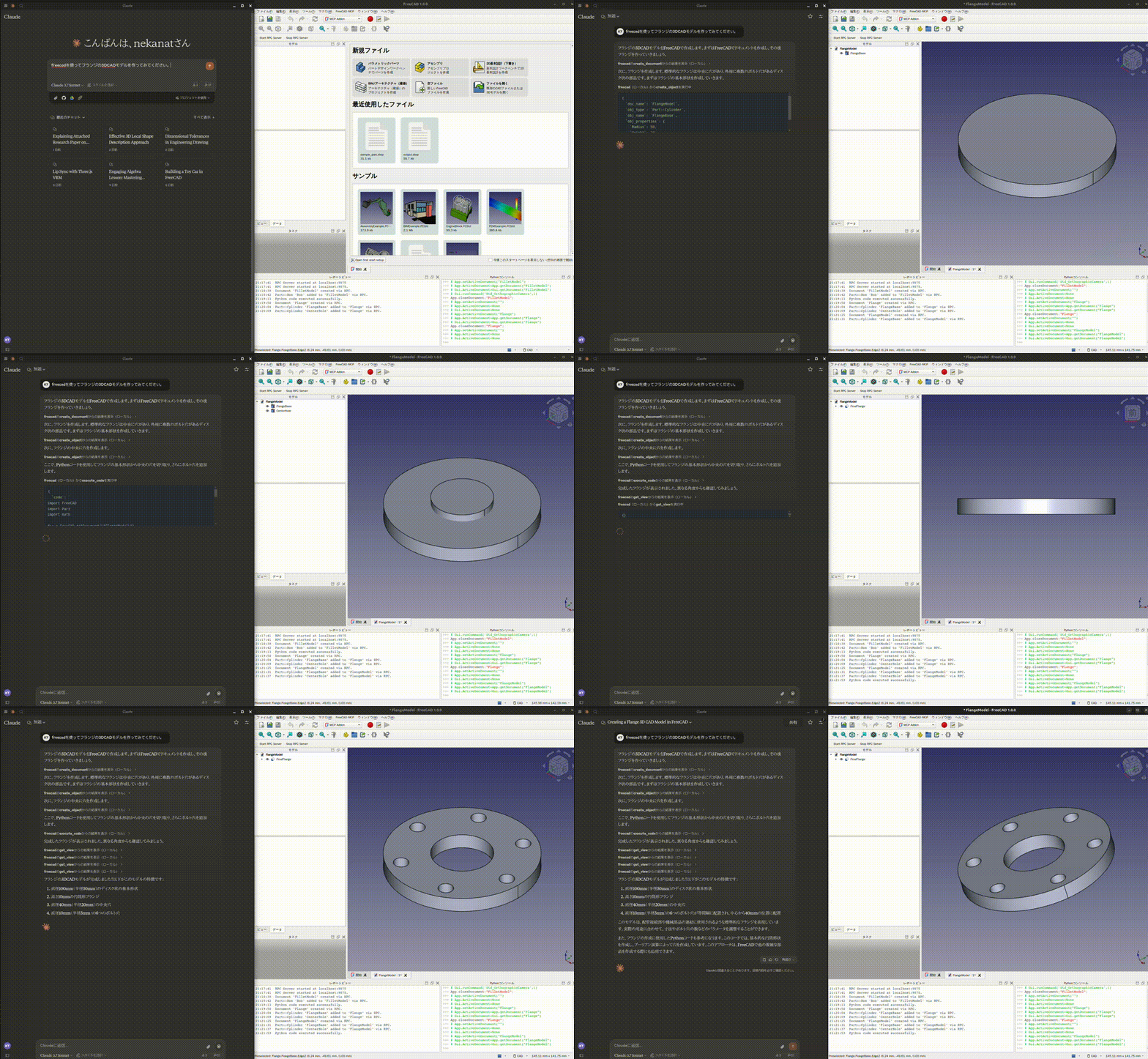
See more demos and examples for a toy car, modelling from a 2D drawing, and agent integrations.
Quick start
You need FreeCAD and uv / uvx. FreeCAD MCP has two components: an addon running inside FreeCAD and an MCP server launched by your client.
1. Install and start the FreeCAD addon
git clone https://github.com/neka-nat/freecad-mcp.git
cd freecad-mcp
Copy addon/FreeCADMCP into your FreeCAD addon directory,
then restart FreeCAD. Select the MCP Addon workbench and click
Start RPC Server in the FreeCAD MCP toolbar.
See the installation guide for platform-specific commands and screenshots.
2. Connect Claude Desktop
Add the following entry to claude_desktop_config.json:
{
  "mcpServers": {
    "freecad": {
      "command": "uvx",
      "args": ["freecad-mcp"]
    }
  }
}
Restart Claude Desktop to load the configuration, keep FreeCAD open with its RPC
server running, and ask Claude to create a model. Connections use localhost by
default.
Documentation
| Guide | Contents |
|---|---|
| Installation | Addon directories, setup screenshots, running from source |
| Configuration | Auto-start, text feedback, remote connections |
| Tools | Available tools, screenshots, FEM analysis |
| Code execution | GUI execution, background jobs, headless scripts, timeout troubleshooting |
| Demos and examples | Design demos, FEM example, ADK and LangChain integrations |
Contributors
Made with contrib.rocks.
Recursos relacionados

RhinoMCP
MCPConnects Rhino 8 and Grasshopper to agents: model in plain language, edit geometry and layers, measure areas and volumes, and build Grasshopper definitions, for architecture and product design. Install the rhinomcp plugin in Rhino, run mcpstart, and have uv installed. Unofficial (not McNeel).
jingcheng-chen/rhinomcp1.2k
Rhino MCP Platform
MCPMcNeel's official Rhino MCP: lets Claude, Codex and other agents model, edit and organize layers in Rhino and Grasshopper, for architectural concepts and product forms. Needs licensed Rhino 8 or 9; install Rhino-MCP-Platform from the package manager and connect with MCPConnect.
mcneel/RhinoAI366
FreeCAD Robust MCP Server
MCPModel by conversation in open-source FreeCAD: create primitives and sketches, extrude and chamfer, run Booleans, export STEP/STL, and write and debug macros. Install and start the Robust MCP Bridge workbench from the FreeCAD Addon Manager, then pip-install the server (Python 3.11).
spkane/freecad-addon-robust-mcp-server256
SolidWorks Automation Skill
SkillDrives SolidWorks from prompts: part modeling, assemblies, drawings and STEP/DXF/PDF export, with multi-view previews for self-checks. A capability list marks what's verified; sheet metal, weldments and FEA are pilots needing engineer review. Needs Windows, Python 3.10+ and licensed SolidWorks.
wzyn20051216/solidworks-automation-skill1.3k
SketchupMCP
MCPLets agents create, move and scale components in SketchUp, set material colors, read scene info, export models and run Ruby scripts, for quick massing models. No prebuilt package: pack the extension as .rbz, install it in SketchUp and start the server; needs uv.
mhyrr/sketchup-mcp494
OpenSCAD MCP Server
MCPCompiles AI-written OpenSCAD code or dimension parameters into editable SCAD and STL models, renders previews from four angles and can export 3MF. Good for parametric parts and 3D printing. Needs OpenSCAD and Python 3.11+ locally; clone the repo and run with uv. No API key.
jhacksman/OpenSCAD-MCP-Server207