
Crowdin CLI
CLICrowdin 官方命令行:把待翻译的源文件上传到 Crowdin,再把译文下载回原位置,还能查看翻译进度、管理术语表与翻译记忆、触发机器或 AI 预翻译,支持 JSON 输出便于 agent 解析。需要 Crowdin 账号(可免费试用,开源项目可申请免费授权)与个人访问令牌,crowdin init 会引导生成配置文件。

Crowdin CLI 

[!TIP] Crowdin CLI 5.0 is here! 🚀 A complete rewrite in TypeScript, powered by Bun - instant startup, no Java required, and JSON/TOON output built for scripts and AI agents. Your commands and
crowdin.ymlstay the same. Read the announcement!
Crowdin CLI is a command line tool that allows you to manage and synchronize your localization resources with your Crowdin project. Using CLI, you can:
- automate the process of updating your source files in your Crowdin project
- download translations from Crowdin and automatically save them in the correct locations
- upload all your existing translations to Crowdin in minutes
- manage your localization resources without leaving the terminal
- integrate Crowdin CLI with GitHub, GitLab, Jenkins, CircleCI, and other software
- plug localization into AI agent workflows - machine-readable output, Agent Skills, and string context enrichment
It is cross-platform and runs in a terminal on Linux-based and macOS operating systems, or in the command prompt on Windows.











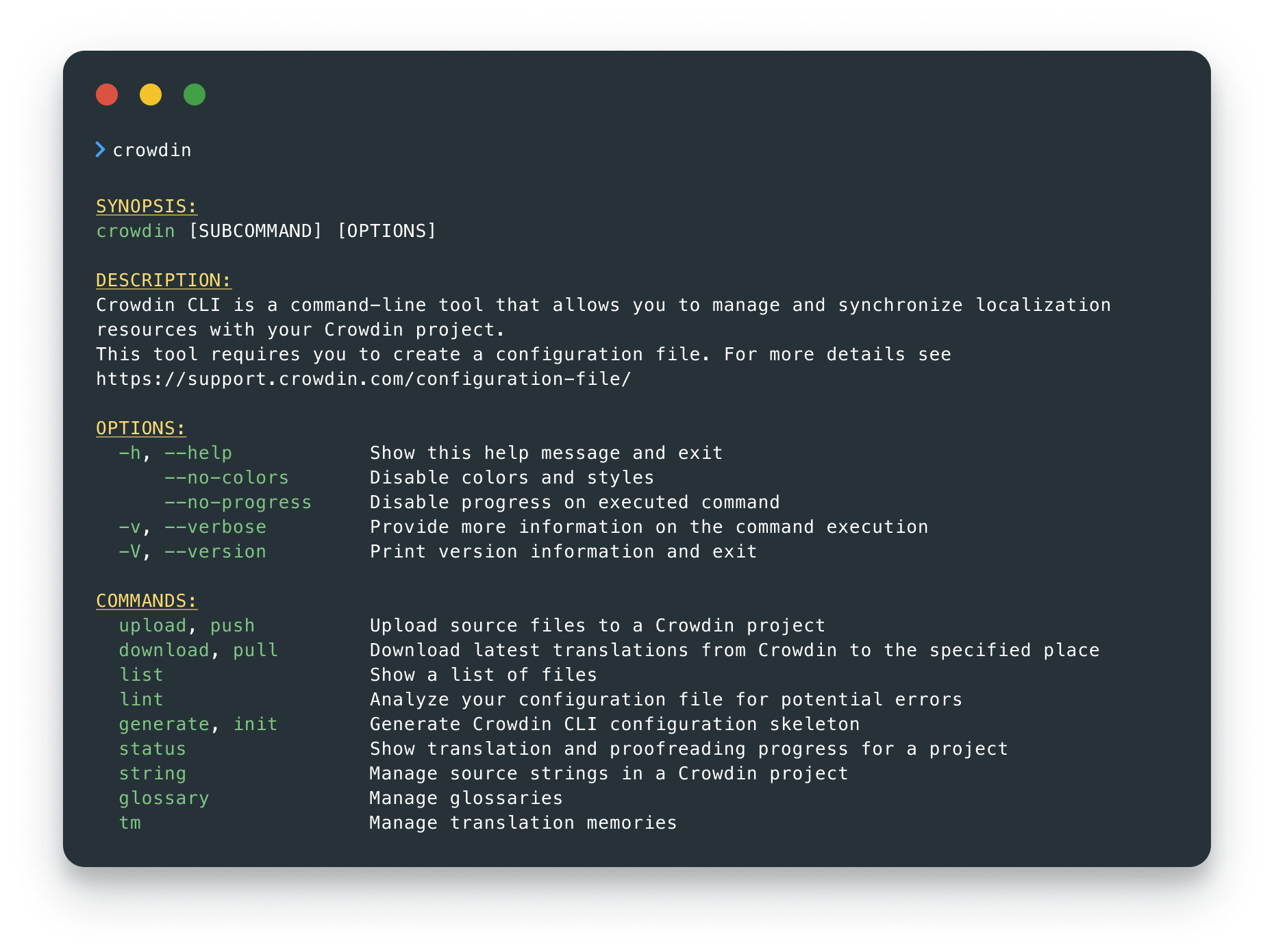
Usage
Visit the documentation for more details.
Built for AI Agents
Crowdin CLI treats AI agents as first-class users: instant startup, stable exit codes, and machine-readable output (--output json|toon) make it cheap and predictable for an agent to call dozens of times in a row. The Crowdin Agent Skills teach your agent the CLI, the configuration file, and the core workflows:
npx skills add crowdin/skills --skill crowdin-cli
Your agent can also enrich your strings with context: it downloads the strings, analyzes your codebase to see how each one is used, and pushes the descriptions back to Crowdin - so translators and AI translations stop guessing. Read Context Enrichment with AI Agents to learn more.
Seeking Assistance and Contributing
If you find any problems or would like to suggest a feature, please read the How can I contribute section in our contributing guidelines.
License
The Crowdin CLI is licensed under the MIT License.
See the LICENSE file distributed with this work for additional
information regarding copyright ownership.

Except as contained in the LICENSE file, the name(s) of the above copyright
holders shall not be used in advertising or otherwise to promote the sale,
use or other dealings in this Software without prior written authorization.
相关资源
Crowdin Skills
PluginCrowdin 官方插件:内置 Crowdin MCP,本地化经理和译员可在 Claude Code、Cowork 或 Codex 里用对话管理项目与译文,另有术语表生成、译员上下文补充、译文起草并上传待审、「在 Crowdin 里怎么做」问答等技能。需 Crowdin 账号并在浏览器授权;起草译文和上传术语表还要装好并登录 Crowdin CLI。
crowdin/skills9
Lingo.dev CLI
CLILingo.dev 官方命令行:lingo push 把仓库里的 JSON、YAML、Markdown、PO、XLIFF、Android/Xcode 字符串等文件发给平台上的大模型本地化引擎翻译,lingo pull 取回译文,可接入 CI。需 Lingo.dev 账号,按量计费,有免费沙箱。
lingodotdev/lingo.dev5.4k
Languine
CLIAI 本地化工具:先把服务端一键部署到自己的 Vercel 账号(自动配好 Postgres 与 AI Gateway,部署后需开启部署保护),再在项目里运行 npx languine@selfhosted translate,用大模型把应用的语言文件翻译成多个语种,也提供自动提 PR 的 GitHub Action。需要 Vercel 账号与 Node.js。
languine-ai/languine2k
attranslate
CLI面向编码 agent 的离线翻译同步工具:只把 JSON、YAML、PO、CSV 等多语言文件里新增的文案交给 agent 翻译,不覆盖人工改过的译文,省 token。适合译员与开发协作维护软件译文;需要 Node.js,本身不调用翻译 API。
fkirc/attranslate358
Lokalise CLI v2
CLILokalise 官方命令行(lokalise2),覆盖 Lokalise API v2:上传和下载语言文件,管理词条、译文、截图、翻译任务与贡献者,方便把翻译进度同步到项目里。需要 Lokalise 账号(付费服务,可免费试用 14 天),在个人资料页生成 API Token 后用 --token 传入。
lokalise/lokalise-cli-2-go124
SimpleLocalize CLI
CLISimpleLocalize 官方命令行:上传、下载多语言翻译文件,一键发起机器翻译与 AI 自动翻译,把译文发布到 CDN 托管,还能从源码中抽取待翻译的文案键,适合放进 CI 自动跑本地化流程。需要 SimpleLocalize 账号与项目 API Key,平台为付费服务,可免费试用 14 天。
simplelocalize/simplelocalize-cli80