mise (pronounced "meez", short for mise-en-place) installs a project's tools,
sets its environment variables, and runs its tasks from one mise.toml that
works in your shell, editor, and CI. With mise bootstrap, it can also set up a
whole machine: packages, dotfiles, and services.
Install tools such as Node.js, Python, and
Terraform from a registry of 1,000+,
with a different version in each project.
Run tasks, such as build and test, with the
project's tools and environment variables.
Set up a machine with mise bootstrap,
which applies the system packages, dotfiles,
repositories, and services you declare for it.
Use only the parts you need. You can start with one tool or one task.
Demo
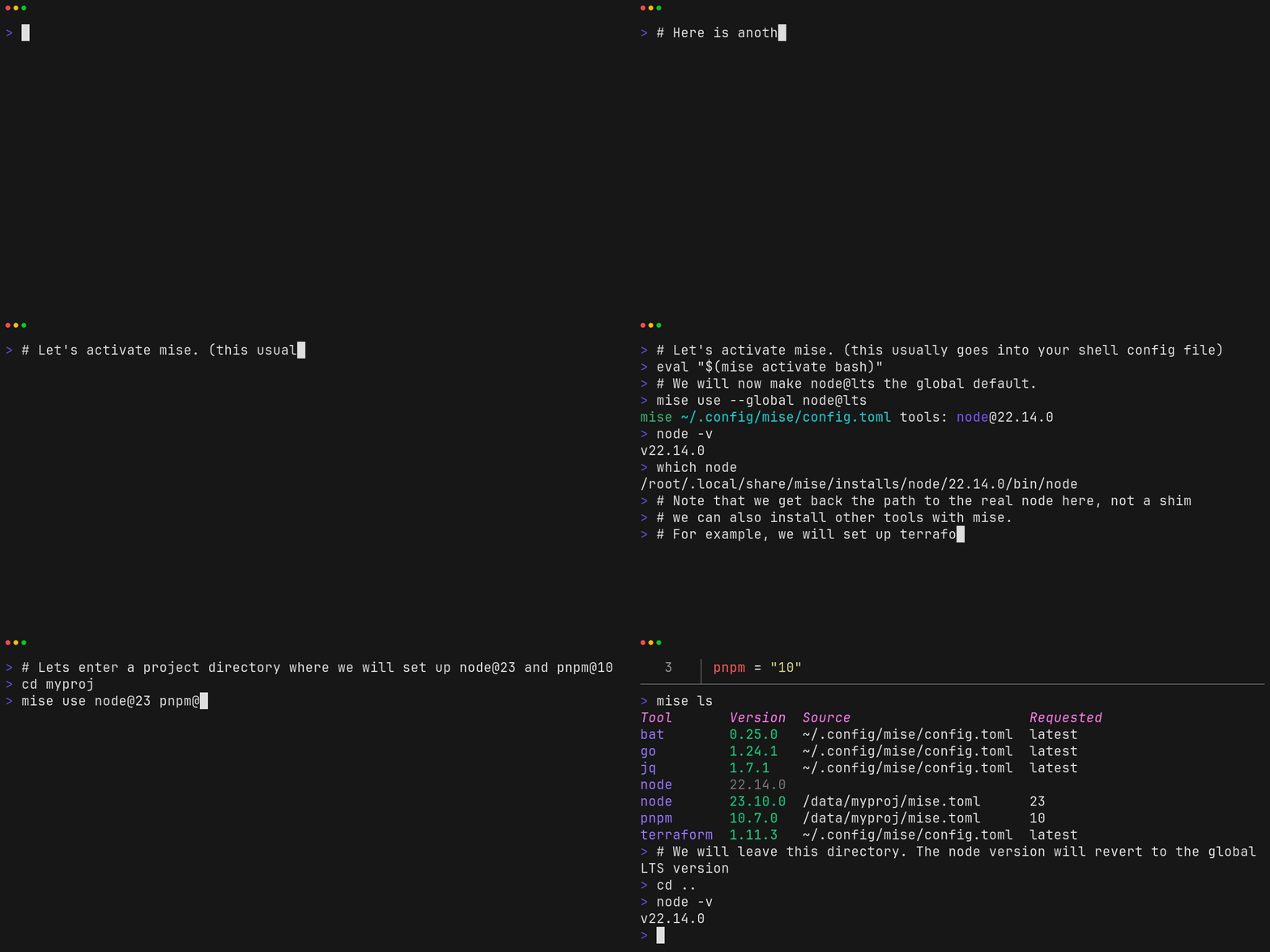
Watch mise run a tool once with mise exec, set global defaults, and switch
Node.js versions as you move into and out of a project.
The demo transcript lists the
commands with current versions.
Quickstart
1. Install mise
On macOS or Linux:
curl https://mise.run | sh
~/.local/bin/mise --version
On Windows, run winget install jdx.mise. For Homebrew, apt, Scoop, and other
methods, see Installing mise.
The installer puts mise in ~/.local/bin. If that directory is not on your
PATH, type ~/.local/bin/mise wherever the steps below say mise, until you
activate mise in step 4.
2. Try a tool
mise exec node@24 -- node --version
# v24.x.x
mise exec installs Node.js 24 if needed and runs one command with it. It does
not change your shell or any config file, and it works without activation.
3. Set up a project
mkdir my-project && cd my-project
mise use node@24
mise use installs Node.js 24 and writes it to a new mise.toml. Add an
environment variable and a task to that file:
[tools]node = "24"[env]NODE_ENV = "development"[tasks.hello]description = "Print the Node.js version and NODE_ENV"run = 'node -e "console.log(process.version, process.env.NODE_ENV)"'
Run the task:
mise run hello
[hello] $ node -e "console.log(process.version, process.env.NODE_ENV)"
v24.x.x development
The task runs with the project's Node.js and NODE_ENV. Commit mise.toml so
teammates and CI get the same setup. "24" is a version request for the
Node.js 24 series, not an exact pin; to share exact versions, use a
lockfile. Run
mise use python@3.14 to add another tool to the project, or
mise use --global node@24 to set a personal default in
~/.config/mise/config.toml.
To see what mise loaded in this directory:
mise config ls# config files in use here
mise ls --current # tool versions selected by those files
mise doctor # checks the installation and shell activation
4. Activate mise in your shell (optional)
Activation puts a project's tools on your PATH and sets its environment
variables when you enter the project, so you can run node without
mise exec. If you installed with mise.run, run the commands for your
shell once:
Open a new shell. In my-project, node --version now prints v24.x.x. For
PowerShell, Nushell, and other shells, or for mise installed another way, see
Shell setup.
Report bugs in GitHub Issues. Check
Troubleshooting first, and
include the command you ran, a minimal mise.toml, the expected and actual
behavior, and your mise doctor output after you review it for private
details.