
Figma Code Connect
CLIFigma 官方命令行工具:把 Figma 设计系统里的组件与代码仓库中的真实组件一一关联,发布后 Dev Mode 与 Figma MCP 给出的是生产代码片段而不是自动生成的示例;目前主推模板文件写法。需要 Node.js 18+、Figma Organization 或 Enterprise 套餐、完整的 Design 或 Dev Mode 席位及个人访问令牌。
Code Connect
[!WARNING] Framework-specific parsers will no longer receive updates or support. Template files are now the only actively maintained way of using Code Connect. See our migration guide for more information and instructions on migrating parser-based Code Connect: https://developers.figma.com/docs/code-connect/templates-migration-guide/
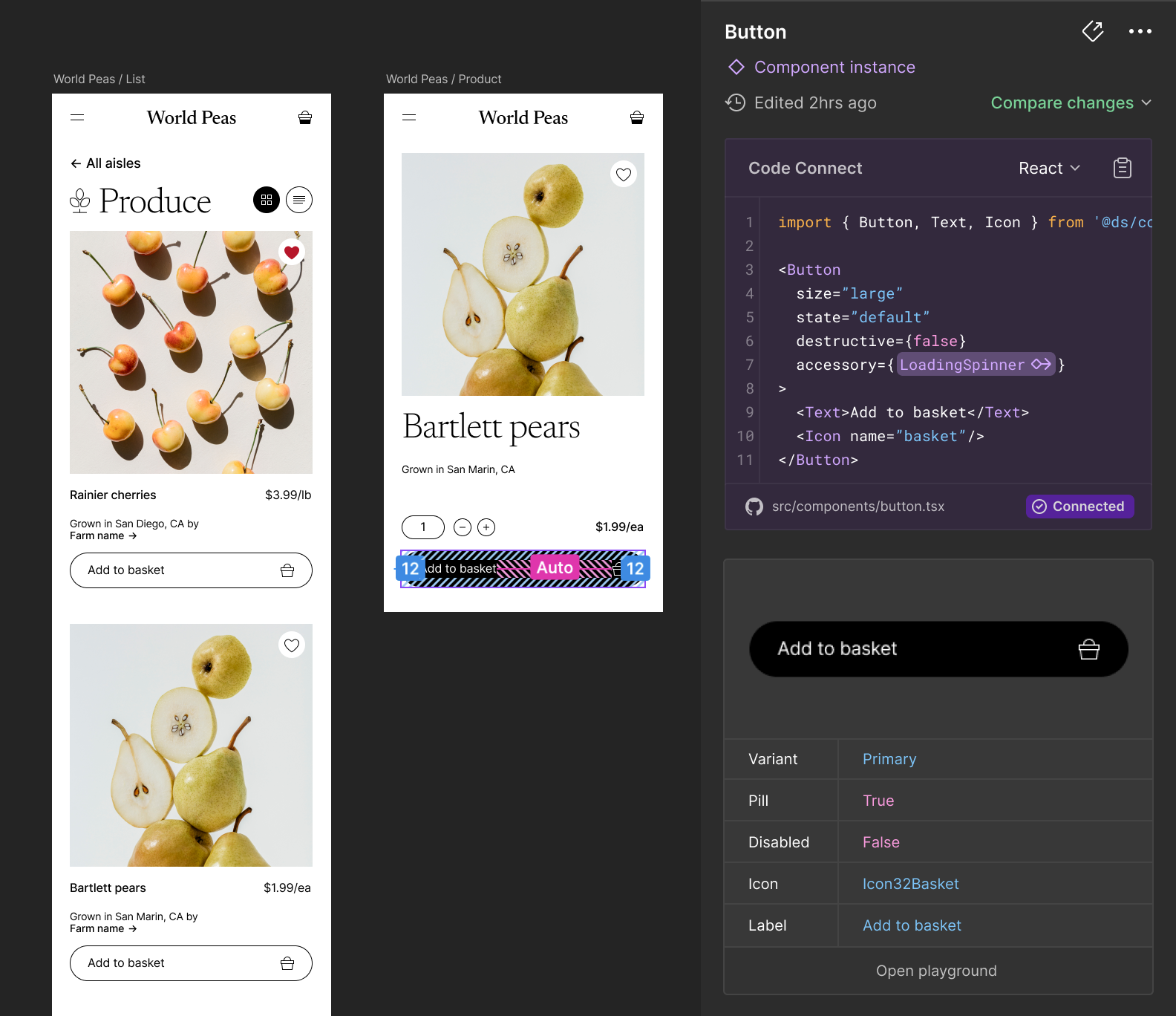
Code Connect is a tool for connecting your design system components in code with your design system in Figma. When using Code Connect, Figma's Dev Mode will display true-to-production code snippets from your design system instead of autogenerated code examples. In addition to connecting component definitions, Code Connect also supports mapping properties from code to Figma enabling dynamic and correct examples. This can be useful for when you have an existing design system and are looking to drive consistent and correct adoption of that design system across design and engineering.
Code Connect is easy to set up, easy to maintain, type-safe, and extensible. The easiest way to get started is using template files — a framework-agnostic way to represent any code snippet, giving you full control over how components appear in Dev Mode. Code Connect also includes framework-specific integrations for React (and React Native), Storybook, HTML (e.g. Web Components, Angular and Vue), SwiftUI and Jetpack Compose.
[!NOTE] Code Connect is available on Organization and Enterprise plans and requires a full Design or Dev Mode seat to use.
Documentation
Use Figma’s Code Connect to make your design system easily accessible to your developers and create a shared source of truth for both the design and code elements.
Our Getting Started guide will walk you through setting up Code Connect and publishing your first components using template files. Code Connect Documentation →
For framework-specific prop mapping and variant support, see the integration guides for:
相關資源
Figma Skills (mcp-server-guide)
SkillFigma 官方技能合集:把设计稿还原成代码、用 Code Connect 映射组件、从代码生成设计系统组件库、在画布上搭建页面和 FigJam 图表。需连接 Figma MCP 服务器;写入画布目前处于 Beta 阶段,暂时免费。
figma/mcp-server-guide2.1k
Figma Console MCP
MCP让 agent 读写 Figma:提取变量、组件和样式,在画布上新建和修改界面、FigJam 白板与演示,做无障碍检查和设计系统审计。需要 Figma 个人访问令牌、Figma 桌面版和 Node.js,并导入配套插件。
southleft/figma-console-mcp2.5kfigma-generate-design
Skill把代码里的页面、弹窗、侧栏等界面或文字描述,搭建成 Figma 画布上可编辑的设计稿,优先复用文件里已发布设计系统的组件与变量。Figma 官方维护,需连接 Figma 远程 MCP 服务器,并同时安装 figma-use 技能。
figma/mcp-server-guide2.1k
Figma (Codex)
PluginFigma 出品、收录于 OpenAI 官方市场的 Codex 插件:按设计稿实现界面、生成 Code Connect 映射,还能在 Figma 里创建或更新页面、组件库、FigJam 图表和幻灯片。需要连接 Figma 账号。
openai/plugins7.5kFigma Design to Code
Skill把 Figma 设计稿还原成项目里的生产代码:以设计截图为视觉目标,优先复用已有组件、设计变量与 Code Connect 映射。Figma 官方维护,需连接 Figma MCP 服务(免费计划每月仅 6 次调用)。
figma/mcp-server-guide2.1kFigma MCP Server
MCPFigma 官方远程 MCP:把设计稿的组件、变量与布局交给 agent 生成代码,还能直接在画布上创建和修改设计。需 Figma 账号授权;Starter 免费计划及 View、Collab 席位每月仅 6 次读取调用。
figma/mcp-server-guide2.1k