
MFLUX
CLI在 Mac 上本地运行 FLUX、Qwen Image、Z-Image 等开源生图模型的命令行工具:文生图、参考图改图、局部重绘与高清放大,海报配图、课件插图等素材不出本机。需要 Apple Silicon Mac 与 uv,首次运行会自动下载模型,耗时较长;商用前请确认所选模型的许可。




About
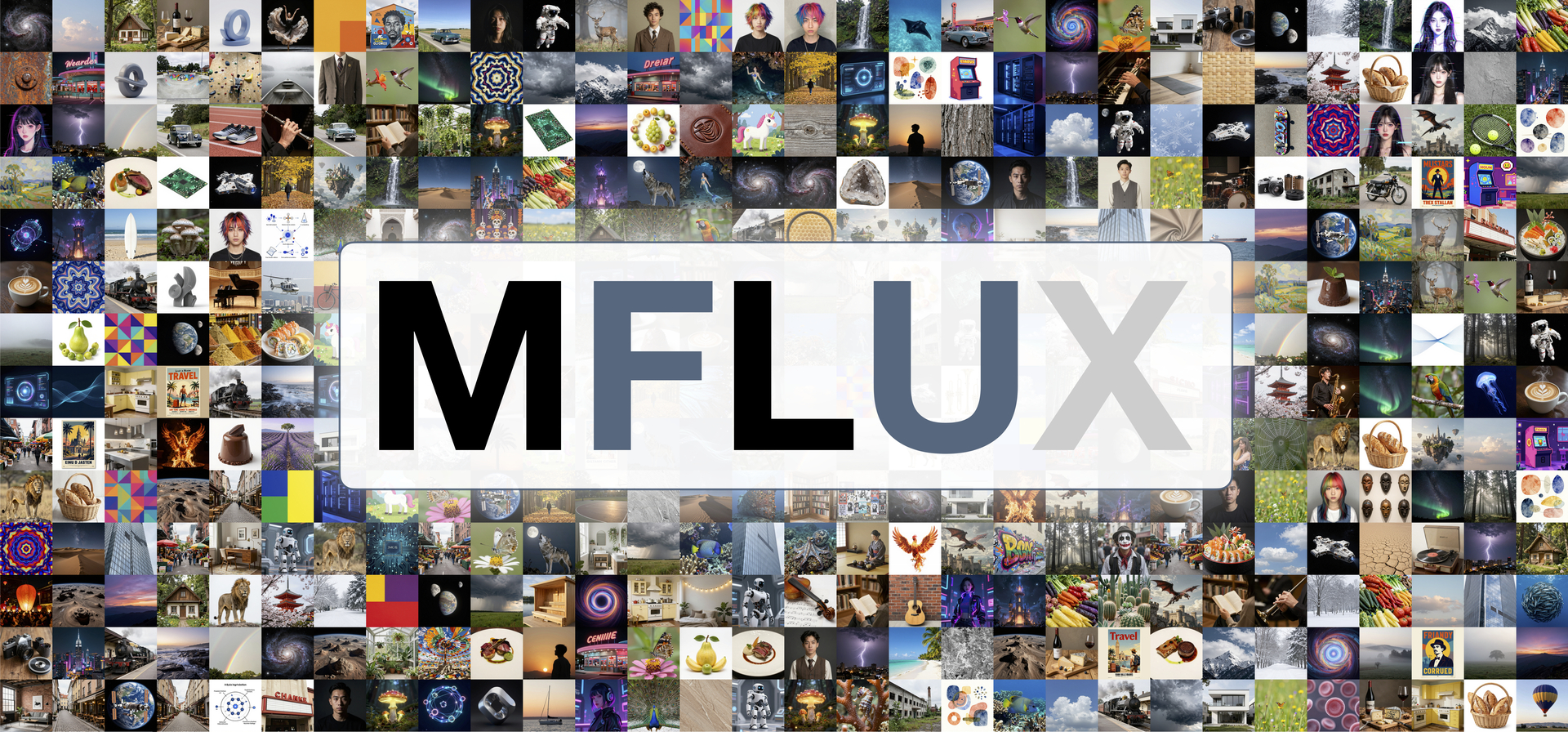
Run the latest state-of-the-art generative image models locally on your Mac in native MLX!
Table of contents
- 💡 Philosophy
- 💿 Installation
- 🎨 Models
- ✨ Features
- 🦄 Contributors
- 🌱 Related projects
- 🙏 Acknowledgements
- ⚖️ License
💡 Philosophy
MFLUX is a line-by-line MLX port of several state-of-the-art generative image models from the Huggingface Diffusers and Huggingface Transformers libraries. All models are implemented from scratch in MLX, using only tokenizers from the Huggingface Transformers library. MFLUX is purposefully kept minimal and explicit, @karpathy style.
💿 Installation
If you haven't already, install uv, then run:
uv tool install --upgrade mflux
After installation, the following command shows all available MFLUX CLI commands:
uv tool list
To generate your first image using, for example, the z-image-turbo model, run
mflux-generate-z-image-turbo \
  --prompt "A puffin standing on a cliff" \
  --width 1280 \
  --height 500 \
  --seed 42 \
  --steps 9 \
  -q 8

The first time you run this, the model will automatically download which can take some time. See the model section for the different options and features, and the common README for shared CLI patterns and examples.
Python API
Create a standalone generate.py script with inline uv dependencies:
#!/usr/bin/env -S uv run --script
# /// script
# requires-python = ">=3.10"
# dependencies = [
#   "mflux",
# ]
# ///
from mflux.models.z_image import ZImageTurbo

model = ZImageTurbo(quantize=8)
image = model.generate_image(
    prompt="A puffin standing on a cliff",
    seed=42,
    num_inference_steps=9,
    width=1280,
    height=500,
)
image.save("puffin.png")
Run it with:
uv run generate.py
For more Python API inspiration, look at the CLI entry points for the respective models.
⚠️ Troubleshooting: hf_transfer error
If you encounter a ValueError: Fast download using 'hf_transfer' is enabled (HF_HUB_ENABLE_HF_TRANSFER=1) but 'hf_transfer' package is not available, you can install MFLUX with the hf_transfer package included:
uv tool install --upgrade mflux --with hf_transfer
This will enable faster model downloads from Hugging Face.
DGX / NVIDIA (uv tool install)
uv tool install --python 3.13 mflux
🎨 Models
MFLUX supports the following model families. They have different strengths and weaknesses; see each model’s README for full usage details.
| Model | Release date | Size | Type | Training | Description |
|---|---|---|---|---|---|
| Z-Image | Nov 2025 | 6B | Distilled & Base | Yes | Fast, small, very good quality and realism. |
| Krea 2 | Jun 2026 | 12B | Turbo (distilled) | No | Very good quality with a wide range of styles; good for creative exploration. |
| FLUX.2 | Jan 2026 | 4B & 9B | Distilled & Base | Yes | Fastest + smallest with very good quality and edit capabilities. |
| FLUX 3 Image Klein | Oct 2026 | 5.6B (+4B TE) | Distilled & Base | No | Text-to-image and editing with up to 10 reference images in one model; bounding-box layouts, strong text rendering. 16 steps distilled, 50 steps Base. |
| Ideogram 4 | Jun 2026 | 9B | Base | No | JSON-caption-native, typography-focused text-to-image generation. |
| ERNIE-Image | Apr 2026 | 8B | Distilled & Base | No | Single-stream DiT from Baidu. Vivid, high-contrast output. |
| Lens | May 2026 | 3.8B (+20B TE) | Turbo (distilled) | No | Dual-stream MMDiT from Microsoft with a GPT-OSS text encoder. Strong prompt adherence in 4 steps. |
| Ming-Image | Sep 2026 | 6.15B (+16B MoE TE) | Base | No | Design-focused (posters, cards, UI) with strong typography; outputs RGBA. |
| Boogu Image | Jun 2026 | 10B | Turbo (distilled) | No | DMD-distilled 4-step model with a photographic look and bilingual (EN/ZH) text rendering. |
| FIBO | Oct 2025+ | 8B | Distilled & Base | No | Very good JSON-based prompt understanding. Has edit capabilities. |
| SeedVR2 | Jun 2025 | 3B & 7B | — | No | Best upscaling model. |
| Qwen Image | Aug 2025+ | 20B | Base | No | Large model (slower); strong prompt understanding and world knowledge. Has edit capabilities |
| Qwen Image 2.1 | Sep 2026+ | 7.1B (+8B TE) | Distilled & Base | No | Single-stream block-causal DiT with a Qwen3-VL text encoder. Base: 40 steps without guidance. Turbo: 8 steps. Multi-reference editing, LoRA, and RGBA. |
| Depth Pro | Oct 2024 | — | — | No | Very fast and accurate depth estimation model from Apple. |
| FLUX.1 | Aug 2024 | 12B | Distilled & Base | No (legacy) | Legacy option with decent quality. Has edit capabilities with 'Kontext' model and upscaling support via ControlNet |
Schedulers
MFlux supports a small number of schedulers - see;
Schedulers - User Manual
Schedulers - Technical Overview
✨ Features
General
- Quantization and local model loading
- LoRA support (multi-LoRA, scales, library lookup), including LyCORIS LoKr on FLUX.1 and FLUX.2
- Metadata export + reuse, plus prompt file support
- Float16 compute for Apple M1-family GPUs on FLUX.2, FLUX 3 Image Klein, Z-Image and Qwen-Image 2.1 (
--compute-precision float16, see the common README)
Model-specific highlights
- Text-to-image and image-to-image generation.
- LoRA finetuning
- In-context editing, multi-image editing, and virtual try-on
- ControlNet (Canny for FLUX.1, Union for Z-Image and Qwen-Image-2.1, depth for Krea 2), depth conditioning, fill/inpainting, and Redux
- Upscaling (SeedVR2 and Flux ControlNet)
- Depth map extraction and FIBO prompt tooling (VLM inspire/refine)
See the common README for detailed usage and examples, and use the model section above to browse specific models and capabilities.
[!NOTE] As MFLUX supports a wide variety of CLI tools and options, the easiest way to navigate the CLI in 2026 is to use a coding agent (like Cursor, Claude Code, or similar). Ask questions like: “Can you help me generate an image using z-image?”
🦄 Contributors
MFlux was originally created by Filip Strand in August 2024 and moved to this organisation in August 2026. It is maintained by:
 Filip Strand Created MFlux |  Anthony Wu Toolchain, CI, releases, mflux.web |  plz12345 Devops, Krea 2, Boogu |  Mariano Abad ControlNets, training, Lens |  Ian Scrivener HF, community, CUDA, model builds |
Where the models and the main features came from, read from the merge history (gh pr view <n> --json author,mergedAt):
| Model or feature | Contributor | PR |
|---|---|---|
| FLUX.1 | @filipstrand | initial release, 2024-08 |
| Depth Pro | @filipstrand | #159 |
| Qwen Image | @filipstrand | #269 |
| FIBO | @filipstrand | #279 |
| Z-Image | @filipstrand | #284 |
| SeedVR2 | @filipstrand | #297 |
| FLUX.2 Klein | @filipstrand | #323 |
| FLUX 3 Image Klein | @cguldogan | #876 |
| FLUX.2 KV cache (klein-9b-kv) | @michaeltrefry | #426 |
| ERNIE-Image | @azrahello | #417 |
| Ideogram 4 | @omercelik | #433 |
| Krea 2 | @plz12345 | #453 |
| LyCORIS LoKr adapters | @JanGrohn | #422 |
| Fused-qkv LoRA loading | @deadmansahil | #459 |
| Boogu-Image | @plz12345 | #446 |
| PiD pixel-diffusion decoder | @azrahello | #490 |
| Z-Image Union ControlNet | @fxd0h | #482 |
| Krea 2 Raw, LoRA training, diffusers loading | @fxd0h | #462 |
| Lens (Turbo) | @fxd0h | #510 |
| mflux-capabilities, the machine-readable option contract | @fxd0h | #499 |
| Gradient checkpointing for training | @qruz-hq | #711 |
| Denoised prediction for in-loop callbacks | @IonDen | #729 |
| Qwen-Image-2.1 | @ivanfioravanti | #736 |
| Qwen-Image-2.1 reference editing, RGBA, prefix cache | @dreampuf | #741, #777 |
| Qwen-Image-2.1 masks, auto-mask, strength, verify | @flyingtimes | #749, #764 |
| PEFT and ComfyUI LoRA formats (Qwen 2.1, Z-Image) | @phplego | #756, #768, #772 |
| Text-prefix KV cache, Metal kernel, step cache | @murphymatt | #778, #779 |
| Ming-Image-0.1-Design | @joeynyc | #765 |
| load and generate entry points for UIs | @IonDen | #780, #785 |
| mflux.web UI packages | @anthonywu | #776 |
| CI gates, justfile, ty, the pypi environment | @anthonywu | #576, #590, #646 |
| Release process and release notes | @fxd0h | #685 |
| test_tiny fixtures for every model | @ianscrivener, @anthonywu | #611, #620, #599 |
Everyone else who fixed, tested and reviewed is in the contributor graph.
🌱 Related projects
Build a UI under mflux.web
We welcome independently distributed mflux.web.* implementations using Gradio,
FastAPI, FastHTML, or any other UI framework. Each project can choose its own
framework, dependencies, release schedule, and launch command.
mflux owns the parent initializer and inference implementation. Its package
path extends across installed distributions, including separate editable
checkouts. mflux.web is an implicit namespace package: Python combines the
mflux/web/ directories contributed by independently installed UI packages.
No intermediate distribution is required; neither core nor UI packages need to
depend on mflux-web. The mflux-web
distribution reserves the generic mflux-web name on PyPI; it does not provide
the shared namespace and does not need to be installed. Its optional demo is
just another child module, mflux.web.demo.
Your UI distribution owns a unique child, for example
src/mflux/web/example_ui/__init__.py. With uv_build, configure
module-name = "mflux.web.example_ui". Declare mflux and your chosen framework
as dependencies with versions your UI supports. The minimum mflux version for
split-directory installs must include this parent path extension.
Do not ship mflux/__init__.py, which belongs to core, or
mflux/web/__init__.py, which must remain absent for the implicit namespace.
Choose a unique child name to avoid collisions. PyPI distribution names can use
hyphens; Python child names must be valid identifiers, such as example_ui.
Reserving a PyPI distribution name does not reserve a Python namespace.
After installation in the same environment, consumers can use
import mflux.web.example_ui. Installing a UI does not automatically launch it,
discover applications, or mount routes. UI framework dependencies belong to the
individual UI distributions; this namespace support adds none to mflux.
Extras under mflux.extras
Plugins are optional packages that install next to mflux, put their code under
mflux.extras and add their own commands. mflux's own commands do not change.
The mflux-community plugins live in
mflux-plugins. To find,
install or write one, see Plugins - User Manual.
Community applications
- MindCraft Studio — macOS app built on mflux by @shaoju
- mflux-paint — native macOS inpaint/edit app (pywebview), 16 models across edit/inpaint/text-to-image, mask painting, multi-seed batch, by @Amo643
- Mflux-ComfyUI by @raysers
- MFLUX-WEBUI by @CharafChnioune
- mflux-fasthtml by @anthonywu
- mflux-streamlit by @elitexp
- mlx-taef — TAESD/TAEF tiny-autoencoder live previews and low-memory FLUX decode for mflux, by @IonDen
- mlx-teacache — TeaCache step skipping for FLUX.1 dev and Krea, FLUX.2 Klein base, Z-Image base and Qwen-Image (original checkpoint) in mflux, by @IonDen
- MLXBits Image Studio - A native macOS Swift app for FLUX, Krea 2, Z-Image and more!
🙏 Acknowledgements
MFLUX would not be possible without the great work of:
- The MLX Team for MLX and MLX examples
- Black Forest Labs for the FLUX project
- Bria for the FIBO project
- Tongyi Lab for the Z-Image project
- Baidu for the ERNIE-Image project
- Ideogram for the Ideogram 4 project
- Krea.ai for the Krea 2 project
- Qwen Team for the Qwen Image project
- Microsoft for the Lens (Turbo) model, and Comfy-Org for the weights repackage
- inclusionAI for the Ming-Image project
- The Boogu team for the Boogu Image project
- ByteDance, @numz and @adrientoupet for the SeedVR2 project
- Hugging Face for the Diffusers library implementations
- Depth Pro authors for the Depth Pro model
- The MLX community and all contributors and testers
⚖️ License
This project is licensed under the MIT License.
相關資源

BackgroundRemover
CLI用 AI 一条命令去除图片和视频的背景:支持整个文件夹批处理、人像专用模型、边缘精修和换纯色底,视频可输出透明底 MOV 或叠加到新背景上,适合处理商品图、证件照和短视频素材。模型在本地运行,需先安装 PyTorch 与 ffmpeg,首次运行会自动下载模型。
nadermx/backgroundremover8.1k
美图 Meitu Skills
Skill美图官方技能库:一句话让 agent 做海报、封面、表情包、证件照和电商商品多角度图,还能抠图、修复画质、图生视频和给视频配乐配音。需要在美图 MeituHub 平台申请 AK/SK(新用户有免费额度)并安装 meitu-cli。
meitu/meitu-skills34
Rembg
CLI一条命令去除图片背景:支持单张、整个文件夹批处理和监听目录,可只输出蒙版、切换 U2Net、SAM 等模型,也能启动 HTTP 服务或配合 FFmpeg 处理视频帧。默认模型在本地推理。
danielgatis/rembg25.1k
MLX-Audio
CLI在 Apple Silicon Mac 上离线运行的语音工具:命令行把文字合成语音(支持中文与声音克隆)、把录音转写成文字,可为课件和讲解视频配音、整理讲座与访谈录音,数据不出本机。需要 M 系列芯片 Mac 与 Python 3.10+,导出 MP3 需装 ffmpeg,首次运行会下载模型。
Blaizzy/mlx-audio8.1k
stable-diffusion.cpp
CLI纯 C/C++ 实现的扩散模型推理工具,用 sd-cli 一条命令在本地运行 SD、FLUX、Qwen Image、Wan 等模型生成或编辑图片与短视频,Mac 可用 Metal 加速,不依赖云服务。需要自行下载模型权重,并从 Releases 下载预编译程序或自行编译。
leejet/stable-diffusion.cpp7.7k
comfy-cli
CLIComfyUI 官方命令行工具:一键安装和启动 ComfyUI,管理自定义节点与模型下载,运行生图、生视频工作流,所有命令支持 --json 输出便于 agent 调用;也可提交到付费的 Comfy Cloud。
Comfy-Org/comfy-cli1k