
Summarize
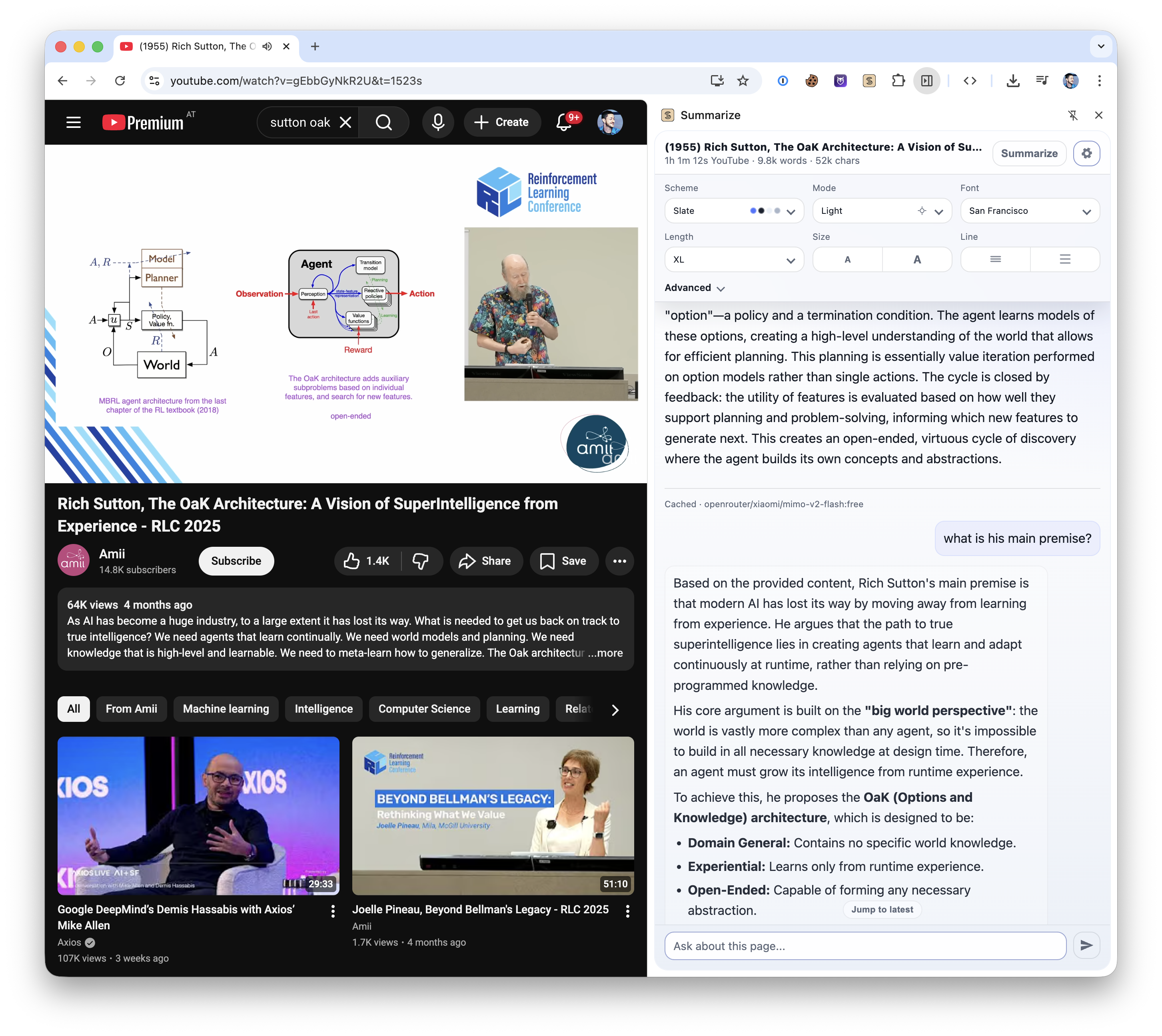
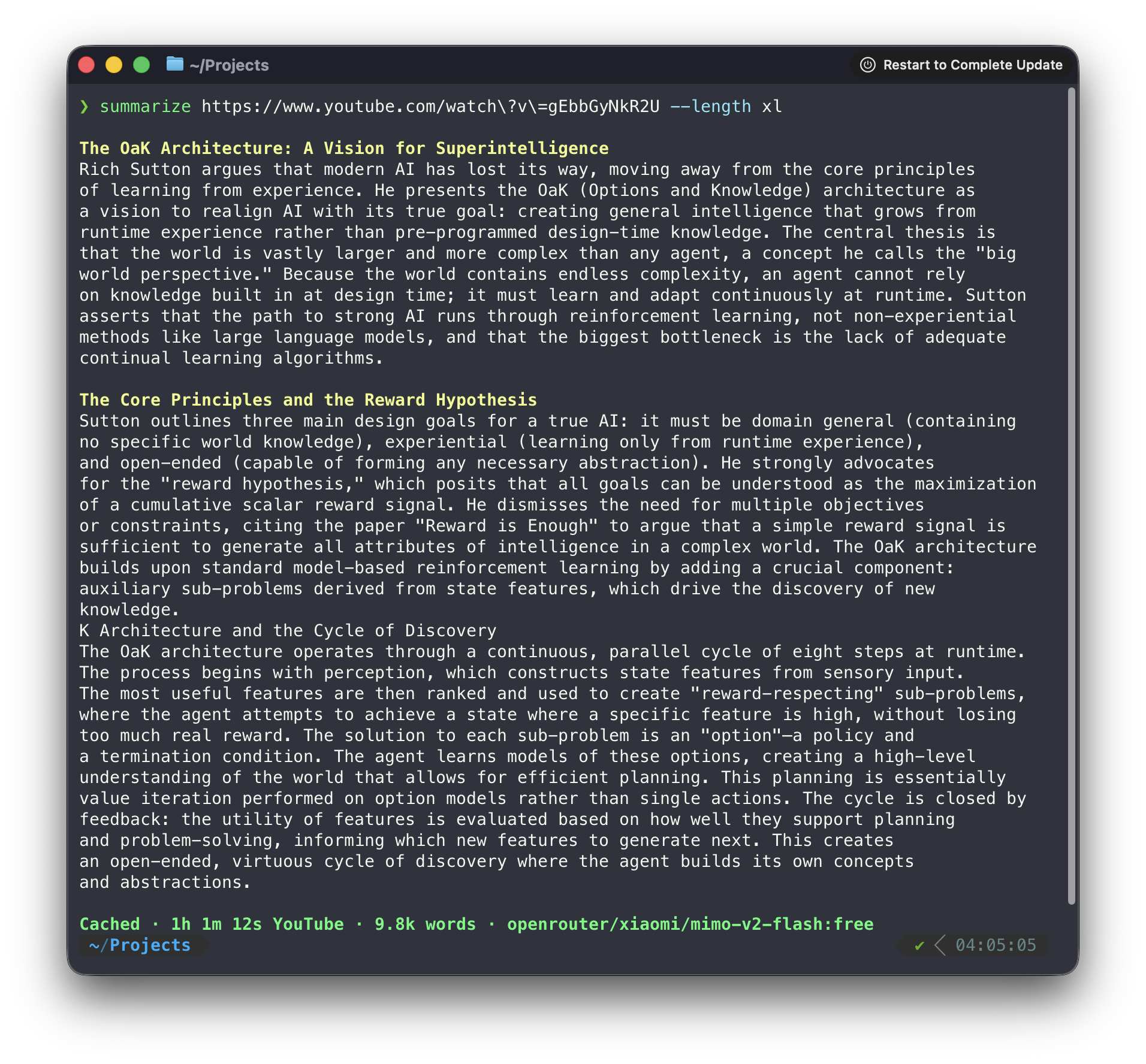
CLI一条命令为网页、PDF、YouTube 视频、播客和音视频文件提取正文或生成摘要,可输出 JSON;摘要可用多家模型 API、本地模型或已登录的 Codex / Claude CLI,只提取正文不需要 Key。另有浏览器侧边栏扩展。
Summarize 📝 — Link in, signal out.


Summarize extracts clean text and produces summaries from web pages, files, YouTube videos, podcasts, and other audio or video. Use it from the Node.js CLI or from the Chrome Side Panel and Firefox Sidebar.
$ summarize "https://example.com" --extract --plain
This domain is for use in documentation examples without needing permission. Avoid use in operations.
[Learn more](https://iana.org/domains/example)
Install
Run it once without installing:
npx -y @steipete/summarize --version
Or install the CLI with npm or Homebrew:
npm install --global @steipete/summarize
brew install summarize
The npm package requires Node.js 24 or newer. Homebrew/core and the macOS archives on GitHub Releases provide standalone builds. See the installation guide for optional media tools and platform notes.
Quick start
Extract readable content without an API key:
summarize "https://example.com" --extract --plain
For a model-generated summary, configure a supported provider or use an authenticated coding CLI:
summarize "https://example.com" --cli codex
The default auto model chooses among configured providers. The five-minute quickstart covers API keys, local models, files, YouTube, podcasts, and JSON output.
Languages
The CLI and Chrome/Firefox extension interfaces support English, German, French, Spanish, Italian, Brazilian Portuguese, Dutch, Polish, Russian, Japanese, Simplified Chinese, Traditional Chinese, Korean, and Turkish.
The interface follows your system or browser language, with English as the fallback. Use --locale de or SUMMARIZE_LOCALE=de for German CLI help and progress, or select Interface language in the extension’s options. Summary language stays independent:
summarize "https://example.com" --locale de --language japanese
The localization guide covers locale selection, translation glossaries, adding languages, and the CI checks that keep catalogs complete.
What it handles
| Input | Processing path |
|---|---|
| Web pages | Readability extraction, with optional Markdown and Firecrawl fallbacks |
| PDFs, images, and text files | File-aware extraction and model attachments where supported |
| YouTube and podcasts | Published transcripts first, then configured transcription fallbacks |
| Audio and video | Local or cloud transcription, with optional speaker labels |
| Video slides | Scene-based frames, optional OCR, and timestamped output |
Use --extract when you only need clean content, --json for a stable automation envelope, and --slides for video frames. The command reference documents every flag.
Browser extension
Install Summarize Side Panel from the Chrome Web Store to summarize the active tab, chat with its content, and work with video transcripts and slides.
Direct mode runs without a companion service. Browser media uses Chrome capabilities for local transcription and slide extraction; the optional daemon adds CLI model backends, native media tools, OCR, shared caches, and Firefox media support.
To pair the installed CLI, copy the token shown by the extension and run:
summarize daemon install --token <TOKEN>
See the extension setup and architecture and troubleshooting guide.
Media and slides
Summarize prefers existing captions and podcast transcripts before it transcribes media. Native ffmpeg, yt-dlp, and tesseract extend codec, YouTube slide, and OCR support; a bundled WebAssembly FFmpeg path covers common media without a native install.
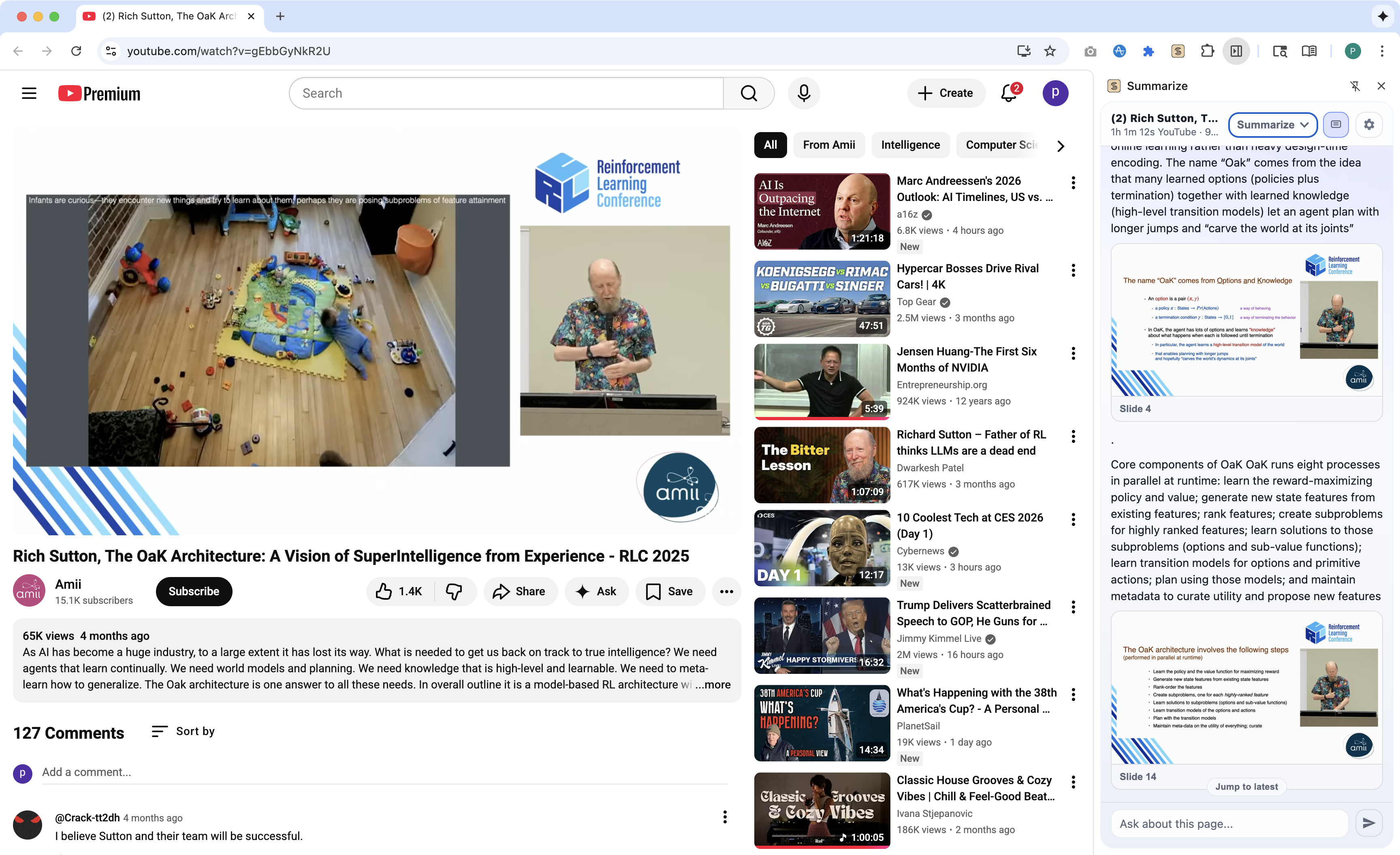
The focused guides describe YouTube extraction, media routing, slides, and local ONNX transcription.
Models and configuration
Model IDs use provider/model names. Summarize works with configured API providers, OpenAI-compatible endpoints, Ollama, OpenRouter free models, and authenticated coding CLIs such as Codex, Claude, Gemini, OpenClaw, GitHub Copilot, and Grok.
Configuration lives at ~/.summarize/config.json; command-line flags take precedence. Inspect the effective setup without exposing keys:
summarize status
Read the model guide, automatic selection rules, CLI provider guide, and configuration reference for the full setup.
Library
For programmatic extraction without the CLI dependency surface, install @steipete/summarize-core:
npm install @steipete/summarize-core
The package exports focused content and prompt entry points. See the core package README for usage.
Documentation
Start with the documentation index, then follow the guide for your task:
- Installation and quickstart
- Commands and configuration
- Website extraction and Firecrawl fallback
- YouTube, media, and slides
- Agent skill for automated workflows
Development
Requires Node.js 24 and the workspace's pinned pnpm version through Corepack.
pnpm install --frozen-lockfile
pnpm build
pnpm check
See CONTRIBUTING.md for repository layout and extension workflows.
License
MIT. See LICENSE.
相關資源

BibiGPT Skill
SkillBibiGPT 官方技能:把 B 站、YouTube、播客或本地音视频交给 agent,生成摘要、带时间戳字幕、分章节要点和思维导图,适合听课复习和整理研究笔记。需要 BibiGPT 账号(免费用户每日次数和时长有限),并安装其桌面端(含 bibi 命令行)或配置 API Key。
JimmyLv/bibigpt-skill129
Podcastfy
CLI开源的 NotebookLM 播客功能替代品,把网页、PDF、图片、YouTube 视频或文字转成两人对话式播客音频,适合老师把讲义、作者把文章做成音频节目。默认需要 Gemini 与 OpenAI API Key,也可用本地模型加免费的 Edge 语音。
souzatharsis/podcastfy6.6k
Claude Video Vision
Plugin让 Claude Code 看懂视频:用 ffmpeg 抽帧并转写带时间戳的音频,可分析本地视频或 YouTube 链接,用于审片、总结课程录像、找画面文字。需 Node.js 20+ 与 ffmpeg(YouTube 另需 yt-dlp);转写可用免费本地 Whisper 或 Gemini、OpenAI API Key。
jordanrendric/claude-video-vision1.4k
YouTube Transcript Server
MCP获取 YouTube 视频(含 Shorts)的字幕与转录文本,支持指定语言并自动回退,可选附带时间戳,默认过滤赞助广告段落。取字幕无需 API Key;可选的视频画面分析工具需要 TwelveLabs API Key 和视频直链。
kimtaeyoon83/mcp-server-youtube-transcript603
Save to Spotify
PluginSpotify 官方插件:让 agent 把晨间简报、会议回顾、文章讲解等内容写稿配音,生成带封面和时间线的音频节目并保存到 Spotify。需安装 save-to-spotify CLI 并登录,配音可用本地免费的 Kokoro。
spotify/save-to-spotify403
VideoDB Skills
SkillVideoDB 官方技能:让 agent 导入本地文件、网址、YouTube 或直播流视频,完成转写、建索引、按内容检索片段、生成字幕、剪辑与配音,结果以可播放链接返回。需要 Python 3.9+ 和 VideoDB API Key(注册送免费额度)。
video-db/skills132