
xcbeautify
CLI把冗长的 xcodebuild 与 swift test 输出整理成简洁的编译错误、警告和测试结果,减少 agent 需要读取的日志;可生成 JUnit 报告并适配 GitHub Actions 等 CI,支持 macOS 与 Linux。
xcbeautify



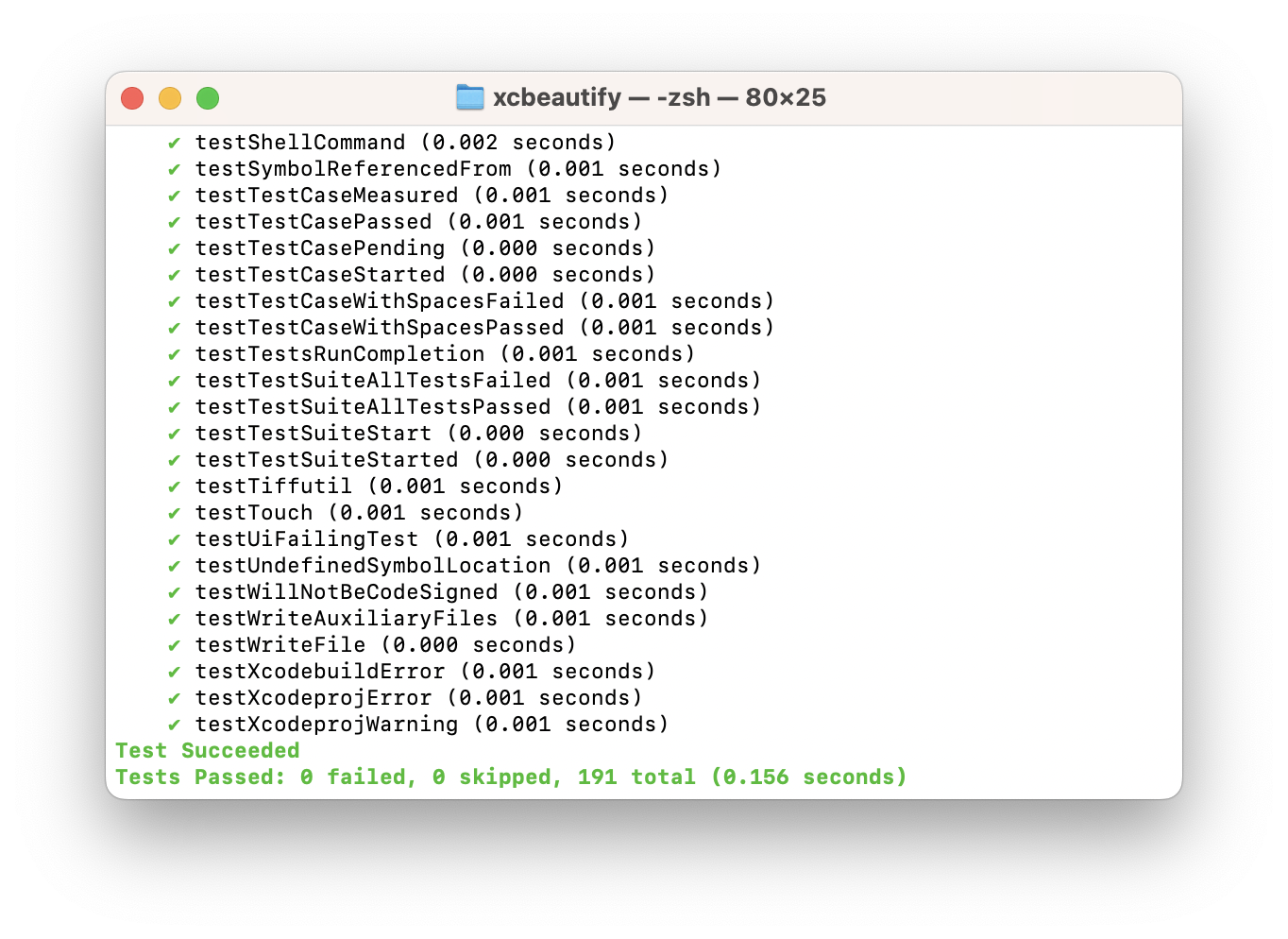
xcbeautify is a little beautifier tool for xcodebuild.
A faster alternative to xcpretty written in Swift.
Features
- Human-friendly and colored output.
- Supports the new build system's output.
- Supports Xcode's parallel testing output.
- Supports formatting Swift Package Manager output.
- Supports generating JUnit reports.
- Supports macOS & Linux.
- Written in Swift:
xcbeautifycompiles to a static binary which you can bring anywhere. This also means less Ruby-dependant in your development environment and CI.
Installation
Homebrew
brew install xcbeautify
Mint
mint install cpisciotta/xcbeautify
Build from source
git clone https://github.com/cpisciotta/xcbeautify.git
cd xcbeautify
make install
Usage
xcodebuild [flags] | xcbeautify
If you want xcbeautify to exit with the same status code as xcodebuild
(e.g. on a CI):
set -o pipefail && xcodebuild [flags] | xcbeautify
For parallel and concurrent destination testing, it helps to use unbuffered I/O for stdout and to redirect stderr to stdout.
NSUnbufferedIO=YES xcodebuild [flags] 2>&1 | xcbeautify
swift test [flags] 2>&1 | xcbeautify
GitHub Actions
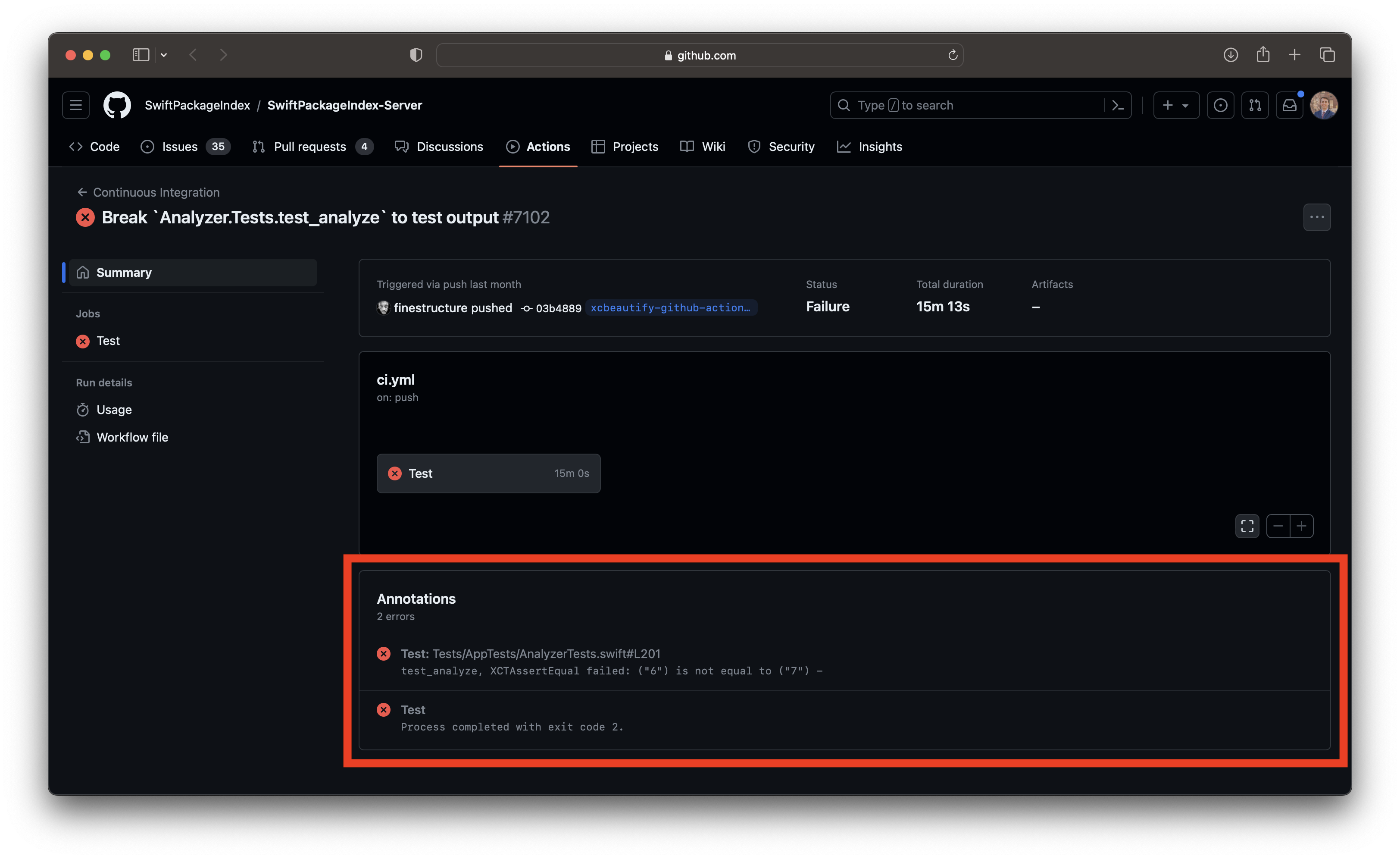 |
|---|
| GitHub Actions Summary |
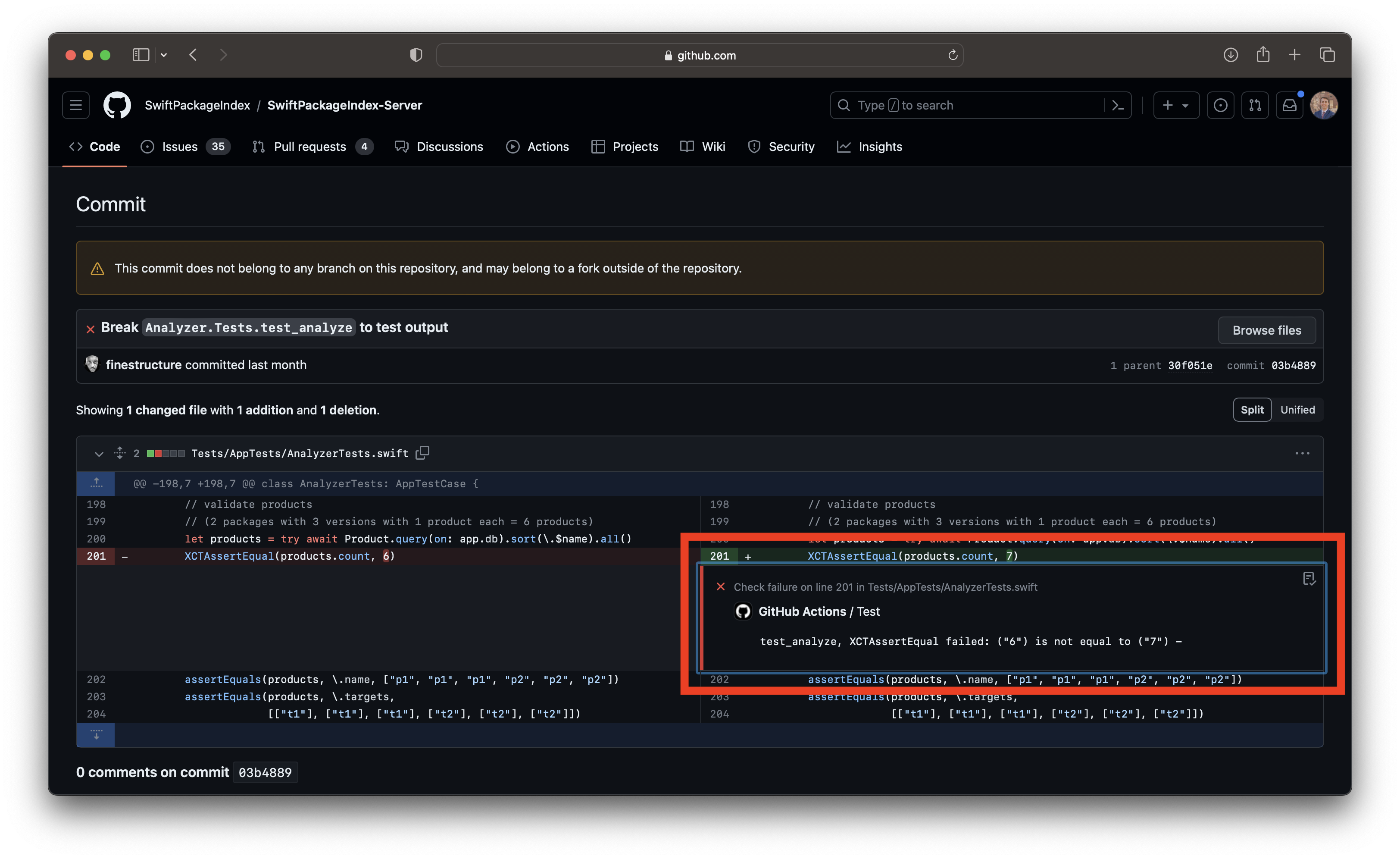 |
|---|
| GitHub Actions Comment |
xcbeautify features an integrated GitHub Actions renderer that harnesses workflow commands to highlight warnings, errors, and results directly within the GitHub user interface. To utilize this function, simply run xcbeautify and add the --renderer github-actions flag during execution:
set -o pipefail && xcodebuild [flags] | xcbeautify --renderer github-actions
TeamCity
xcbeautify features an integrated TeamCity renderer that harnesses service messages to highlight warnings, errors, and results directly within the TeamCity user interface. To utilize this function, simply run xcbeautify and add the --renderer teamcity flag during execution:
set -o pipefail && xcodebuild [flags] | xcbeautify --renderer teamcity
Azure DevOps Pipeline
xcbeautify features an integrated Azure DevOps Pipeline renderer that harnesses logging commands to highlight warnings, errors and results directly within the Azure DevOps Pipeline user interface. To utilize this function, simply run xcbeautify and add the --renderer azure-devops-pipelines flag during execution:
set -o pipefail && xcodebuild [flags] | xcbeautify --renderer azure-devops-pipelines
Development
Generate Xcode project:
make xcode
Release a new version, e.g. x.y.z:
make release version=x.y.z
Contributing
Please send a PR!
相關資源

SwiftLint
CLISwift 代码风格与规范检查工具,规则大多基于 SwiftSyntax,用 .swiftlint.yml 配置,支持 --fix 自动修正,可接入 Xcode 构建阶段与 SwiftPM 插件。
realm/SwiftLint19.8k
Build iOS Apps
PluginOpenAI 官方 Codex 插件,覆盖 SwiftUI 界面与重构、App Intents、模拟器调试、性能剖析与内存泄漏排查,内置 XcodeBuildMCP。需要 macOS 与 Xcode,仅支持 Codex。
openai/plugins7.5k
fastlane
CLIiOS 与 Android 发布自动化工具:用 lane 编排构建、签名证书管理、截图生成与上架 App Store / Google Play,agent 可直接调用项目里现成的 lane。
fastlane/fastlane42.2k
App Store Connect CLI
CLIasc 命令行:脚本化调用 App Store Connect API,管理构建、TestFlight、元数据、签名与提审,可在终端或 CI 自动化 iOS/macOS 发布,并附带配套 agent 技能包。需要 App Store Connect API 密钥。
rorkai/App-Store-Connect-CLI7.9k
Swift LSP
Plugin为 Claude Code 接入 SourceKit-LSP,让 agent 在 Swift 代码里跳转定义、查找引用、查看符号等。需先安装 Swift 工具链或 Xcode。Anthropic 官方插件。
anthropics/claude-plugins-official40.4kBuild iOS Apps
SkillOpenAI 官方 iOS 技能组:SwiftUI 界面模式与视图重构、iOS 26 Liquid Glass、App Intents、性能审计与 ETTrace 采样、用 memgraph 排查内存泄漏、模拟器调试。需要 macOS 与 Xcode,调试类技能依赖 XcodeBuildMCP。
openai/plugins7.5k