
RenderCV
CLI用 YAML 编写简历,命令行渲染成排版规范的 PDF:多套主题,页边距、配色、字体可细调,字段严格校验并支持多语言;另提供配套 agent skill。需要 Python 3.12+。


)
)
)
Write your CV or resume as YAML, then run RenderCV,
rendercv render John_Doe_CV.yaml
and get a PDF with perfect typography.
With RenderCV, you can:
- Version-control your CV — it's just text.
- Focus on content — don't worry about the formatting.
- Get perfect typography — consistent alignment and spacing, handled for you.
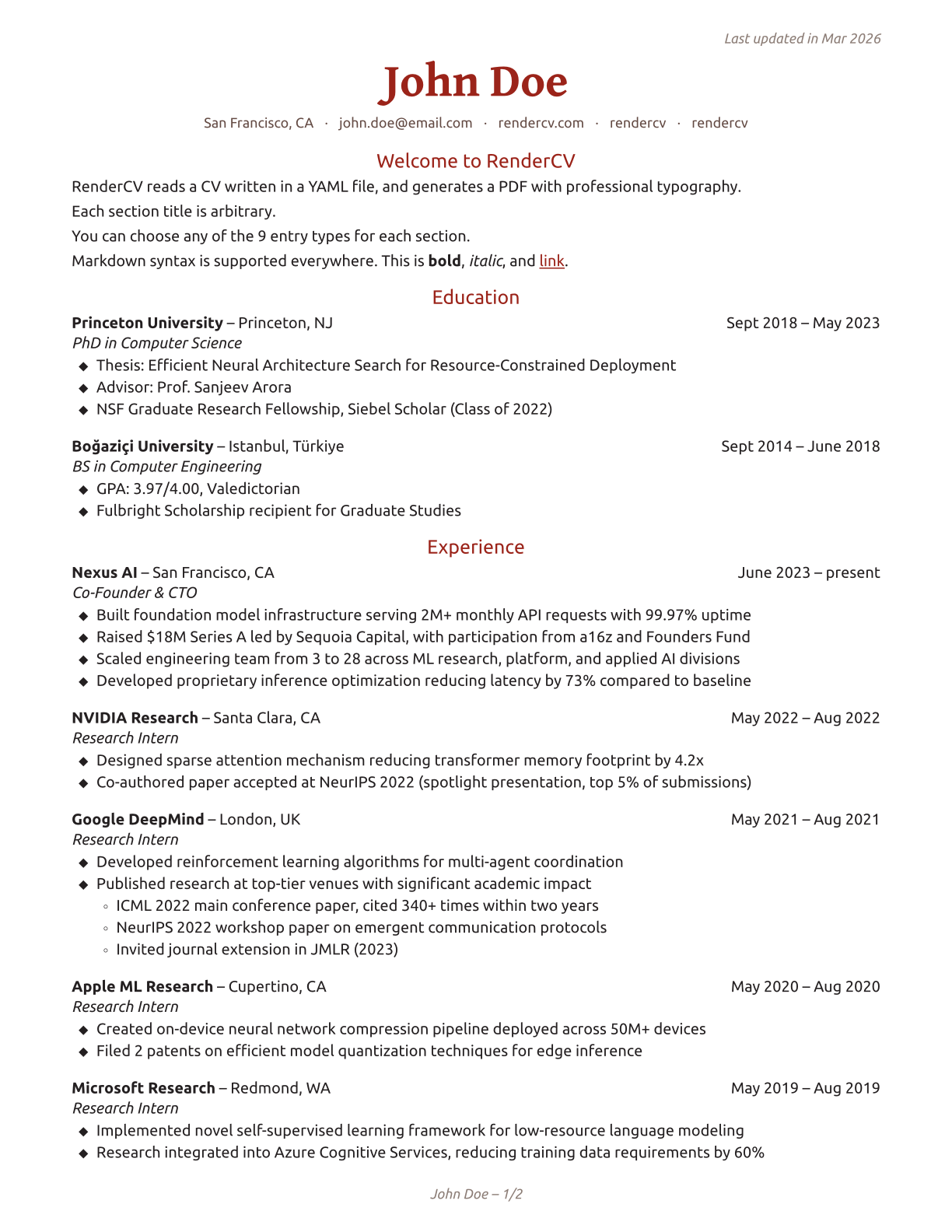
A YAML file like this:
cv:
  name: John Doe
  location: San Francisco, CA
  email: john.doe@email.com
  website: https://rendercv.com/
  social_networks:
    - network: LinkedIn
      username: rendercv
    - network: GitHub
      username: rendercv
  sections:
    Welcome to RenderCV:
      - RenderCV reads a CV written in a YAML file, and generates a PDF with professional typography.
      - See the [documentation](https://docs.rendercv.com) for more details.
    education:
      - institution: Princeton University
        area: Computer Science
        degree: PhD
        date:
        start_date: 2018-09
        end_date: 2023-05
        location: Princeton, NJ
        summary:
        highlights:
          - "Thesis: Efficient Neural Architecture Search for Resource-Constrained Deployment"
          - "Advisor: Prof. Sanjeev Arora"
          - NSF Graduate Research Fellowship, Siebel Scholar (Class of 2022)
    ...
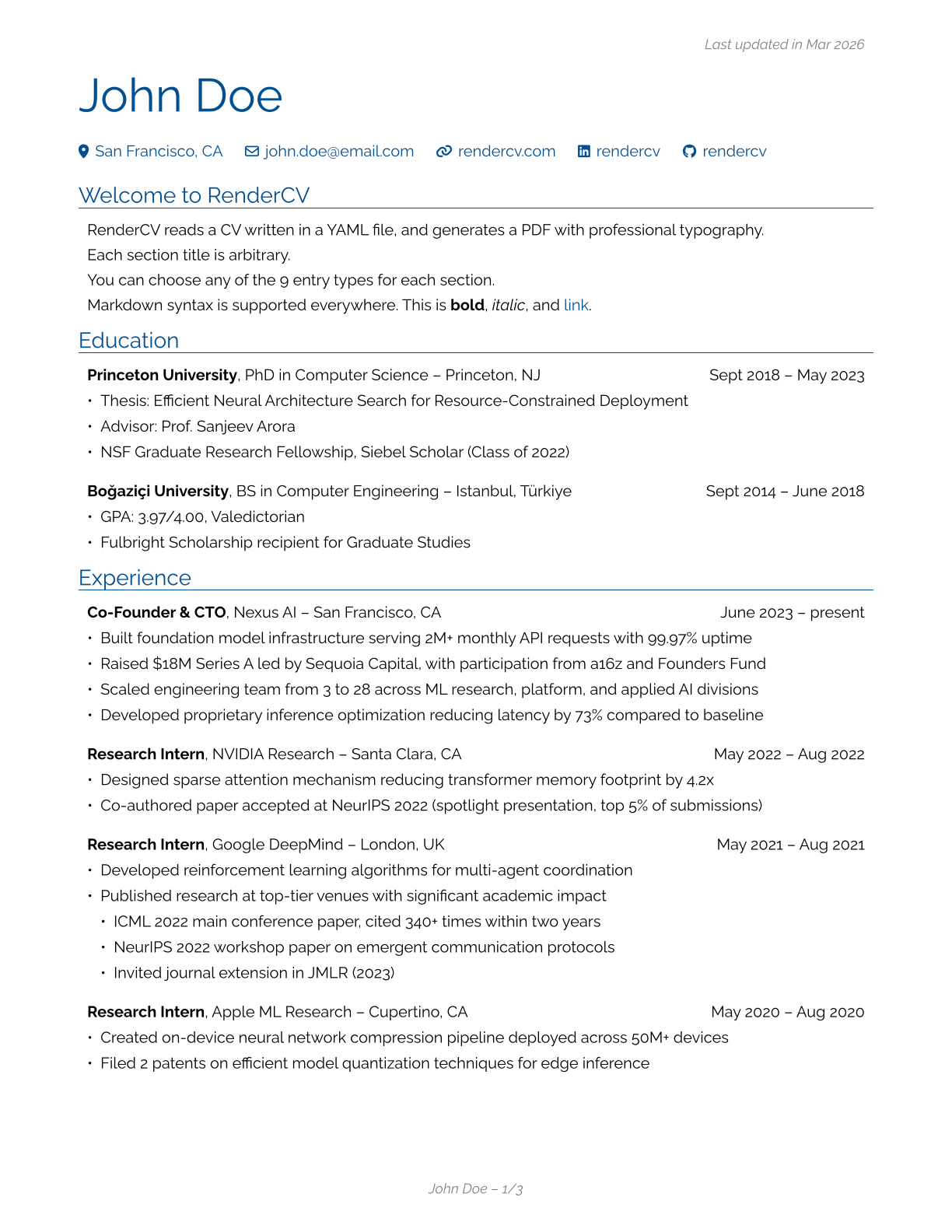
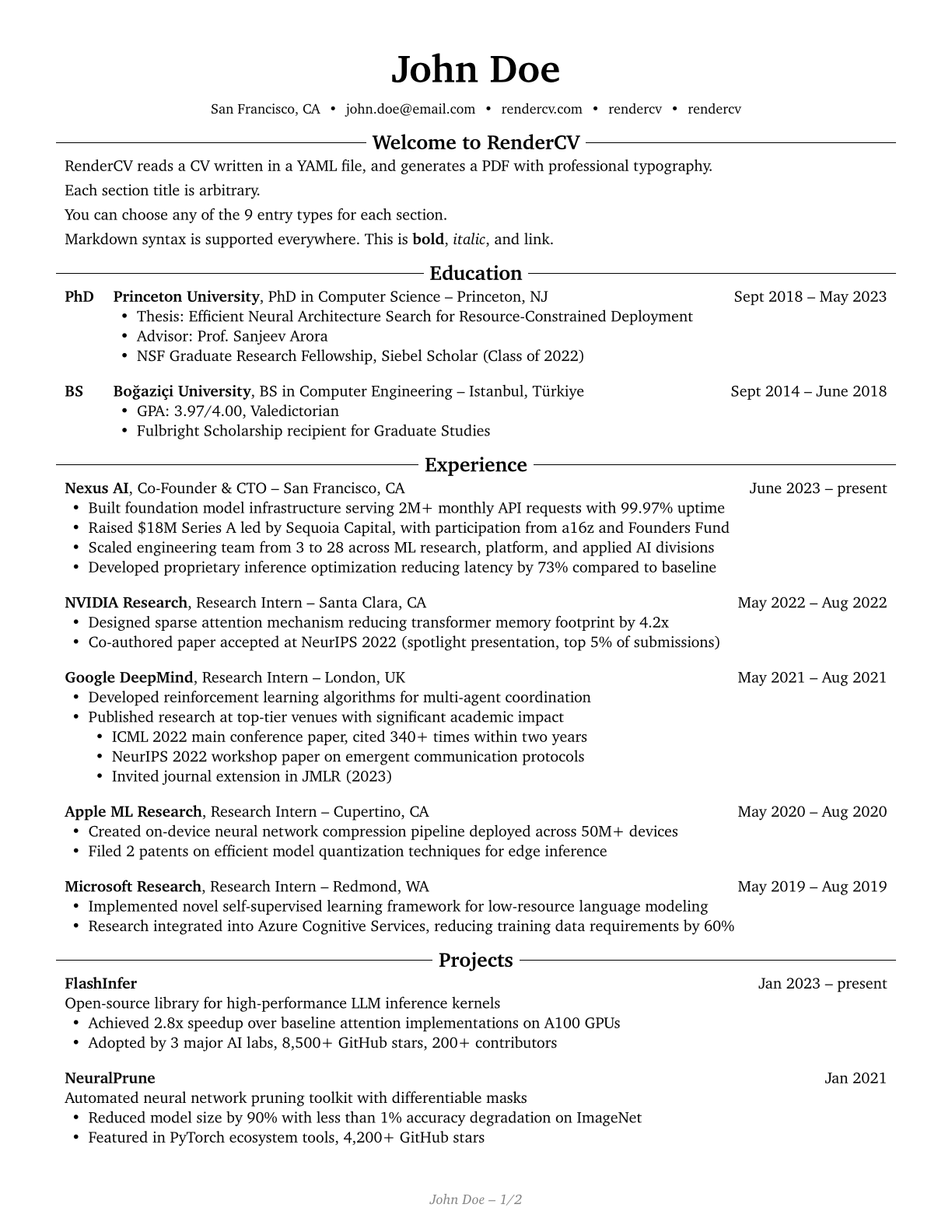
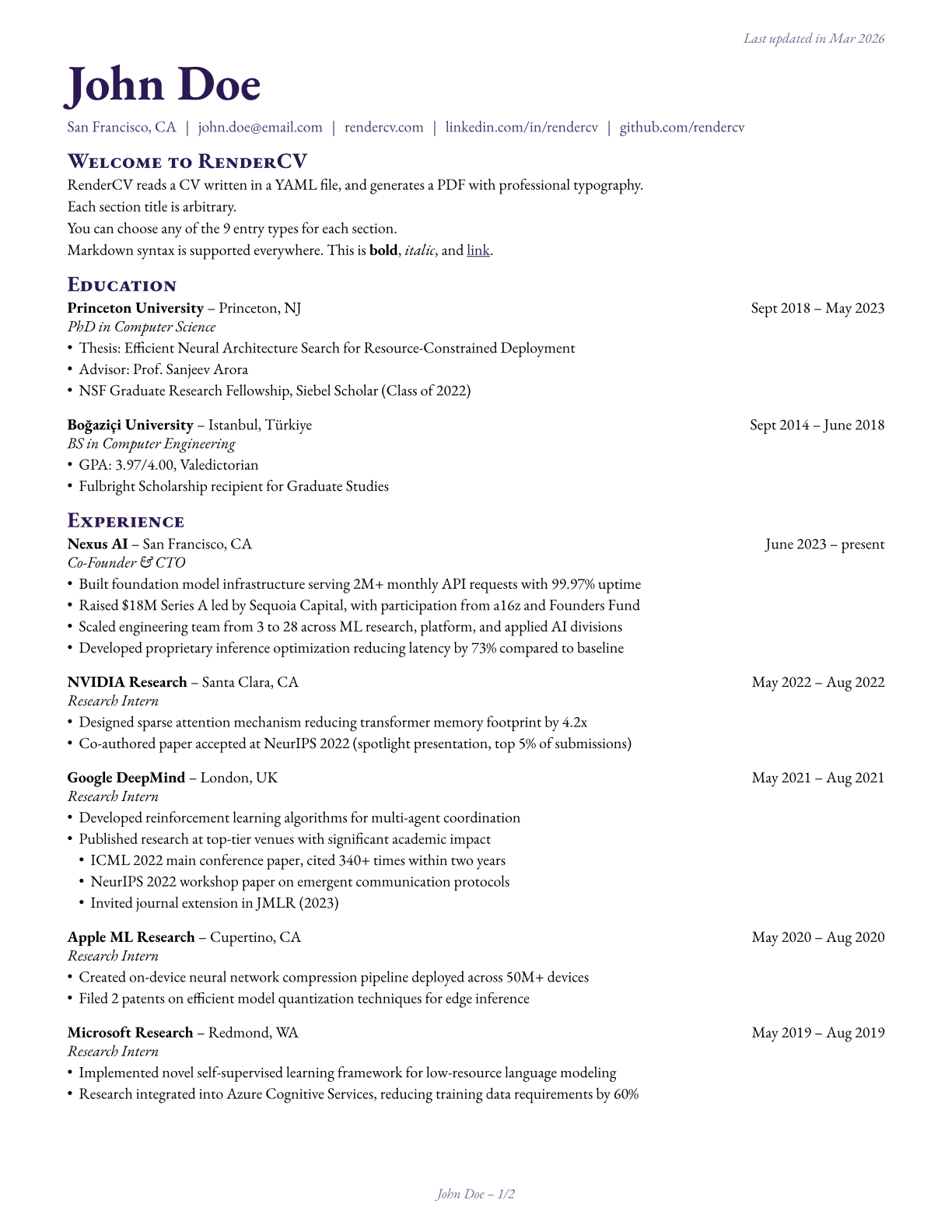
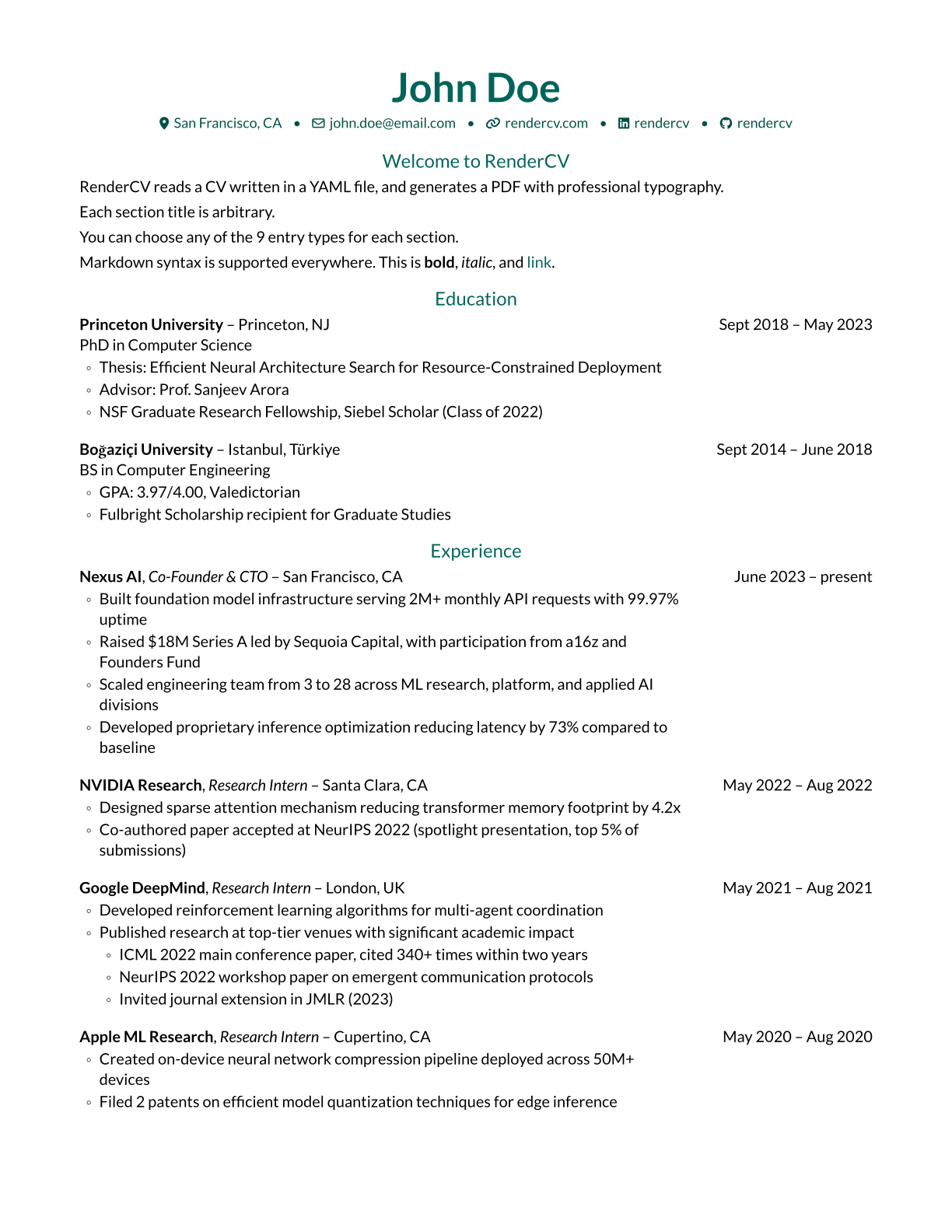
becomes one of these PDFs. Click on the images to preview.
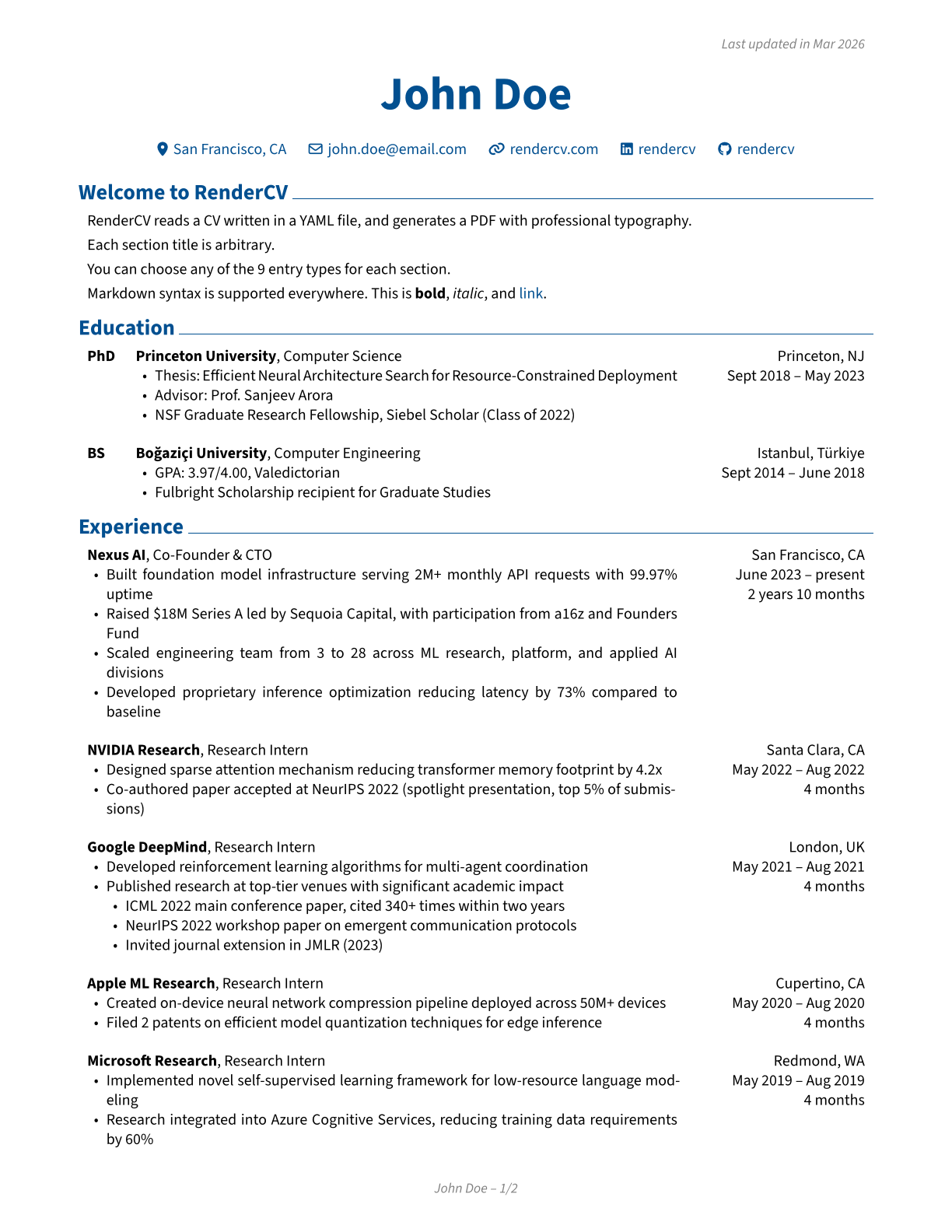 | 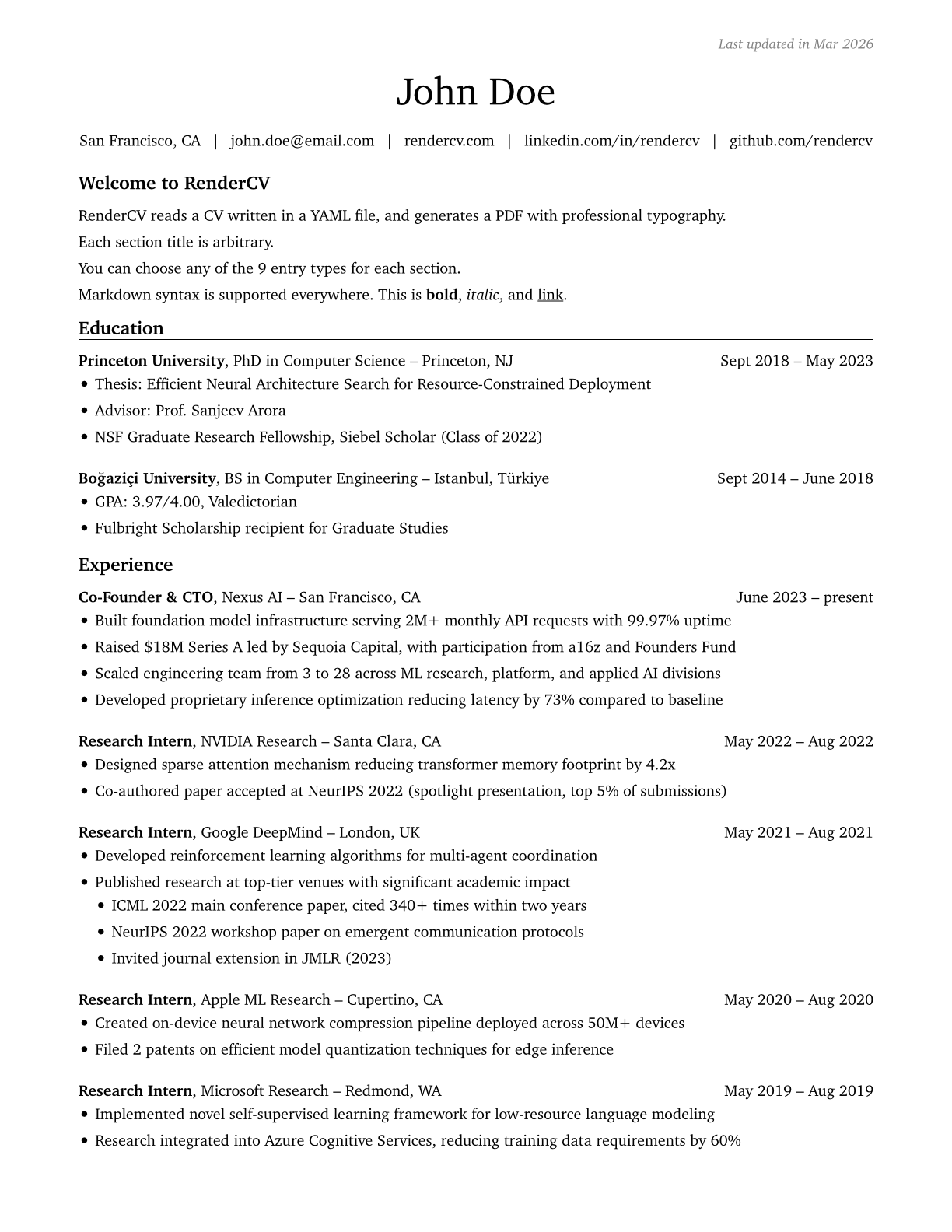 | 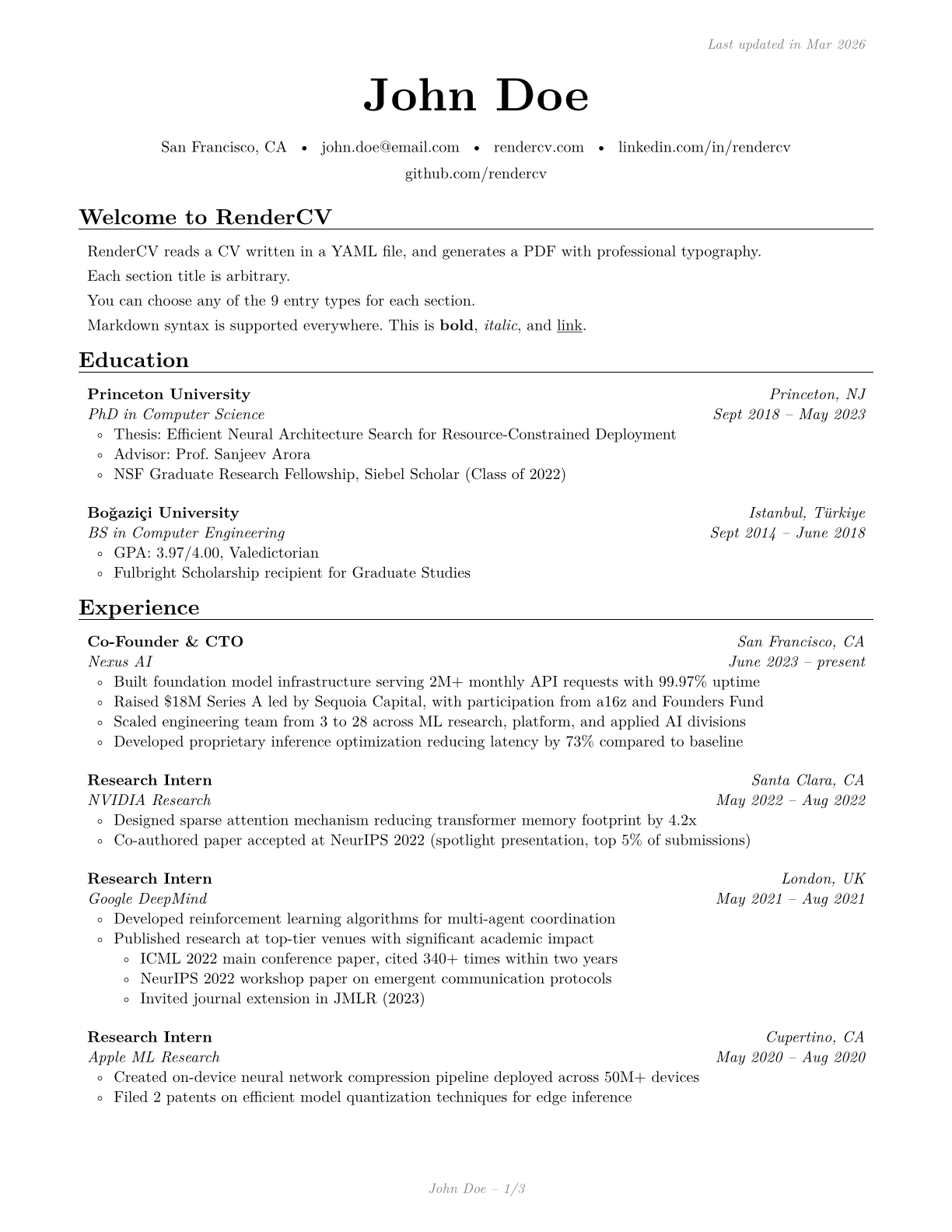 |
|---|---|---|
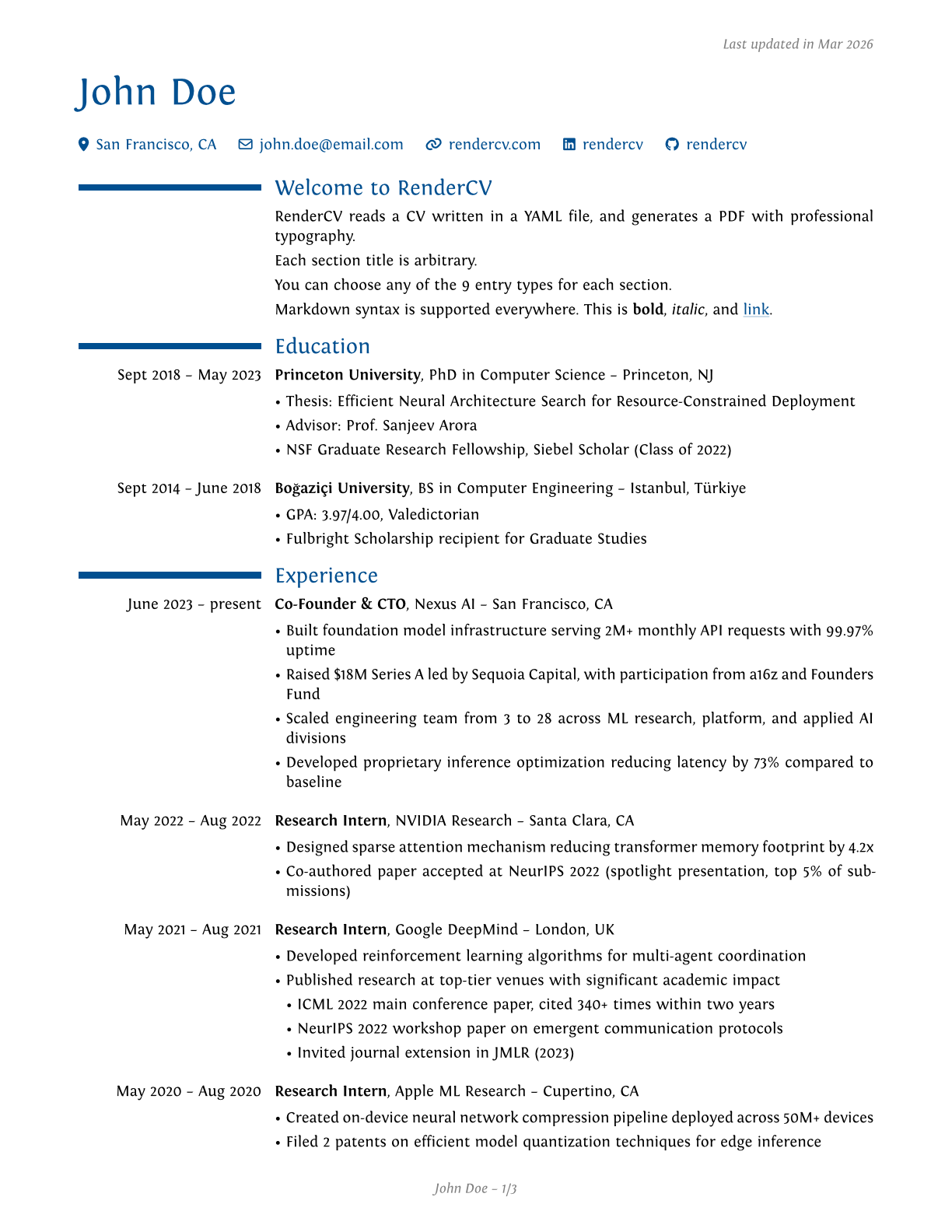 |  |  |
 |  |  |
JSON Schema
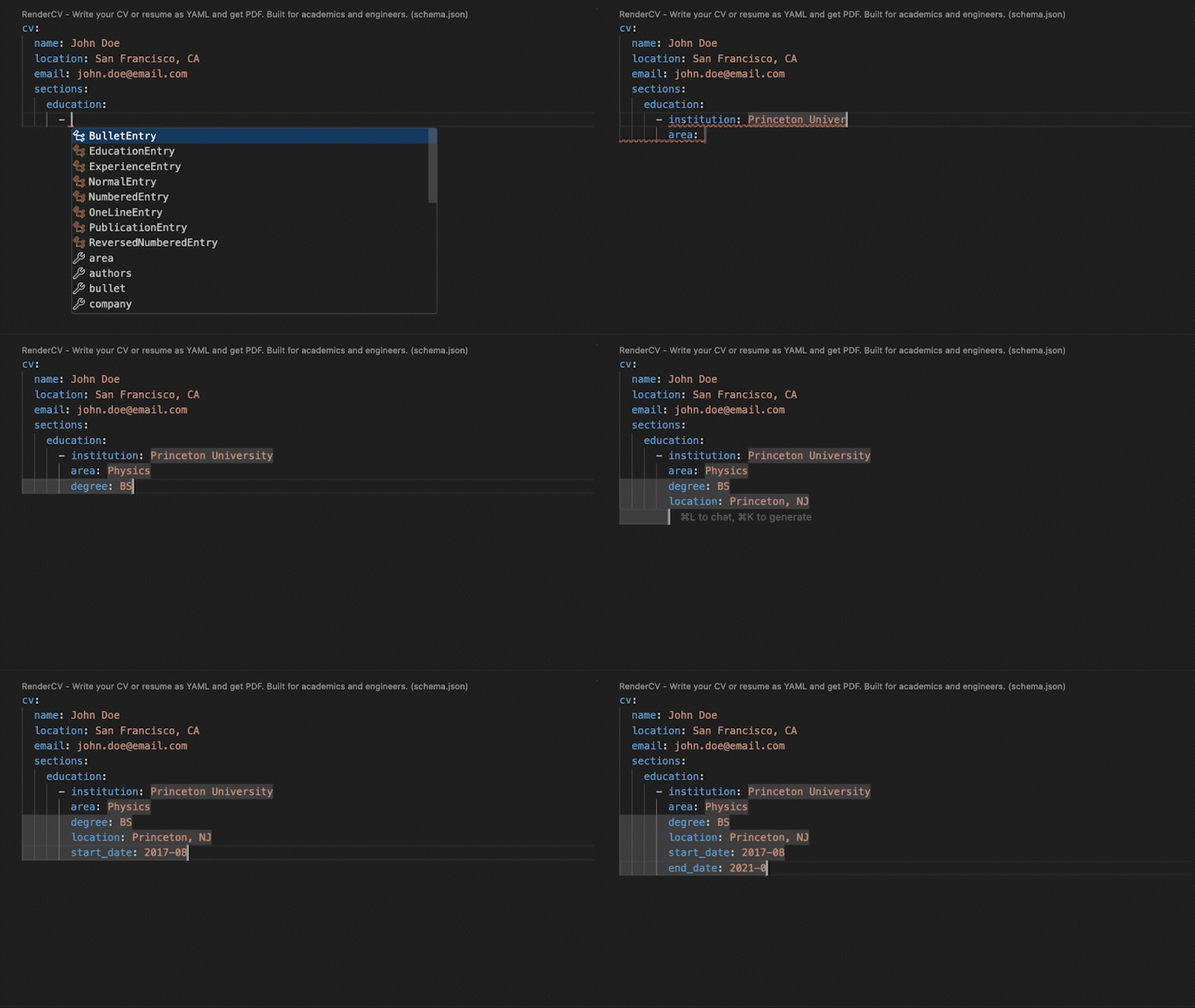
RenderCV's JSON Schema lets you fill out the YAML interactively, with autocompletion and inline documentation.
Extensive Design Options
You have full control over every detail.
design:
  theme: classic
  page:
    size: us-letter
    top_margin: 0.7in
    bottom_margin: 0.7in
    left_margin: 0.7in
    right_margin: 0.7in
    show_footer: true
    show_top_note: true
  colors:
    body: rgb(0, 0, 0)
    name: rgb(0, 79, 144)
    headline: rgb(0, 79, 144)
    connections: rgb(0, 79, 144)
    section_titles: rgb(0, 79, 144)
    links: rgb(0, 79, 144)
    footer: rgb(128, 128, 128)
    top_note: rgb(128, 128, 128)
  typography:
    line_spacing: 0.6em
    alignment: justified
    date_and_location_column_alignment: right
    font_family: Source Sans 3
  # ...and much more
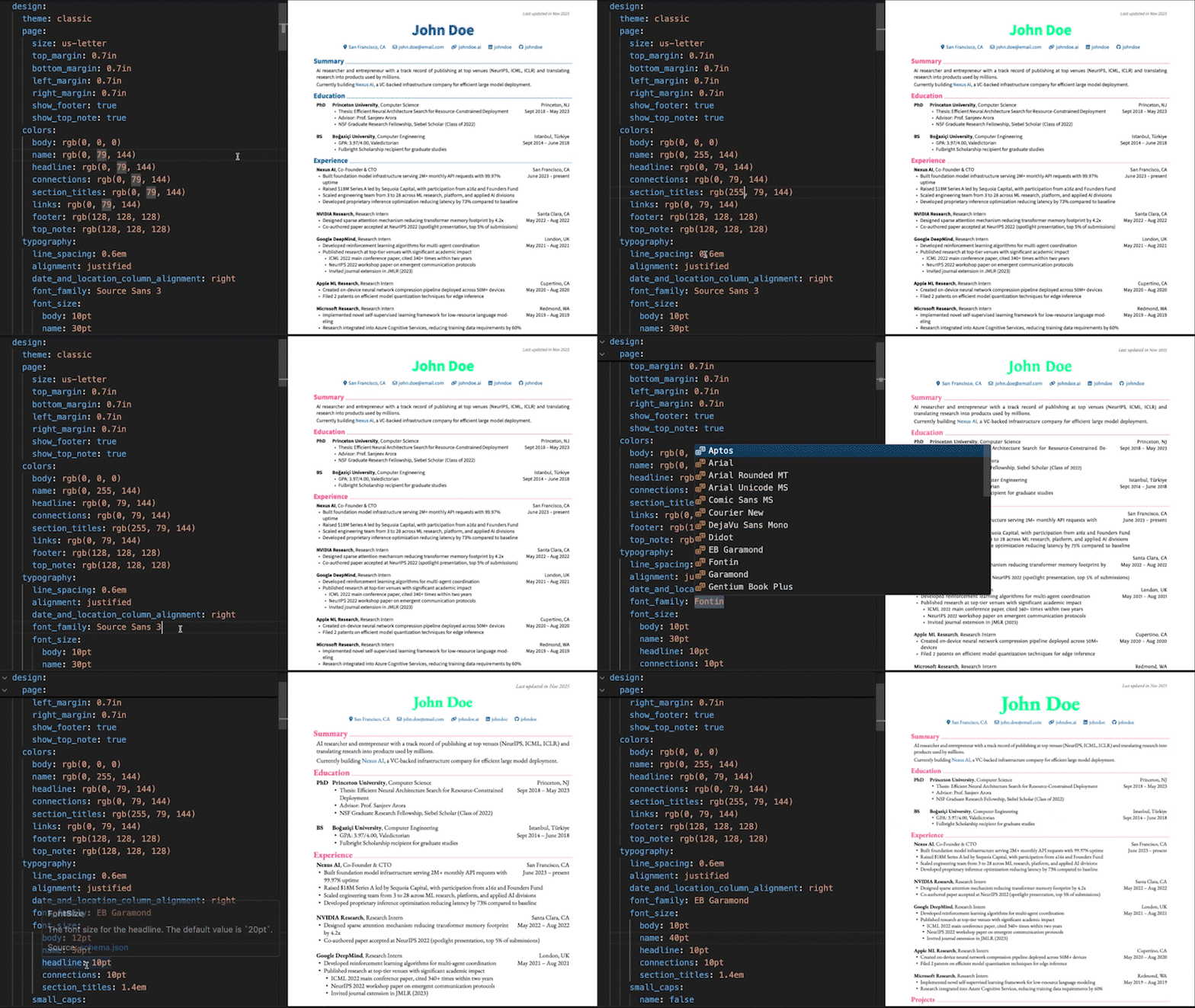
[!TIP] Want to set up a live preview environment like the one shown above? See how to set up VS Code for RenderCV.
Strict Validation
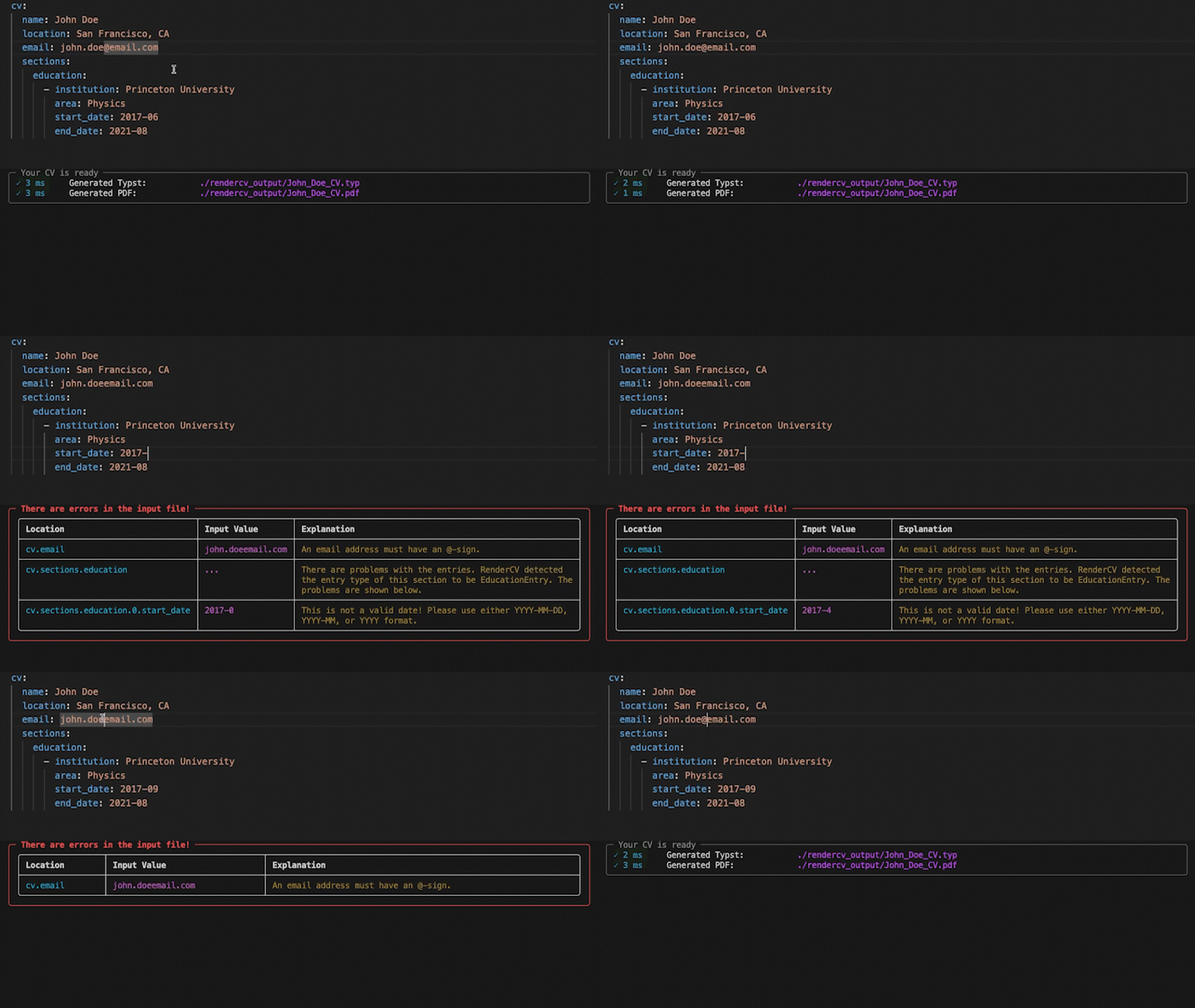
No surprises. If something's wrong, you'll know exactly what and where. If it's valid, you get a perfect PDF.
Any Language
Fill out the locale field for your language.
locale:
  language: english
  last_updated: Last updated in
  month: month
  months: months
  year: year
  years: years
  present: present
  month_abbreviations:
    - Jan
    - Feb
    - Mar
  ...
AI Agent Skill
Let AI coding agents create and edit your CV. Install the RenderCV skill:
npx skills add rendercv/rendercv-skill
Works with any AI agent that supports the skills standard. The skill is auto-generated from RenderCV's source code and evaluated with promptfoo against RenderCV's own Pydantic validation pipeline. See the documentation for details.
Get Started
Install RenderCV (Requires Python 3.12+):
pip install "rendercv[full]"
Create a new CV yaml file:
rendercv new "John Doe"
Edit the YAML, then render:
rendercv render "John_Doe_CV.yaml"
For more details, see the user guide.
相关资源

Pix2Text
CLI把含数学公式、表格的图片或整份 PDF(含扫描件)识别成 Markdown 与 LaTeX,中英文效果好,支持 80 多种语言,适合教师把试卷、讲义数字化,学生整理笔记。开源的 Mathpix 替代品,在本机运行,需要 Python 环境。
breezedeus/Pix2Text3.3k
MarkItDown
CLI把 PDF、Word、Excel、PPT、HTML、图片、音频等文件转成保留标题、列表与表格结构的 Markdown,供大模型读取与分析。微软官方维护,需要 Python 3.10 以上。
microsoft/markitdown191k
Docling
CLI解析 PDF、DOCX、PPTX、XLSX、HTML、图片与音频等格式,还原版面、阅读顺序、表格与公式,导出 Markdown、HTML 或无损 JSON。IBM Research 发起,现由 LF AI & Data 基金会托管,可完全本地运行。
docling-project/docling69k
Marker
CLI把 PDF、图片、PPTX、DOCX、XLSX、EPUB 等文档转换为 Markdown、JSON 或 HTML,能还原表格、公式与版面结构,可选接入大模型提升精度。需 Python 3.10+ 与 PyTorch;模型权重大规模商用需付费授权。
datalab-to/marker40.5k
OCRmyPDF
CLI给扫描版 PDF 加上可搜索、可复制的文字层,可自动纠偏、旋转并优化体积,默认输出 PDF/A。基于 Tesseract,支持 100 多种语言,完全本地运行。
ocrmypdf/OCRmyPDF35.1k
BabelDOC
CLI面向科研论文的 PDF 翻译命令行,尽量保留公式与版式,输出双语对照或纯译文 PDF。需配置 OpenAI 兼容接口(也可接本地 Ollama),目前以英译中为主。
funstory-ai/BabelDOC9.7k