
monolith
CLI把整个网页连同 CSS、图片、字体与脚本内嵌打包成单个 HTML 文件,离线也能原样打开,适合网页存档或交给 agent 离线分析。自身不执行 JavaScript,动态页面需先用无头浏览器预渲染。



 _____    _____________   __________     ___________________    ___
|     \  /             \ |          |   |                   |  |   |
|      \/       __      \|    __    |   |    ___     ___    |__|   |
|              |  |          |  |   |   |   |   |   |   |          |
|   |\    /|   |__|          |__|   |___|   |   |   |   |    __    |
|   | \__/ |          |\                    |   |   |   |   |  |   |
|___|      |__________| \___________________|   |___|   |___|  |___|
A data hoarder’s dream come true: bundle any web page into a single HTML file. You can finally replace that gazillion of open tabs with a gazillion of .html files stored somewhere on your precious little drive.
Unlike the conventional “Save page as”, monolith not only saves the target document, it embeds CSS, image, and JavaScript assets all at once, producing a single HTML5 document that is a joy to store and share.
If compared to saving websites with wget -mpk, this tool embeds all assets as data URLs and therefore lets browsers render the saved page exactly the way it was on the Internet, even when no network connection is available.
Installation
Using Cargo (cross-platform)
cargo install monolith
Via Homebrew (macOS and GNU/Linux)
brew install monolith
Via Chocolatey (Windows)
choco install monolith
Via Scoop (Windows)
scoop install main/monolith
Via Winget (Windows)
winget install --id=Y2Z.Monolith -e
Via MacPorts (macOS)
sudo port install monolith
Using Snapcraft (GNU/Linux)
snap install monolith
Using Guix (GNU/Linux)
guix install monolith
Using NixPkgs
nix-env -iA nixpkgs.monolith
Using Flox
flox install monolith
Using X-CMD
x install monolith
Using Pacman (Arch Linux)
pacman -S monolith
Using aports (Alpine Linux)
apk add monolith
Using pkg.haus APT archive (Debian)
Set up the archive per the instructions on pkg.haus, then:
sudo apt install monolith
Using XBPS Package Manager (Void Linux)
xbps-install -S monolith
Using FreeBSD packages (FreeBSD)
pkg install monolith
Using FreeBSD ports (FreeBSD)
cd /usr/ports/www/monolith/
make install clean
Using pkgsrc (NetBSD, OpenBSD, Haiku, etc)
cd /usr/pkgsrc/www/monolith
make install clean
Using containers
docker build -t y2z/monolith .
sudo install -b dist/run-in-container.sh /usr/local/bin/monolith
From source
Dependencies: cargo
Install cargo (GNU/Linux)
Check if cargo is installedcargo -v
If cargo is not already installed, install and add it to your existing $PATH (paraphrasing the official installation instructions):
curl https://sh.rustup.rs -sSf | sh
. "$HOME/.cargo/env"
Proceed with installing from source:
git clone https://github.com/Y2Z/monolith.git
cd monolith
make install
Using pre-built binaries (Windows, ARM-based devices, etc)
Every release contains pre-built binaries for Windows, GNU/Linux, as well as platforms with non-standard CPU architecture.
Usage
monolith https://lyrics.github.io/db/P/Portishead/Dummy/Roads/ -o %title%.%timestamp%.html
cat some-site-page.html | monolith -aIiFfcMv -b https://some.site/ - > some-site-page-with-assets.html
Options
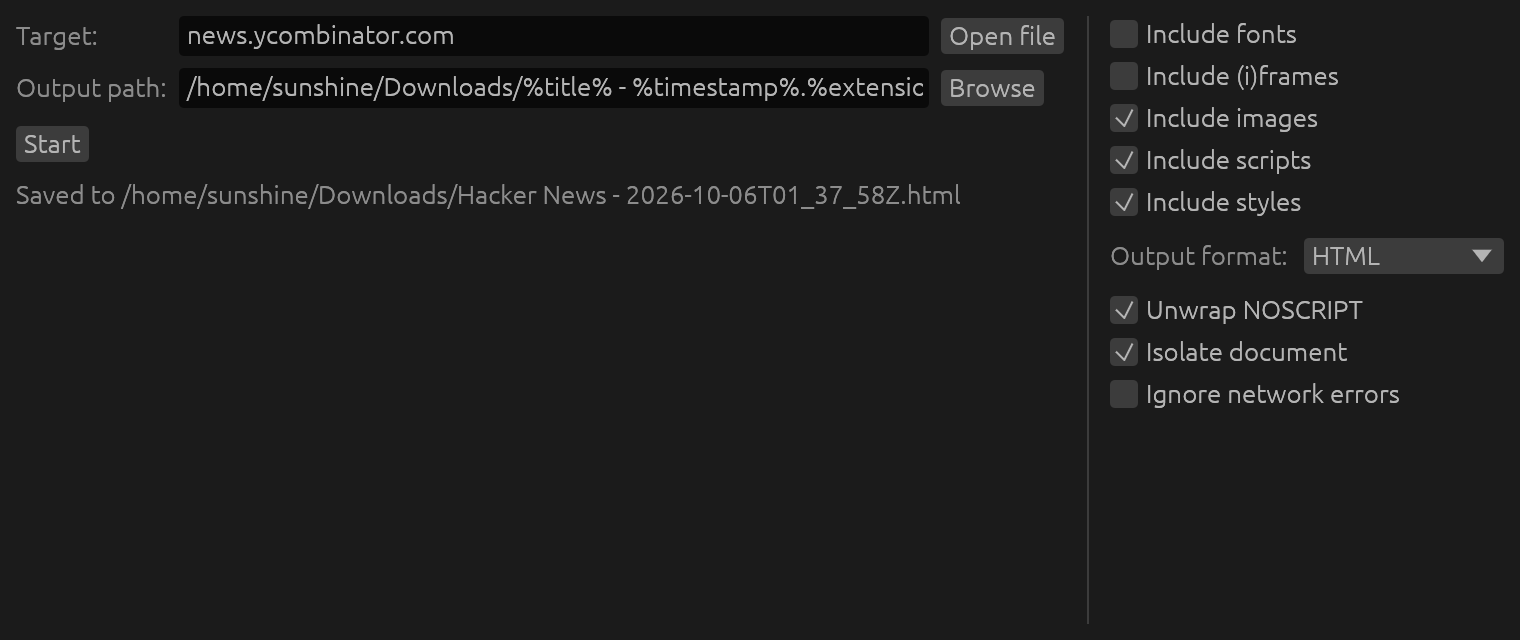
-a: Exclude audio sources-b: Usecustom base URL-B: Forbid retrieving assets from specified domain(s)-c: Exclude CSS-C: Read cookies fromfile-d: Allow retrieving assets only from specifieddomain(s)-D: Create missing directories in the output file path-e: Ignore network errors-E: Save document usingcustom encoding-f: Omit (i)frames-F: Exclude web fonts-h: Print usage information-i: Remove images-I: Isolate the document-j: Exclude JavaScript-k: Accept invalid X.509 (TLS) certificates-m: Output in MHTML format instead of HTML-M: Don't add timestamp and URL information-n: Extract contents of NOSCRIPT elements-o: Write output tofile(use “-” for STDOUT)-q: Be quiet-t: Adjustnetwork request timeout-u: Usecustom User-Agent-v: Exclude videos-V: Print version number
Whitelisting and blacklisting domains
Options -d and -B provide control over what domains can be used to retrieve assets from, e.g.:
monolith -I -d example.com -d www.example.com https://example.com -o example-only.html
monolith -I -B -d .googleusercontent.com -d googleanalytics.com -d .google.com https://example.com -o example-no-ads.html
Dynamic content
Monolith doesn't feature a JavaScript engine, hence websites that retrieve and display data after initial load may require usage of additional tools.
For example, Chromium (Chrome) can be used to act as a pre-processor for such pages:
chromium --headless --window-size=1920,1080 --run-all-compositor-stages-before-draw --virtual-time-budget=9000 --incognito --dump-dom https://github.com | monolith - -I -b https://github.com -o github.html
Authentication
monolith https://username:password@example.com -o example-basic-auth.html
Proxies
Please set https_proxy, http_proxy, and no_proxy environment variables.
Apify Actor Usage

You can run Monolith in the cloud without installation using the Monolith Actor on Apify free of charge.
echo '{"urls": ["https://news.ycombinator.com/"]}' | apify call -so snshn/monolith
[{
  "url": "https://news.ycombinator.com/",
  "status": "0",
  "kvsUrl": "https://api.apify.com/v2/key-value-stores/of9xNgvpon4elPLbc/records/https___news.ycombinator.com_"
}]
Read more about the Monolith Actor, including how to use it via the Apify UI, API and CLI without installation.
Contributing
Please open an issue if something is wrong, that helps make this project better.
License
To the extent possible under law, the author(s) have dedicated all copyright related and neighboring rights to this software to the public domain worldwide. This software is distributed without any warranty.
相關資源

Typst
CLI新一代标记式排版系统,可替代 LaTeX 撰写论文、报告与简历;增量编译速度快,一条 typst compile 命令即可输出 PDF,watch 模式可自动重新编译。
typst/typst56.7k
Harper
CLIAutomattic 出品的离线英文语法检查器,在本机毫秒级检查拼写、语法和用词,稿件不外传;Homebrew 安装后得到可批量检查文件的 harper-cli(仍属实验性质)和供编辑器使用的 harper-ls。只支持英文。
Automattic/harper16.5k
Defuddle
CLI从网页中提取正文,去掉评论、侧栏、页眉页脚等杂项,输出干净的 HTML 或 Markdown,并附标题、作者、发布日期等元数据,适合 agent 读网页时节省 token。最初为 Obsidian Web Clipper 开发,作者 kepano;项目仍在开发中。
kepano/defuddle9.7k
Trafilatura
CLIPython 编写的网页正文提取库与命令行:抓取网页,可跟随站点地图与 RSS 批量采集,去除页眉页脚等噪声,输出 TXT、Markdown、JSON、XML 等格式并附元数据,也能离线处理已下载的 HTML。
adbar/trafilatura7k
Summarize
CLI一条命令为网页、PDF、YouTube 视频、播客和音视频文件提取正文或生成摘要,可输出 JSON;摘要可用多家模型 API、本地模型或已登录的 Codex / Claude CLI,只提取正文不需要 Key。另有浏览器侧边栏扩展。
steipete/summarize6.7k
Tectonic
CLI自包含的现代 TeX/LaTeX 引擎(基于 XeTeX 与 TeX Live),首次编译时自动下载并缓存所需支持文件,一条命令把 .tex 编译成 PDF,无需安装完整 TeX 发行版。
tectonic-typesetting/tectonic5.2k