
OSS Review Toolkit (ORT)
CLILinux 基金会旗下的开源合规工具链:分析软件项目的依赖,扫描许可证与版权信息并查询已知漏洞,按自定义策略标出违规项,生成 SBOM 与开源声明文件,便于法务和研发一起审查许可风险。需要 Java 25 或 Docker,建议 8GB 内存;许可证判定结果需法务人员复核。





Introduction
The OSS Review Toolkit (ORT) is a FOSS policy automation and orchestration toolkit that you can use to manage your (open source) software dependencies in a strategic, safe and efficient manner.
You can use it to:
- Generate CycloneDX, SPDX SBOMs, or custom FOSS attribution documentation for your software project
- Automate your FOSS policy using risk-based Policy as Code to do licensing, security vulnerability, InnerSource and engineering standards checks for your software project and its dependencies
- Create a source code archive for your software project and its dependencies to comply with certain licenses or have your own copy as nothing on the internet is forever
- Correct package metadata or licensing findings yourself, using InnerSource or with the help of the FOSS community
ORT can be used as a library (for programmatic use), via a command line interface (for scripted use), or via its CI integrations. It consists of the following tools which can be combined into a highly customizable pipeline:
- Analyzer: Determines the dependencies of projects and their metadata, abstracting which package managers or build systems are actually being used.
- Downloader: Fetches all source code of the projects and their dependencies, abstracting which Version Control System (VCS) or other means are used to retrieve the source code.
- Scanner: Uses configured source code scanners to detect license / copyright findings, abstracting the type of scanner.
- Advisor: Retrieves security advisories for used dependencies from configured vulnerability data services.
- Evaluator: Evaluates custom policy rules along with custom license classifications against the data gathered in preceding stages and returns a list of policy violations, e.g. to flag license findings.
- Reporter: Presents results in various formats such as visual reports, Open Source notices or Bill-Of-Materials (BOMs) to easily identify dependencies, licenses, copyrights or policy rule violations.
- Notifier: Sends result notifications via different channels (like emails and / or JIRA tickets).
Also see the list of related tools that help with running ORT.
Documentation
For detailed information, see the documentation on the ORT Website. If you have further questions, reach out to the ORT community on Slack or contact the team by email.
Installation
System requirements
ORT is being continuously used on Linux, Windows and macOS by the core development team, so these operating systems are considered to be well-supported.
To run the ORT binaries (also see Installation from binaries) at least Java 25 is required. Memory and CPU requirements vary depending on the size and type of project(s) to analyze / scan, but the general recommendation is to configure Java with 8 GiB of memory and to use a CPU with at least 4 cores.
# This will give the Java Virtual Machine 8GB Memory.
export JAVA_OPTS="$JAVA_OPTS -Xmx8g"
If ORT requires external tools to analyze a project, these tools are listed by the ort requirements command.
If a package manager is not listed there, support for it is integrated directly into ORT and does not require any external tools to be installed.
From binaries
CLI distribution
Head over to the releases page.
From the "Assets" section of your chosen release, download the distribution archive of the desired type.
Typically that is .zip for Windows and .tgz otherwise; but the contents of the archives are the same.
The ort-* archives contain the ORT main distribution, while the orth-* archives contain the ORT helper distribution.
Unpack the archive to an installation directory.
The scripts to run ORT are located at bin/ort and bin\ort.bat, or bin/orth and bin\orth.bat, respectively.
Docker distribution
In addition to the CLI, ORT is also distributed as a Docker image that contains all tools required by ORT (see the ort requirements command).
To run ORT from the latest version of that image (which will be downloaded if needed) use:
docker run ghcr.io/oss-review-toolkit/ort --help
From sources
Install the following basic prerequisites:
- Git (any recent version will do).
Then clone this repository.
git clone https://github.com/oss-review-toolkit/ort
# If you intend to run tests, you have to clone the submodules too.
cd ort
git submodule update --init --recursive
Build using Docker
Install the following basic prerequisites:
- Docker 18.09 or later (and ensure its daemon is running).
- Enable BuildKit for Docker.
Change into the directory with ORT's source code and run docker build -t ort ..
Alternatively, use the script at scripts/docker_build.sh which also sets the ORT version from the Git revision.
Build natively
Install these additional prerequisites:
- Java Development Kit (JDK) version 25 or later; also remember to set the
JAVA_HOMEenvironment variable accordingly.
Change into the directory with ORT's source code and run ./gradlew :cli:installDist (on the first run this will bootstrap Gradle and download all required dependencies).
Basic usage
Depending on how ORT was installed, it can be run in the following ways:
-
If the Docker image was built locally as described above, use
docker run ort --helpYou can find further hints for using ORT with Docker in the documentation.
-
If the ORT distribution was built from sources, use
./cli/build/install/ort/bin/ort --help -
If running directly from sources via Gradle, use
./gradlew -q :cli:run --args="--help"Note that in this case the working directory used by ORT is that of the
cliproject, not the directorygradlewis located in (see https://github.com/gradle/gradle/issues/6074).
Contributing
All contributions are welcome. If you are interested in contributing code, please read our contributing guide. For everything from reporting bugs to asking questions, please go through the issue workflow.
Statistics
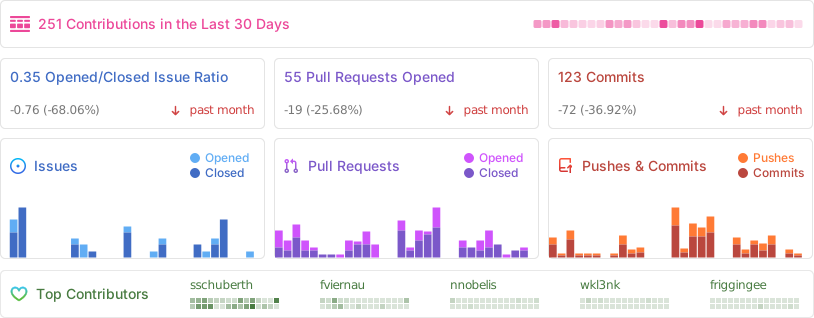
License
Copyright (C) 2017-2026 The ORT Project Copyright Holders.
See the LICENSE file in the root of this project for license details.
OSS Review Toolkit (ORT) is a Linux Foundation project and part of ACT. To learn more on how the project is governed, including its charter, see the ort-governance repository.
相关资源

ScanCode Toolkit
CLI扫描代码库与依赖中的开源许可证、版权声明和包清单,用全文比对识别许可证,结果可导出为 JSON、SPDX、CycloneDX 等格式,适合开源合规审查。
aboutcode-org/scancode-toolkit2.6k
Trivy
CLI一站式安全扫描器:检查容器镜像、文件系统、Git 仓库与 Kubernetes 集群中的已知漏洞、IaC 错误配置、泄露密钥与软件许可证,并能生成 SBOM。Aqua Security 开源维护。
aquasecurity/trivy38.5k
Grype
CLI扫描容器镜像、文件系统目录与 SBOM 中的已知漏洞,覆盖主流 Linux 发行版软件包和多种语言依赖,支持按 EPSS、KEV 排序风险,也支持用 OpenVEX 过滤结果,适合在 CI 中做漏洞门禁。由 Anchore 官方维护。
anchore/grype13k
OSV-Scanner
CLIGoogle 官方的依赖漏洞扫描器:解析项目的 lockfile 与容器镜像,对照 OSV.dev 漏洞库找出受影响的依赖,并可给出升级修复建议(实验功能)。
google/osv-scanner11.2k
Checkov
CLI静态扫描 Terraform、CloudFormation、Kubernetes、Helm、Dockerfile 以及 CI 流水线配置里的安全和合规问题,内置上千条策略,能识别硬编码密钥,可输出 SARIF、JSON 等格式。由 Prisma Cloud 维护。
bridgecrewio/checkov9.1k
Vanta
PluginVanta 官方插件,在 Claude Code 里连接 Vanta 合规平台,查看 SOC 2、ISO 27001 等框架的控制项差距、未通过的检测项、供应商风险与政策文件;代码类问题可生成修复,需研发配合。需 Vanta 付费账号的管理员权限并在浏览器授权,合规结论需专业人员复核。
VantaInc/vanta-mcp-plugin4